
How should Central Valley businesses train employees to catch phishing scams?
Central Valley businesses should train employees using real phishing scenarios, clear reporting steps, and repeatable verification habits so staff can slow down suspicious requests before they turn into account compromise or wire fraud. The most effective programs do not rely on abstract policy slides. They show people what fake Microsoft 365 prompts, urgent vendor changes, payroll scams, document-share lures, and executive impersonation actually look like in normal work.123
That matters because phishing is still the fastest route into many organizations. Attackers are not only targeting giant enterprises. They are going after regional businesses that have money movement, customer records, Microsoft 365 accounts, cloud apps, and employees who are busy enough to act before they verify.12
For Central Valley companies, that risk gets sharper when internal IT resources are lean, finance workflows depend on trust, or leadership assumes sophisticated scams mostly happen somewhere else. We do not think that is realistic anymore. The better assumption is that every employee who touches email, files, approvals, or logins is now part of the front line.
Why are Central Valley employees getting targeted in the first place?
Employees in the Central Valley are targeted because attackers see a mix of valuable business access and uneven defensive maturity. Smaller and mid-sized organizations often move quickly, rely on a handful of key people, and do not always have a dedicated security operations function reviewing suspicious activity all day.14
Lean teams create openings
A lot of regional businesses have one IT generalist, a small outsourced support team, or shared responsibility across operations, finance, and administration. That is normal. It also means phishing defenses may depend heavily on user judgment rather than layered review.
Attackers exploit urgency, familiarity, and local context
Phishing campaigns work because they borrow the language of everyday business. Attackers imitate Microsoft login pages, package notices, invoice disputes, payroll requests, HR messages, and urgent notes from leaders.13 In regional markets, they can also reference local vendors, compliance language, or familiar institutions to make the message feel legitimate.
“We are too small to be targeted” is still a bad assumption
That mindset helps attackers. Businesses in Modesto, Stockton, Fresno, Oakdale, and surrounding markets may think criminals are more interested in large coastal companies, but many scams are built for easier wins, not prestige targets.1
What phishing attacks are employees most likely to see?
Fake Microsoft 365 and document-share prompts
These messages push users toward a fake sign-in page or malicious file-sharing screen. The goal is simple: steal credentials, capture MFA approvals, and use the account to move deeper into the environment.13
Vendor invoice and payment-change fraud
This is one of the most dangerous patterns for finance and operations teams. A message looks like a vendor asking for a payment update, banking change, or urgent invoice correction. If nobody verifies the request using a second channel, the business may send money directly to the attacker.15
Executive impersonation and business email compromise
Business email compromise works because it sounds like normal urgency from someone with authority. The note may say the sender is in a meeting and needs an immediate wire, gift-card purchase, or confidential file. Employees often want to be helpful, and attackers know that.15
Utility, payroll, and benefits scams
Not every attack is high-tech. Some are built around panic. Fake utility shutoff notices, payroll problems, benefits updates, or account suspension alerts push people to act quickly before they think through the details.36
MFA fatigue and approval bombing
Even when MFA is enabled, attackers may repeatedly trigger login prompts and hope the user eventually taps approve out of habit or annoyance. Training should explicitly cover this because many employees do not realize an MFA prompt can itself be part of the attack path.2
What does good employee security training actually look like?
Good phishing training changes behavior, not just awareness. Employees should leave knowing exactly what to pause on, how to verify a suspicious request, and where to report it without feeling like they are overreacting.27
Use examples that look like real work
Training is stronger when it reflects the messages employees actually receive:
- fake Microsoft 365 login prompts
- vendor invoice changes
- shipping and purchasing notices
- payroll and HR requests
- urgent executive messages
- shared-document requests from known contacts
If the examples feel generic, people will not transfer the lesson into their daily workflow.
Teach a simple pause-and-verify routine
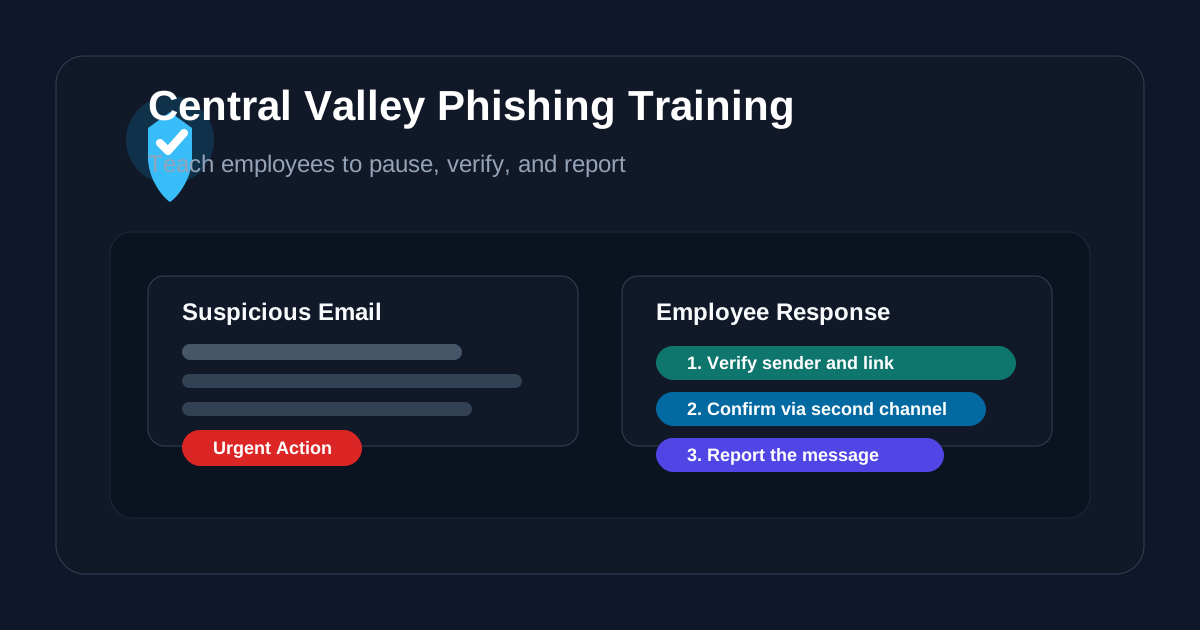
Most employees do not need a lecture on attacker tradecraft. They need a short checklist they can remember under pressure:
- stop before clicking or replying
- inspect the sender, domain, and destination link
- verify payment or credential requests using a second channel
- report the message internally
- delete or quarantine only after reporting guidance is clear
That kind of routine is much more useful than “be careful.”
Normalize reporting
A good program makes reporting easy and low-friction. Employees should never worry that they will look foolish for escalating a suspicious message. In fact, the costliest incidents usually happen when somebody feels unsure, stays quiet, and tries to handle it alone.
Repeat the lesson regularly
Phishing awareness is not a once-a-year event. It should be reinforced with periodic refreshers, realistic phishing simulations, and quick follow-ups when the organization sees a new scam pattern in the wild.27
Why do many phishing training programs still fail?
A lot of phishing training fails because it measures exposure to content rather than safer behavior. Employees may sit through a module, pass a quiz, and still click a realistic message during a busy afternoon.78
Research has shown that many traditional awareness programs do less than leaders hope when they are disconnected from actual work conditions.8 That does not mean training is pointless. It means training has to be practical, tied to process, and backed by controls.
Common reasons programs fall short
- the material is generic and forgettable
- no one connects the lesson to finance, HR, or vendor workflows
- simulations are run, but the results do not lead to coaching
- reporting is hard or socially awkward
- leadership says security matters but approvals still bypass process under pressure
The real goal is not to make employees paranoid. It is to help them spot risky patterns early enough to break the attacker’s momentum.
What should leadership do besides training employees?
Training works best when leadership fixes the process gaps phishing attacks depend on. If the organization still allows urgent payment changes, password resets, or sensitive-file requests to move forward on trust alone, employees are being asked to carry too much of the defense themselves.24
Tighten approval workflows
Finance, payroll, and vendor-management teams should use out-of-band verification for:
- wire transfers
- bank-account changes
- invoice remittance updates
- gift-card or rush purchase requests
- sensitive document releases
Enforce MFA on core systems
MFA should cover Microsoft 365, remote access, line-of-business apps, privileged accounts, and any system tied to finance or customer data. It is not perfect, but it makes stolen credentials much less useful.24
Keep backups tested and patching consistent
If phishing leads to malware or ransomware, recovery quality matters just as much as prevention. Verified backups, restore testing, endpoint patching, and account hardening all reduce the damage when somebody eventually makes a mistake.24
Give people a real escalation path
Employees should know who to contact, what to isolate, and how urgent the response needs to be. That includes after-hours expectations and outside support contacts when internal coverage is thin.
How should a Central Valley business start improving right now?
If the business wants a practical starting point, we would prioritize these steps:
- require MFA on Microsoft 365 and other core systems
- train employees on the exact phishing patterns they see today
- add second-channel verification for payment and vendor changes
- make suspicious-message reporting quick and obvious
- test backups and review restore readiness
- patch endpoints, browsers, and remote-access tools consistently
Those actions work well together. Training tells employees what to do. Process controls reduce pressure-based mistakes. Technical safeguards reduce the blast radius when a click still happens.
If your team is working through broader cyber readiness, our guides on managed cybersecurity services, why hackers target Central Valley small businesses, and security awareness training frequency are good follow-on reads.
Why Datapath for phishing readiness and employee security training?
Datapath helps organizations move past checkbox awareness programs. We focus on the operating discipline around phishing risk: practical training topics, approval controls, identity protection, backup readiness, escalation paths, and accountability for follow-through.
For Central Valley businesses, that usually means building something more durable than a yearly slideshow. It means teaching staff what the real scams look like, tightening the workflows attackers abuse, and making sure leadership can defend how the organization responds.
FAQ: phishing scams targeting Central Valley employees
What is the most common phishing scam affecting Central Valley businesses?
Fake Microsoft 365 prompts, vendor invoice fraud, executive impersonation, and payroll-related messages are among the most common patterns because they match normal business activity.
Is phishing training enough by itself?
No. Training matters, but it works best alongside MFA, tested backups, stronger approval controls, patching, and a clear incident escalation process.
Why do employees still click phishing emails after training?
Because attackers design messages to fit busy work conditions. Good training reduces risk, but programs fail when they are too generic, too infrequent, or unsupported by process controls.
What should an employee do after spotting a suspicious email?
Pause, do not click or reply, verify the request through a second channel if needed, and report it through the organization’s defined process.
Sources
- TaskAlign: Common Email Scams Targeting Central Valley Businesses
- Datapath: Why Hackers Are Targeting Central Valley Small Businesses (And How to Stop Them)
- CISA: Recognize and Report Phishing
- FTC Cybersecurity for Small Business
- FBI: Spoofing and Phishing
- YourCentralValley: Scammers pose as PG&E employees to collect payments, Central Valley targeted
- UC San Diego: Cybersecurity Training Programs Don’t Prevent Employees from Falling for Phishing Scams
Footnotes
-
TaskAlign: Common Email Scams Targeting Central Valley Businesses ↩ ↩2 ↩3 ↩4 ↩5 ↩6 ↩7 ↩8
-
Datapath: Why Hackers Are Targeting Central Valley Small Businesses (And How to Stop Them) ↩ ↩2 ↩3 ↩4 ↩5 ↩6 ↩7 ↩8
-
YourCentralValley: Scammers pose as PG&E employees to collect payments, Central Valley targeted ↩
-
UC San Diego: Cybersecurity Training Programs Don’t Prevent Employees from Falling for Phishing Scams ↩ ↩2
