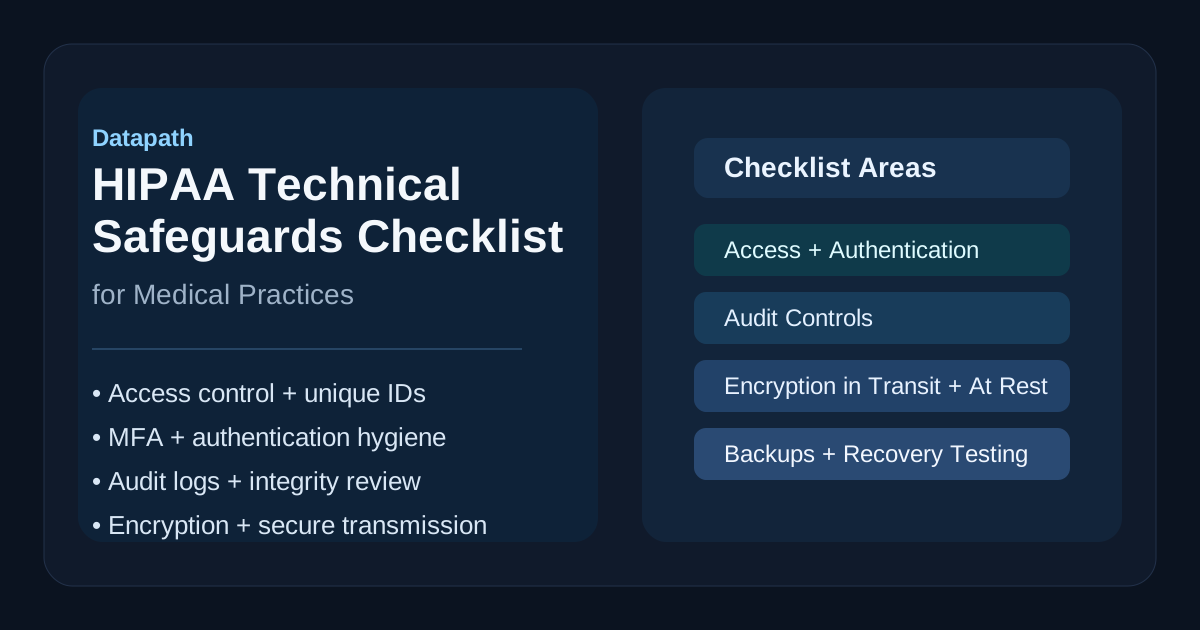

What should a HIPAA technical safeguards checklist include?
A practical HIPAA technical safeguards checklist should verify access control, unique user identification, emergency access, automatic logoff, encryption, audit logging, authentication, transmission security, endpoint protection, backup validation, and recurring review. The point is not to collect security tools for their own sake. It is to prove that electronic protected health information, or ePHI, is only accessible to the right people, stays intact, and remains available when patient care depends on it.12
That matters because most healthcare security failures do not begin with an abstract compliance misunderstanding. They begin with ordinary operational gaps: shared accounts that never got cleaned up, remote access that outgrew its original controls, audit logs nobody reviews, backups that were never tested, or cloud apps that store ePHI outside the EHR team’s field of view. HIPAA’s technical safeguards are supposed to reduce exactly that kind of drift.13
In our experience, the best checklist is one a medical practice can actually run every month or quarter. It should help leadership answer plain questions:
- Who can access ePHI right now?
- Can we prove that access is appropriate?
- Can we detect suspicious activity quickly?
- Is data protected in transit and at rest?
- Would we be able to recover without chaos if a system failed or ransomware hit?
Why do HIPAA technical safeguards matter for medical practices?
They matter because medical practices run on speed, trust, and continuity. Appointment workflows, chart access, lab integrations, billing systems, imaging, telehealth, and patient communication all depend on systems that create, receive, maintain, or transmit ePHI. If those systems are weakly protected, the practice is exposed not just to fines but to operational disruption and patient harm.
The HIPAA Security Rule requires covered entities and business associates to implement technical safeguards that are reasonable and appropriate for protecting ePHI.1 HHS guidance also makes clear that security controls should support the confidentiality, integrity, and availability of ePHI, not just one of those goals in isolation.23
That is why a useful checklist should not stop at “do we have MFA?” or “is encryption enabled somewhere?” It should test whether controls are applied consistently across the real environment, including:
- EHR and practice-management platforms
- Microsoft 365 or Google Workspace
- laptops, shared workstations, and mobile devices
- imaging, billing, and scheduling integrations
- backup systems and disaster recovery workflows
- remote access, home offices, and telehealth workflows
- vendors and support partners with privileged access
Medical practices usually do not need more complexity. They need clearer control coverage.
Which HIPAA technical safeguards should every checklist verify first?
The Security Rule identifies four core technical safeguard standards: access control, audit controls, integrity, person or entity authentication, and transmission security.1 A strong checklist starts there, then expands into the practical control areas needed to make those standards real in a modern healthcare environment.
| Safeguard area | What the practice should verify | Why it matters |
|---|---|---|
| Access control | Unique accounts, least privilege, emergency access procedures, automatic session lock or logoff | Prevents casual overexposure of ePHI |
| Authentication | MFA where appropriate, strong passwords, privileged-access controls, account lifecycle review | Reduces stolen-credential risk |
| Audit controls | Logging for access, changes, and failed logins; regular review and alerting | Creates detection and accountability |
| Integrity | Protections against improper alteration, ransomware impact, and bad data handling | Preserves reliable clinical and business records |
| Transmission security | Encryption and secure transmission paths for email, portals, APIs, and remote access | Protects ePHI in motion |
| Endpoint and recovery support | Device encryption, EDR, backup validation, restore testing | Helps maintain availability under stress |
That last row is worth calling out. Endpoint protection and recovery testing are not named in HIPAA as separate headline standards, but in practice they are part of how medical practices satisfy the availability and resilience side of the Security Rule.24
What should the checklist require for access control and authentication?
A practical HIPAA technical safeguards checklist should require unique user IDs, role-based access, emergency access procedures, automatic session protection, prompt deprovisioning, and stronger controls for administrators and remote access users. The Security Rule specifically calls out unique user identification, emergency access procedures, automatic logoff, and encryption/decryption as part of the access-control standard.1
A strong access section should verify:
- every workforce member has an individual account rather than a shared login
- role-based access reflects current job responsibilities
- terminated or transferred users lose access promptly
- privileged accounts are limited and reviewed regularly
- emergency-access procedures exist, are documented, and are tested
- unattended workstations lock automatically within an appropriate timeout
- remote access requires stronger identity verification than basic passwords alone
For most medical practices, authentication should also include a reality check on where ePHI is reachable. If staff can access patient data through Microsoft 365, a patient portal, a cloud fax workflow, a remote desktop tool, or a support VPN, those paths belong in the same checklist. Too many teams secure the EHR and leave the surrounding workflows softer than they realize.
This is also where related Datapath guidance becomes useful. Medical practices reviewing broader healthcare IT operations should compare their controls against our healthcare solutions page, our guide on IT HIPAA compliance requirements, and our article on HIPAA risk assessment checklists.
What should the checklist require for audit controls and integrity?
The checklist should require logging that captures access, changes, failed logins, privileged activity, and other meaningful events affecting ePHI systems, plus a repeatable process for reviewing those logs. HIPAA’s audit-controls standard requires hardware, software, and procedural mechanisms that record and examine activity in information systems containing or using ePHI.1
A useful audit-and-integrity section should verify:
- critical systems generate logs for access and administrative activity
- logs are retained long enough to support investigation and audit needs
- alerts exist for suspicious authentication, privilege changes, and unusual access patterns
- system clocks and timestamps are consistent enough to support investigations
- ransomware or unauthorized changes can be detected through monitoring and validation
- EHR, identity, endpoint, firewall, and cloud logs can be correlated when needed
- someone owns review, escalation, and evidence retention
Integrity is often the least discussed technical safeguard, but it matters a lot in healthcare. Clinical and billing records have to remain trustworthy. If the practice cannot tell whether data was altered improperly, or cannot restore known-good versions after a security incident, it has a security problem and an operational problem at the same time.23
In our experience, practices get better results when they treat logging as an operational control instead of a compliance artifact. Logs are only valuable if they can answer real questions under pressure: who accessed what, when they did it, whether the access made sense, and what changed next.
What should the checklist require for encryption and transmission security?
It should require the practice to identify where ePHI is stored, where it travels, how it is protected, and where any exceptions still exist. HIPAA’s transmission-security standard requires measures that guard against unauthorized access to ePHI transmitted over an electronic communications network, and the Security Rule also includes addressable encryption specifications within access control and transmission security.12
A practical encryption-and-transmission section should verify:
- endpoint devices storing ePHI are encrypted
- servers, cloud platforms, and backup repositories use encryption at rest where appropriate
- email, portals, file transfer tools, and APIs transmitting ePHI use secure transport
- remote access paths such as VPN, zero-trust access, or secure gateway tooling are configured appropriately
- mobile-device and telehealth workflows do not create unmanaged copies of ePHI
- exception cases are documented, approved, and paired with compensating controls
- restore workflows preserve confidentiality as well as availability
This is one of the easiest places for a medical practice to overestimate its maturity. Teams may know the EHR vendor encrypts data, but not know whether exported reports, fax replacements, scanner destinations, local shares, or mailbox rules create weaker paths around the edges.
A good checklist should push that clarity. It should also connect security to resilience. Practices thinking about wider recovery exposure should review Backup and Disaster Recovery: The Complete Guide for Business IT, our overview of managed cybersecurity services, and the full resources and guides hub.
What should the checklist require for endpoints, vendors, and recovery?
The checklist should require visibility into endpoints, vendor access, backup scope, restore testing, and changes to the environment that affect ePHI handling. HHS guidance repeatedly emphasizes risk analysis, ongoing risk management, and the need to consider all systems and workflows that create, receive, maintain, or transmit ePHI.23
That means a serious medical-practice checklist should verify:
Endpoint protection
- laptops and workstations are encrypted and centrally managed
- supported operating systems and patch levels are enforced
- endpoint detection or anti-malware is active and monitored
- USB usage, local admin rights, and unmanaged device access are controlled where appropriate
Vendor and third-party access
- vendors with access to ePHI are identified and reviewed
- business associate agreements are current where required
- remote support access is limited, approved, and auditable
- former vendor access paths are removed cleanly after transitions
Backup and recovery
- backups include the systems and data that actually matter for patient operations
- backup jobs are monitored for failure and tampering
- restore testing is performed and documented
- downtime procedures are realistic for scheduling, charting, billing, and communication
- recovery expectations are clear enough that leadership knows what “restored” really means
This is where the checklist stops being theoretical. If a practice cannot restore patient schedules, clinical systems, and communications cleanly after an outage or attack, then its technical safeguards are incomplete, even if the written policy sounds fine.
How often should a medical practice review HIPAA technical safeguards?
A medical practice should review its HIPAA technical safeguards on a recurring schedule and also after meaningful changes such as new software, new vendors, office expansions, acquisitions, major workflow changes, security incidents, or new remote-access patterns. HIPAA does not reduce security to a once-per-year box-check. The Security Rule and OCR guidance both point toward ongoing risk management and periodic evaluation.23
A useful review rhythm usually includes:
- Monthly checks for access changes, backup health, patching exceptions, and critical alerts.
- Quarterly review of privileged accounts, audit logs, remote access, endpoint coverage, and vendor access.
- Annual or event-driven refresh of the broader risk analysis and technical control map.
- Immediate reassessment after major incidents, platform changes, or new ePHI workflows.
That cadence matters because medical practices change faster than many compliance calendars do. A new imaging integration, a new outsourced billing partner, or a move to hybrid work can quietly change the risk picture long before the annual review catches up.
Why Datapath for HIPAA technical safeguard operations?
We approach HIPAA technical safeguards the same way we approach other regulated-environment IT work: by tying requirements to real systems, real owners, and evidence leadership can actually use. The goal is not to create another binder that only gets opened when an audit looms. It is to make patient-data protection easier to govern, easier to validate, and easier to recover when something goes wrong.
If your medical practice is trying to tighten identity controls, validate backup and restore readiness, improve logging, reduce uncertainty around vendors, or turn HIPAA security work into an operating discipline instead of a scramble, start with the Datapath homepage, review our healthcare solutions, explore the resources and guides hub, or talk with our team about where your current operating model is creating the most risk.
Frequently Asked Questions
What are HIPAA technical safeguards?
HIPAA technical safeguards are the technology-related standards in the Security Rule used to protect ePHI through access control, audit controls, integrity protections, authentication, and transmission security.1
Does HIPAA require encryption?
HIPAA does not frame every encryption decision as a blanket mandate in every context, but the Security Rule includes addressable encryption specifications and expects covered entities and business associates to protect ePHI appropriately in storage and transmission based on risk.12
Does HIPAA require multi-factor authentication?
HIPAA does not name MFA explicitly in the original rule text, but in practice MFA is often one of the strongest and most reasonable ways to support authentication and reduce unauthorized access risk in modern environments, especially for remote and privileged access.24
What is the biggest technical safeguard mistake most medical practices make?
Usually it is assuming the EHR alone defines the environment. In reality, email, backups, remote access, cloud storage, support tooling, printers, and third-party workflows often create the real gaps around ePHI handling.
How often should a medical practice test backup recovery?
Practices should test recovery on a recurring schedule and after meaningful system changes. The right frequency depends on the environment, but a checklist is weak if it confirms backups exist without verifying that restores actually work.
Sources
- 45 CFR § 164.312 — Technical safeguards
- HHS OCR: Guidance on Risk Analysis
- HHS: Summary of the HIPAA Security Rule
- NIST SP 800-66 Rev. 1, An Introductory Resource Guide for Implementing the HIPAA Security Rule
