
What should multi-site businesses expect from managed IT services in Tracy, CA?
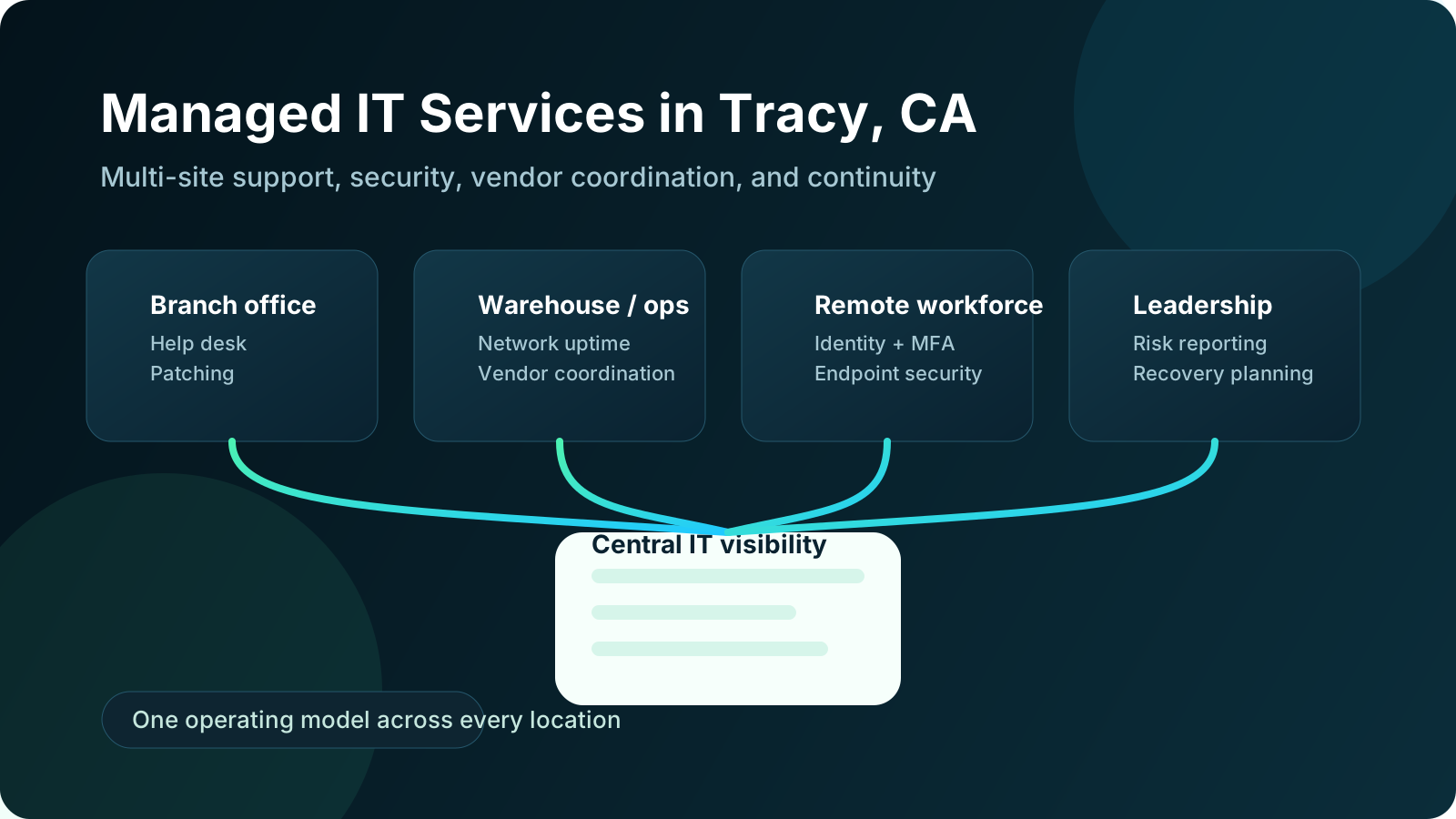
Managed IT services in Tracy, CA should give multi-site businesses more than remote troubleshooting and a ticket queue. A strong provider should create one accountable operating model across offices, remote users, warehouses, line-of-business systems, cloud apps, and core security controls so leadership can see what is working, what is drifting, and what needs attention next.12 For growing companies, that matters because the real challenge is usually not one location. It is the inconsistency that appears when multiple sites, vendors, and workflows start interacting.
That problem shows up in ordinary ways before it becomes a major issue. One office gets devices patched on time while another falls behind. Internet or firewall issues keep recurring at a satellite site. Onboarding is clean in one department and improvised in another. Backup expectations differ across servers, SaaS apps, and local devices. Vendors support only their piece of the environment, so when something fails between systems, nobody owns the whole incident. Managed IT should solve for that fragmentation rather than add another layer of ambiguity.
In our experience, the best managed IT relationships feel more organized every quarter. Support becomes easier to route. Standards become easier to enforce. Recovery readiness becomes easier to test. Leadership gets clearer reporting on risk, aging systems, recurring incidents, and upcoming priorities. That is what businesses in Tracy should actually expect if they are trusting an MSP with day-to-day operations.
What should managed IT services in Tracy actually include?
A credible MSP should support the recurring work that keeps a multi-site environment stable, secure, and easier to govern. NIST Cybersecurity Framework 2.0 emphasizes that governance, protection, detection, response, and recovery need to work together instead of as isolated technical tasks.1 CISA’s Cyber Essentials guidance makes the same practical point from a business-risk angle: visibility, prioritization, and repeatable controls matter more than disconnected one-off fixes.2
How should support work across multiple locations?
Support should be consistent regardless of which office, department, or remote user needs help. That usually includes user troubleshooting, onboarding and offboarding, Microsoft 365 administration, endpoint setup, connectivity issues, printer or conference-room support, and vendor escalation when business applications fail.
For multi-site companies, consistency matters more than raw speed claims. If one office receives fast responses but another repeatedly waits on local coordination, the business still has a process problem. A strong MSP should be able to explain:
- how users across all locations request support
- what is handled remotely versus on site
- how high-severity incidents escalate after hours
- how recurring issues are reviewed for root cause
- how support trends are reported to leadership
That operating clarity is a big part of why companies move past break-fix support. Businesses that want a deeper look at that transition can also review our guide on why companies outgrow break-fix IT support.
What operational coverage should be standard?
A serious managed IT services engagement in Tracy should include the less visible work that reduces preventable disruption over time:
- endpoint and server monitoring
- operating system and application patching
- network and wireless health review
- asset inventory and lifecycle tracking
- backup monitoring and restore escalation
- documentation that survives staff changes and vendor turnover
- standards for device setup, access, and escalation across locations
This is the work many buyers underestimate because it is not as visible as a help desk metric. In practice, it is the layer that keeps a multi-site company from accumulating a different version of IT debt in every office. When patching, backups, documentation, and hardware standards drift by location, leadership ends up funding the same cleanup problem repeatedly.
How should security and recovery be handled?
Multi-site businesses in Tracy usually need a stronger operational baseline than a single-office company because there are more users, more access paths, more vendors, and more places where inconsistency can hide. CISA’s ransomware guidance and recovery resources both reinforce the need for tested backups, identity protections, and defined response procedures.23
A useful managed IT baseline often looks like this:
| Managed IT area | What should be included | Why it matters |
|---|---|---|
| Identity and access | MFA enforcement, provisioning, role reviews, offboarding discipline | Reduces preventable account compromise |
| Endpoint and email security | EDR oversight, policy checks, escalation support | Improves containment and visibility |
| Backup and recovery | Backup monitoring, retention review, restore validation, issue follow-up | Supports resilience during outages or ransomware events |
| Vendor coordination | Ownership across ISPs, cloud apps, hardware vendors, and line-of-business systems | Prevents finger-pointing during incidents |
| Reporting and planning | Recurring service reviews, risk summaries, lifecycle guidance | Gives leadership clearer decisions and priorities |
That broader operating model is why businesses often compare local service fit with deeper resources like Datapath’s managed IT services overview, IT consulting and storage services, and the resources and guides library rather than focusing only on response-time promises.
Why do Tracy businesses move to managed IT services?
Most organizations do not move to managed IT because they suddenly want to outsource everything. They move because growth has made their current support model harder to trust.
Are internal teams getting stretched too thin?
This is the most common reason. A lean internal IT leader can often hold things together for one office, but multi-site operations create more onboarding, more vendor coordination, more support requests, more configuration drift, and more recovery risk. That load usually compounds quietly until something forces a decision.
Managed IT helps by absorbing recurring operational work so internal leadership can spend more time on business-specific systems, projects, governance, and stakeholder planning. In some environments the right answer is fully outsourced support. In others it is a co-managed model where the internal team keeps strategic ownership while the MSP handles recurring operations. Our post on co-managed IT services covers that handoff in more detail.
Is downtime becoming harder to absorb?
A small outage at one location can now ripple across several business functions. If identity breaks, remote users cannot access cloud systems. If a network issue disrupts a warehouse, shipping and inventory slow down. If a line-of-business platform fails, accounting, customer support, and operations may all feel it differently. IBM’s Cost of a Data Breach research and Ready.gov’s continuity planning guidance both reinforce the same underlying lesson: disruption costs more when organizations have not defined ownership, recovery priorities, and communications ahead of time.45
That is why we think buyers should look beyond ticket volume and ask how a provider reduces repeat incidents, how backups are validated, and how outages are coordinated across locations. Businesses in Tracy that depend on uptime should also review the true cost of IT downtime and backup and disaster recovery planning when evaluating fit.
Are security, compliance, and insurance expectations increasing?
Outside pressure is another major trigger. Cyber insurance applications keep asking more specific questions. Customers want evidence that access is governed. Leadership wants more confidence that backups are recoverable and that vendor sprawl is being controlled. For regulated businesses, those pressures intensify quickly.
Managed IT should improve operational evidence, not replace it with vague assurances. A better MSP should be able to explain what is in scope, how exceptions are tracked, how after-hours escalation works, how patching and backup failures are reviewed, and where leadership still owns risk decisions. That is especially relevant for businesses comparing general support with more specialized managed cybersecurity services or cybersecurity risk assessment services.
How should businesses evaluate managed IT services in Tracy, CA?
The easiest mistake is choosing a provider based on generic positioning. Nearly every MSP says it is proactive, strategic, and responsive. The better question is whether the provider can explain how its operating model will improve consistency across all of your locations.
What should buyers ask about scope and ownership?
Before comparing proposals, define what the MSP is expected to own. That usually includes support, patching, monitoring, backup oversight, identity administration, vendor coordination, reporting, and planning. If scope stays fuzzy in the sales process, accountability usually stays fuzzy after the contract is signed.
We recommend asking questions like:
- Which users, locations, and systems are in scope?
- What is handled remotely, and what triggers on-site support?
- Who owns incidents that span multiple vendors or offices?
- How are backup failures, patch exceptions, and aging devices tracked?
- What does leadership receive each month or quarter besides ticket counts?
- How does the provider standardize processes across offices without slowing the business down?
Those questions matter more than a broad promise of “all-inclusive IT.” Buyers that want a sharper evaluation framework should also review how to evaluate an MSP for 100+ employees and how to evaluate IT outsourcing companies.
How do you separate process maturity from tool lists?
Most MSPs can list similar tool categories: RMM, EDR, backups, documentation, Microsoft 365, and ticketing. That list alone does not say much. Buyers should ask how those tools drive repeatable operations.
A stronger provider should be able to explain:
- how patch exceptions are approved and remediated
- how backup alerts are escalated and restore testing is documented
- how privileged access is reviewed across locations
- how recurring incidents are analyzed for root cause
- how reporting connects technical issues to business risk
That level of specificity usually tells you more about long-term fit than a longer product stack does.
Does local fit still matter for Tracy businesses?
Yes, but local fit should mean more than a nearby ZIP code. Remote support resolves many issues efficiently, but on-site availability still matters for infrastructure work, internet failover problems, office moves, conference-room failures, cabling changes, and location-specific hardware incidents.
For Tracy businesses, the better test is whether the provider can combine regional familiarity with disciplined process. That usually means understanding Central Valley operations while also supporting neighboring sites, remote users, and executive reporting without treating every local issue as an exception. Businesses comparing regional service models may also want to review the Datapath home page, the Modesto location page, and our Manteca managed IT guide.
What should multi-site or regulated businesses ask a Tracy MSP?
Companies with multiple locations, customer-sensitive workflows, or regulated data should expect more than good intentions. They should expect evidence, process, and ownership.
Can the provider show how work is reviewed?
It is not enough to say backups are running or devices are patched. The provider should be able to show how that work is monitored, which exceptions remain open, who owns remediation, and how leaders get updates. The same standard should apply to identity, endpoint protection, vendor access, and recovery planning.
Can the provider connect technical issues to business risk?
A stronger MSP can translate technical drift into business language. An unresolved backup alert is not just a backup problem. It can affect recovery readiness, insurance posture, and audit defensibility. A weak offboarding process is not just an HR inconvenience. It creates access-control risk across offices, cloud systems, and vendor relationships.
That business-risk framing is a big part of what we think good managed IT should provide. It is also why organizations looking for more structure often connect managed IT evaluation with broader guides on managed cybersecurity services, what managed IT services actually include, and financial services IT support or healthcare IT support where relevant.
Why Datapath for managed IT services in Tracy, CA?
We think managed IT should make a multi-site business easier to run. That means fewer preventable surprises, clearer ownership, stronger recovery discipline, and reporting leadership can actually use.
For Tracy-area companies, that usually means building one accountable operating model across support, security, vendor coordination, backup oversight, and planning instead of letting each office improvise its own version of IT. We work best with teams that want consistency, accountability, and practical next steps rather than a provider that simply promises to close tickets faster.
If your business is comparing managed IT services in Tracy, CA, start with the Datapath home page, review our managed IT services overview, browse the resources and guides library, and talk with our team about your Tracy IT environment if you want a practical conversation about fit.
Frequently Asked Questions
What are managed IT services in Tracy, CA?
Managed IT services in Tracy, CA are ongoing outsourced IT operations that typically include support, monitoring, patching, backup oversight, cybersecurity administration, vendor coordination, and planning. For multi-site businesses, the goal is to create consistent accountability across every location instead of letting each office develop separate standards.
Are managed IT services worth it for multi-site businesses?
They often are when internal IT is stretched thin, locations are operating inconsistently, or leadership needs clearer visibility into downtime risk, vendor ownership, and recovery readiness. The value usually comes from fewer repeat issues and better operating discipline over time.
What should a Tracy MSP include for multi-site companies?
At minimum, buyers should expect help desk coverage, monitoring, patching, identity administration, backup oversight, vendor coordination, reporting, and a clear escalation model for high-severity incidents. Stronger providers also add planning and lifecycle guidance.
How do you evaluate a managed IT provider in Tracy?
Start with scope, ownership, reporting expectations, and support coverage before comparing prices or tool lists. Then ask how the provider handles exceptions, recurring issues, backup validation, and business-risk communication across all locations.
Does local on-site support still matter if most help is remote?
Yes. Remote support solves many issues quickly, but local presence still matters for network work, office changes, hardware failures, conference-room problems, and faster coordination when a location is operationally blocked.
Sources
- NIST Cybersecurity Framework 2.0
- CISA Cyber Essentials
- CISA Ransomware Guide
- IBM Cost of a Data Breach Report
- Ready.gov Business Continuity Planning
