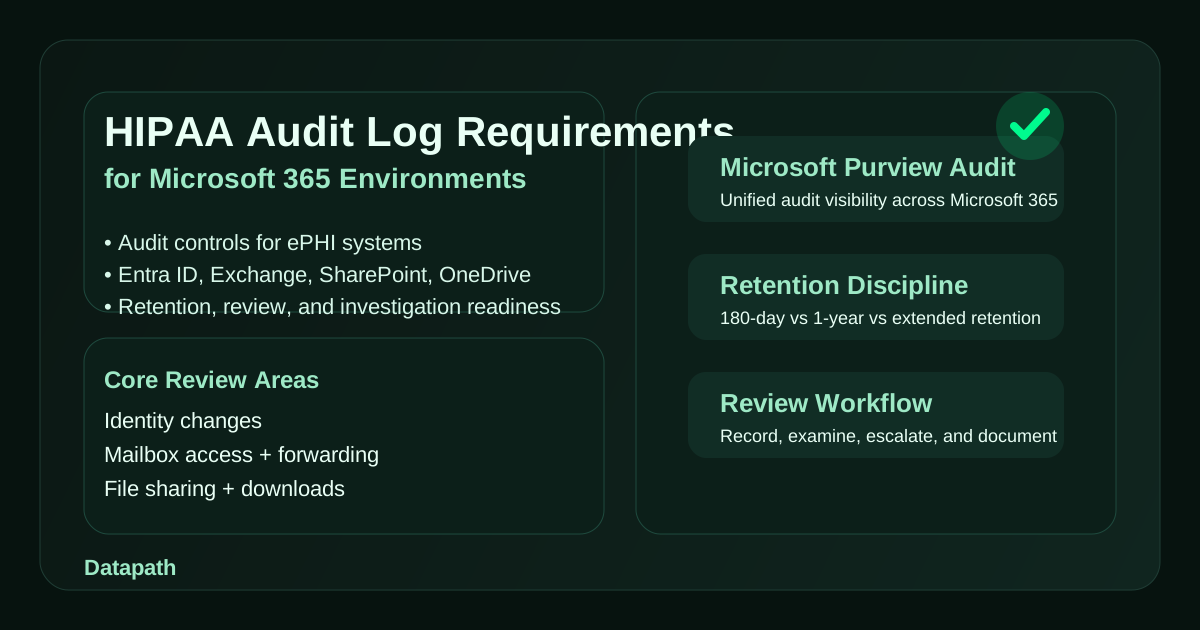

What do HIPAA audit log requirements mean in a Microsoft 365 environment?
HIPAA audit log requirements in a Microsoft 365 environment mean a healthcare organization must be able to record and examine activity involving systems that contain or use ePHI, tie that activity back to specific users or roles, retain the right evidence long enough to investigate events, and review it in a way that supports security, compliance, and incident response. HIPAA does not name Microsoft 365 specifically, but 45 C.F.R. § 164.312(b) does require audit controls, and Microsoft Purview auditing is one of the main ways modern healthcare IT teams satisfy that requirement across cloud identity, email, files, and collaboration workflows.123
That matters because many healthcare organizations now run large parts of their daily operating environment inside Microsoft 365. Email, Teams, SharePoint, OneDrive, Entra ID, mobile access, and admin changes all create activity that may affect confidentiality, integrity, or availability of ePHI. If a suspicious mailbox rule appears, a user account is accessed from an unusual location, a file containing patient information is shared externally, or an admin role changes unexpectedly, leadership needs more than a vague assurance that “logging is on.” They need usable evidence.
In our experience, this is where the gap usually shows up. Healthcare organizations often have Microsoft 365 licenses, some level of audit capability, and a few admin dashboards, but not a disciplined answer to basic questions: Which events matter most? How long are they retained? Who reviews them? How do they support investigations, OCR questions, breach analysis, or vendor accountability? That is why this topic overlaps with our work on the Datapath homepage, our healthcare IT solutions, our HIPAA risk assessment checklist, and our Microsoft 365 security best practices guide.
Why are audit logs foundational to HIPAA compliance in Microsoft 365?
HIPAA makes auditability foundational because the Security Rule is built around protecting the confidentiality, integrity, and availability of ePHI through administrative, physical, and technical safeguards.1 Audit controls are one of the specific technical safeguard standards, and the regulation is direct: covered entities and business associates must implement mechanisms that record and examine activity in systems that contain or use ePHI.2
For Microsoft 365, that means the question is not just whether the platform can log events. It clearly can. The harder question is whether the organization has defined which workloads are in scope for ePHI, how identities are governed, what activities should trigger review, and whether log retention is long enough to support real investigations. Microsoft notes that unified audit logging in Purview captures and retains thousands of user and admin operations across Microsoft services, including critical workloads like Exchange, SharePoint, OneDrive, and Microsoft Entra ID.34
Why is “record and examine” more important than logging alone?
Plenty of organizations satisfy themselves with the first half of the requirement. They record activity somewhere and stop there. HIPAA’s standard is stronger than that. The language requires mechanisms that both record and examine activity.2 In practical terms, that means logs should support a real review process.
A healthcare organization should be able to answer questions like:
- who accessed the mailbox, file, team, or admin setting in question
- when the access or change occurred
- whether the action came from a standard user, a privileged admin, or a service account
- what system or workload generated the event
- whether the activity was expected, risky, or clearly unauthorized
- what remediation or follow-up occurred afterward
If the team cannot answer those questions within a reasonable amount of time, then the logging posture is weaker than it appears.
Why does Microsoft 365 make the issue bigger, not smaller?
Microsoft 365 centralizes identity, communication, collaboration, and administration into one operating environment. That is efficient, but it also means a single compromised account or poorly controlled admin role can affect email, file access, Teams conversations, retention settings, external sharing, and security configuration in the same ecosystem. That is exactly why we recommend connecting audit logs to identity governance, device trust, and incident response planning rather than treating logging as a compliance side task.
For healthcare teams, the real benefit of strong audit coverage is not abstract. It helps determine whether ePHI was exposed, whether an incident affected one user or an entire workload, whether a business associate action was authorized, and whether the organization can defend its decision-making later.
Which Microsoft 365 logs and events matter most for HIPAA?
The most important Microsoft 365 audit data for HIPAA usually comes from workloads that directly influence access to ePHI, movement of ePHI, or changes to security posture. Microsoft Purview audit records provide broad visibility, but healthcare organizations should prioritize the events that matter most to patient-data handling and control accountability.34
Which workloads usually matter first?
We usually start with these core workloads:
| Workload | Why it matters for HIPAA | Example events to review |
|---|---|---|
| Microsoft Entra ID | Controls who can authenticate and what roles they hold | risky sign-ins, MFA changes, admin role assignments, account changes |
| Exchange Online | Email frequently carries or routes ePHI | mailbox access, forwarding rules, delegate changes, message trace-related actions |
| SharePoint and OneDrive | ePHI may be stored, synced, shared, or downloaded here | file access, sharing changes, link creation, deletions, downloads |
| Teams | Collaboration can expose regulated content and external sharing | team membership changes, guest access, file activity, policy changes |
| Security and compliance admin activity | Shows whether controls were changed intentionally or not | policy edits, retention changes, audit setting access, compliance role changes |
This is one reason healthcare organizations should clearly document where ePHI actually lives inside Microsoft 365 instead of assuming the answer is simply “everywhere.” Some environments use Exchange heavily for patient coordination. Others depend more on SharePoint, Teams, scanned-document workflows, or third-party integrations layered on top of Microsoft 365. The audit review model should follow that reality.
Which event categories deserve the most attention?
We recommend making these event families easy to review and escalate:
- Authentication and account events: suspicious sign-ins, sign-in failures, MFA changes, password resets, account enable/disable actions.
- Privileged activity: global admin changes, role assignments, mailbox permission changes, policy edits, audit search access.
- Data access and sharing events: file downloads, external shares, anonymous links, bulk changes, suspicious mailbox access.
- Security configuration changes: conditional access updates, retention changes, DLP edits, alert policy changes.
- Potential exfiltration or concealment behavior: forwarding rules, mass downloads, unusual deletions, disabled protections, guest invitation patterns.
That does not mean every event gets human review every day. It means the organization should know what it wants to surface quickly when a question arises.
How do unique user identification and role accountability fit in?
HIPAA’s technical safeguards do not stop at audit controls. Section 164.312 also addresses unique user identification, person or entity authentication, integrity, and transmission security.2 In Microsoft 365, that means logs are much more useful when identities are cleanly governed. If multiple people share one admin credential, or service accounts are broad and undocumented, then the audit trail becomes less defensible.
That is why we usually pair HIPAA logging discussions with reviews of role assignment, break-glass accounts, MFA coverage, guest access, and privileged workflow discipline. The better the identity model, the stronger the audit story.
How long should healthcare organizations retain Microsoft 365 audit logs?
This is where many teams get surprised. Microsoft Purview Audit (Standard) and Audit (Premium) do not retain everything the same way forever. Microsoft documents that Audit (Standard) now defaults to 180-day retention, while Audit (Premium) provides one-year default retention for Exchange, SharePoint, OneDrive, and Entra audit records for properly licensed users, with longer retention available through retention policies and add-ons.345
Is 180 days always enough for HIPAA?
Not necessarily. HIPAA does not prescribe one exact universal log-retention period for every system, but healthcare organizations still need retention that fits their risk, investigation timelines, incident-detection reality, internal policy, and evidence obligations. A team that discovers an issue late, receives a delayed complaint, or needs to reconstruct months of user activity may find 180 days too short.
We generally recommend asking:
- How long could it realistically take to discover misuse or inappropriate access?
- How long do internal compliance reviews, breach analysis, or outside investigations tend to take?
- Which Microsoft 365 users or workloads justify E5 or Audit Premium retention?
- Are there high-risk departments or business associates whose activity should be retained longer?
- Does the organization have written policy language that matches the actual Microsoft retention model?
The point is not to buy licenses blindly. The point is to make a deliberate retention decision instead of inheriting defaults by accident.
What retention mistakes show up most often?
The most common problems we see are:
- assuming all users have the same retention coverage when licensing differs
- thinking default retention automatically matches internal policy or OCR expectations
- failing to document which workloads are covered by extended retention
- not realizing that a user generating the audit event may need specific licensing for longer retention to apply5
- never testing whether the team can still retrieve the events it expects months later
Those are operating-model failures more than product failures.
What should a practical HIPAA audit log review process look like?
A workable process should be small enough to sustain and strong enough to matter. Microsoft notes that audit log search is enabled by default in enterprise environments, supports ongoing search jobs, and requires the right Purview roles to access and investigate events.4 That means most organizations already have the raw platform capability. The missing piece is usually process.
Who should review what?
A practical division of responsibility often looks like this:
| Role | Review responsibility |
|---|---|
| IT/security lead | daily or frequent review of high-risk alerts, admin events, and suspicious sign-ins |
| Compliance/privacy lead | periodic review of evidence quality, escalation, and policy alignment |
| Infrastructure or M365 admin | investigation support, search execution, retention validation, remediation changes |
| Leadership or risk owner | periodic summary of trends, unresolved gaps, and incident lessons learned |
The exact titles vary, but the principle stays the same: logs need an owner, investigations need a workflow, and exceptions need documented follow-through.
What should happen on a recurring cadence?
We recommend a simple review rhythm:
- Daily or near-daily: suspicious sign-ins, high-risk admin changes, unusual mailbox rules, external share anomalies
- Weekly: privileged role changes, guest access review, major policy changes, unresolved incidents
- Monthly: retention validation, audit search spot-checks, evidence readiness, trend review for leadership
- Quarterly: broader HIPAA control review tied to risk analysis, vendor access, and Microsoft 365 governance
That cadence also pairs well with our guidance on HIPAA technical safeguards, our HIPAA BAA checklist for IT vendors and MSPs, and the healthcare compliance resources in our resource hub.
What does “audit-ready” actually mean?
For Microsoft 365, audit-ready usually means the organization can show:
- which Microsoft 365 workloads are in scope for ePHI
- which roles can search or administer audit data
- what the current retention model is and why
- which events trigger escalation or investigation
- how reviews are documented
- how incidents, findings, and remediation are tied back to the audit trail
That is a much stronger position than merely saying the tenant has logs somewhere in Purview.
Why Datapath for HIPAA logging and Microsoft 365 governance?
We think the strongest healthcare compliance programs connect Microsoft 365 configuration to operational discipline. A good logging posture is not about generating more noise. It is about making the environment easier to explain, easier to investigate, and easier to defend when a regulator, cyber insurer, outside counsel, or executive team asks what happened.
That usually means aligning Microsoft 365 audit logs with identity controls, role governance, retention choices, incident response, and healthcare-specific workflows for ePHI. If your team is unsure whether your current logging actually supports HIPAA audit controls, whether your retention choices match your risk posture, or whether your Microsoft 365 tenant would hold up during a real investigation, start with the Datapath homepage, review our healthcare IT solutions, explore our HIPAA compliance resources, or talk with our team about where your current operating model is weakest.
Frequently Asked Questions
Does HIPAA require audit logs in Microsoft 365?
HIPAA does not mention Microsoft 365 by name, but it does require audit controls for systems that contain or use ePHI. If Microsoft 365 is part of that environment, the organization should configure and review its audit capabilities in a way that supports that requirement.2
Which Microsoft 365 services matter most for HIPAA audit logs?
For most healthcare organizations, the highest-priority services are Microsoft Entra ID, Exchange Online, SharePoint, OneDrive, Teams, and privileged admin activity. Those workloads usually affect authentication, access, sharing, and security configuration most directly.34
Is Microsoft Purview Audit Standard enough for HIPAA?
Sometimes, but not always. Audit Standard may be enough for smaller or lower-complexity environments, but organizations with longer investigation timelines, higher risk, or stronger evidence requirements often need Premium retention or additional retention planning.35
How long should Microsoft 365 audit logs be retained for healthcare compliance?
The right answer depends on risk, internal policy, licensing, and investigation needs. Microsoft documents 180-day default retention for Audit Standard and one-year default retention for key workloads under Audit Premium for properly licensed users, but healthcare teams should decide retention intentionally instead of relying on defaults alone.35
What is the biggest HIPAA logging mistake in Microsoft 365?
The biggest mistake is assuming that enabled logging automatically equals a defensible audit-control program. The stronger approach is to combine logging with retention decisions, review cadence, role governance, investigation workflows, and documented follow-up.124
