What IT support options make sense for growing teams in Irvine?
Growing teams in Irvine usually need IT support that can scale with new users, cloud systems, security expectations, and day-to-day business pressure. For some organizations, that means fully managed IT. For others, it means co-managed support that strengthens an internal team without replacing it. The best option depends on how much operational ownership the business wants to keep, how complex the environment has become, and how much accountability leadership expects around response times, Microsoft 365 administration, backup oversight, and vendor coordination.123
That distinction matters because many companies outgrow informal IT before they admit it. A business may start with a capable internal generalist, a few trusted vendors, and reactive troubleshooting. Then headcount rises, cloud apps spread, security obligations tighten, and the business starts relying on technology for revenue, compliance, customer response, and executive reporting. At that point, “someone helps when things break” is no longer a strategy. We think teams in Irvine should choose an IT support model that reduces ambiguity before growth turns small process gaps into expensive outages.
If your team is comparing providers in Orange County, start with Datapath’s homepage, our managed IT services overview, the Irvine page, and related guidance like IT Services in Irvine: What Regulated Businesses Should Expect, Managed IT Services in Irvine for Professional Services Firms: What to Require, and How to Validate Managed Service Responsiveness After Hours.
When does a growing Irvine team outgrow basic IT support?
A growing Irvine team usually outgrows basic IT support when recurring issues, unclear ownership, and security drift start slowing the business down. The warning signs are rarely dramatic at first. They usually look like delayed onboarding, messy permissions, repeated Wi-Fi complaints, vendor finger-pointing, weak after-hours escalation, or leadership not knowing whether backups, patching, and account changes are truly under control.245
Growth usually increases technical sprawl faster than process maturity
As a company adds people, locations, SaaS tools, mobile devices, and third-party platforms, its IT footprint becomes harder to manage consistently. Even organizations with smart internal staff can fall behind when every new hire, software request, security alert, and access exception gets handled through tribal knowledge instead of a defined operating model.
In our experience, growing teams usually feel that strain in a few predictable places:
- onboarding and offboarding take too long or happen inconsistently
- Microsoft 365 roles and permissions drift over time
- device standards vary by department or hire date
- vendor issues bounce between internet, VoIP, cloud, and app providers
- backup responsibility is assumed rather than documented
- important issues have no clear after-hours path
None of those problems are unusual. The real problem is when the business keeps treating them like isolated annoyances instead of evidence that support ownership needs to mature.
Security and business continuity expectations rise with headcount
As teams grow, the consequences of small failures usually get bigger. A compromised mailbox can disrupt multiple departments. A weak offboarding process can leave access active longer than anyone expects. A failed restore can affect more people, more workflows, and more customer commitments than it would have a year earlier. CISA and NIST both continue to emphasize foundational controls like inventory, access management, backup readiness, and incident planning because they are the controls that most often separate manageable disruptions from expensive ones.24
That is why we recommend evaluating IT support in business terms, not just technical terms. The question is not only whether someone can fix a laptop quickly. It is whether the support model helps the company stay governable as it grows.
What managed IT options should Irvine teams compare?
Most growing Irvine teams should compare three practical models: reactive support, fully managed IT, and co-managed IT. Some businesses also need a hybrid model that combines managed support with specialized project or cybersecurity help. The right choice depends on internal bandwidth, business risk, and whether leadership wants one partner to own operations or multiple providers to share responsibility.135
Option 1: Reactive or basic support
Reactive support can work for very small organizations with simple environments and low operational risk. It usually covers help desk requests, device troubleshooting, and occasional onsite work. The upside is lower short-term cost and flexibility. The downside is that it often leaves patching discipline, backup accountability, Microsoft 365 governance, and vendor coordination underdefined.
We do not think this model scales well for growing teams in Irvine unless the internal environment is unusually simple. Once the business depends on cloud collaboration, line-of-business systems, security tooling, remote access, and outside vendors, a reactive model can create more uncertainty than savings.
Option 2: Fully managed IT
Fully managed IT makes sense when the business wants a partner to own day-to-day support, endpoint management, Microsoft 365 administration, monitoring, patching, backup oversight, and escalation workflows. This can be a strong fit for companies that do not want to build a large internal IT function or that need cleaner accountability across support, planning, and vendor coordination.
We generally think the value of fully managed IT comes from operational consistency. A serious provider should be able to define how incidents are prioritized, how after-hours issues are handled, what security controls are included, who coordinates third parties, and how leadership receives recommendations. Buyers reviewing this option should also compare our fixed fee IT outsourcing guide and MSP evaluation guide.
Option 3: Co-managed IT support
Co-managed IT is often the best fit for growing companies that already have internal IT staff but need more depth, better coverage, or stronger process. In that model, the internal team keeps strategic or business-specific ownership while the MSP helps with service desk work, monitoring, Microsoft 365 administration, project delivery, endpoint operations, documentation, or after-hours response.
This approach can work especially well when the internal team is strong but overloaded. We like co-managed arrangements when they clearly define who owns user support, vendor escalation, identity administration, security tooling, patching, and backup review. If the scope stays vague, co-managed can turn into duplicated effort and finger-pointing. Teams exploring that route should also review How to Choose Between Co-Managed and Fully Managed IT Models and Co-Managed IT SLA Checklist for Internal IT Leaders.
Option 4: Hybrid support with specialized security or compliance help
Some Irvine companies need a support model that combines managed IT with more specialized guidance around regulated workflows, Microsoft 365 governance, vendor risk, or cybersecurity operations. Healthcare, financial services, legal, and other oversight-heavy businesses often fit here. They may not need a huge provider, but they do need a support partner that can connect daily IT work to business risk.
For those teams, support quality should be evaluated alongside broader operational maturity. We recommend comparing Managed IT Services in Irvine for Healthcare Organizations: Compliance Focus, Managed IT Services in Irvine for Data-Sensitive Teams, and IT Consulting & Storage to understand how a provider thinks about accountability beyond ticket closure.
What should growing teams in Irvine ask before signing?
Growing Irvine teams should ask who owns what, what happens after hours, how Microsoft 365 and security are handled, and how the provider supports recovery when something important breaks. We think those questions reveal much more than a generic list of included services.356
Clarify scope, escalation, and after-hours expectations
Every provider says they are responsive. Fewer explain exactly what that means. Buyers should ask:
- Which systems, users, and vendors are in scope?
- What counts as urgent or business-critical after hours?
- Who owns internet, VoIP, Microsoft 365, endpoint, and backup escalations?
- How are recurring issues reviewed and prevented from repeating?
- What reporting does leadership receive each month?
Those answers matter because support quality is usually determined by process, not promises. A provider that can explain ownership clearly is usually safer to grow with than one that relies on vague language about partnership.
Review Microsoft 365, endpoint, and access ownership closely
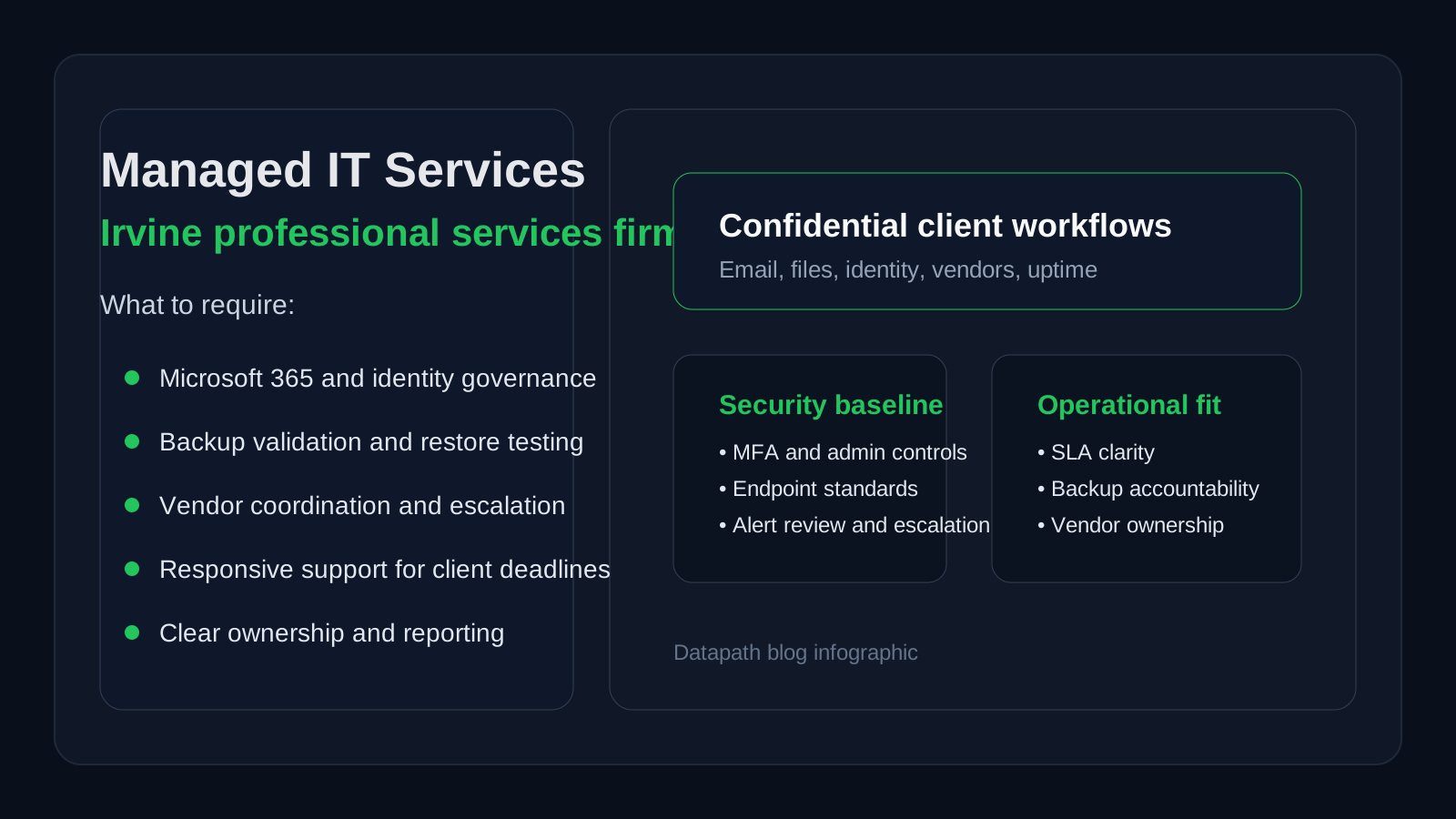
For many Irvine teams, Microsoft 365 is the center of the operating environment. That means IT support should not stop at password resets. It should include practical ownership around user lifecycle changes, MFA expectations, admin-role hygiene, endpoint standards, and cloud collaboration issues. Microsoft continues to emphasize identity protection and least-privilege administration because identity compromise remains one of the easiest ways for attackers to gain access.6
We recommend asking whether the provider can show discipline around:
- joiner, mover, and leaver workflows
- admin-role review and separation
- conditional access or equivalent access controls
- endpoint patching and exception handling
- backup monitoring and restore accountability
- vendor coordination during cloud-service outages
If the provider cannot explain those basics, it may be the wrong operating model for a growing business.
Make sure reporting helps leadership make decisions
A healthy support relationship should make the business easier to run. We think leadership should be able to see recurring support themes, unresolved risks, open vendor blockers, lifecycle concerns, and recommended next steps. A monthly report that only lists ticket counts is usually not enough.
That is especially important for businesses moving from ad hoc support to a more mature model. The provider should help the company understand where friction is building, which risks need attention first, and how support quality is changing over time.
Why Datapath for growing teams evaluating IT support in Irvine?
We think growing teams need an IT support model that creates clearer ownership, steadier operations, and fewer preventable surprises. That means support should connect day-to-day responsiveness with Microsoft 365 governance, endpoint standards, backup accountability, vendor coordination, and planning that leadership can actually use.
That is the approach Datapath brings to managed IT and operational accountability. We help organizations move beyond reactive troubleshooting into a cleaner service model that supports growth without making security or governance weaker. If your Irvine team is weighing fully managed IT, co-managed support, or a hybrid path, start with our managed IT services overview, explore our resources and guides, review the Irvine location page, or talk with our team about which support model makes the most sense for your environment.
FAQ: IT support in Irvine for growing teams
What type of IT support is best for a growing company in Irvine?
The best model depends on internal capacity and business complexity. Many growing companies do well with fully managed IT if they want one partner to own operations, while others prefer co-managed support when they already have internal IT staff and need extra depth or coverage.
When should a company move from reactive support to managed IT?
Usually when recurring issues, onboarding delays, weak after-hours coverage, vendor confusion, or security drift start affecting productivity and leadership confidence. That is often the point where defined ownership becomes more valuable than ad hoc troubleshooting.
Is co-managed IT a good option for teams with internal IT staff?
Yes, when responsibilities are clearly divided. Co-managed IT can add help desk coverage, monitoring, Microsoft 365 administration, projects, or after-hours support while allowing an internal team to keep strategic ownership.
What should Irvine companies look for in an IT support provider?
They should look for clear scope, practical response expectations, strong Microsoft 365 and access-control discipline, backup accountability, vendor coordination, and reporting that helps leadership understand risks and priorities.
Does local presence still matter for IT support in Irvine?
Yes, but only when it comes with strong process. Remote support handles many issues well, while local reach still matters for onsite needs, office changes, network problems, and business-critical incidents that need hands-on coordination.
Sources
- Datapath Managed IT Services
- CISA Cyber Essentials
- NIST Cybersecurity Framework 2.0
- Datapath: How to Validate Managed Service Responsiveness After Hours
- Datapath: How to Choose Between Co-Managed and Fully Managed IT Models
- Microsoft Zero Trust guidance
