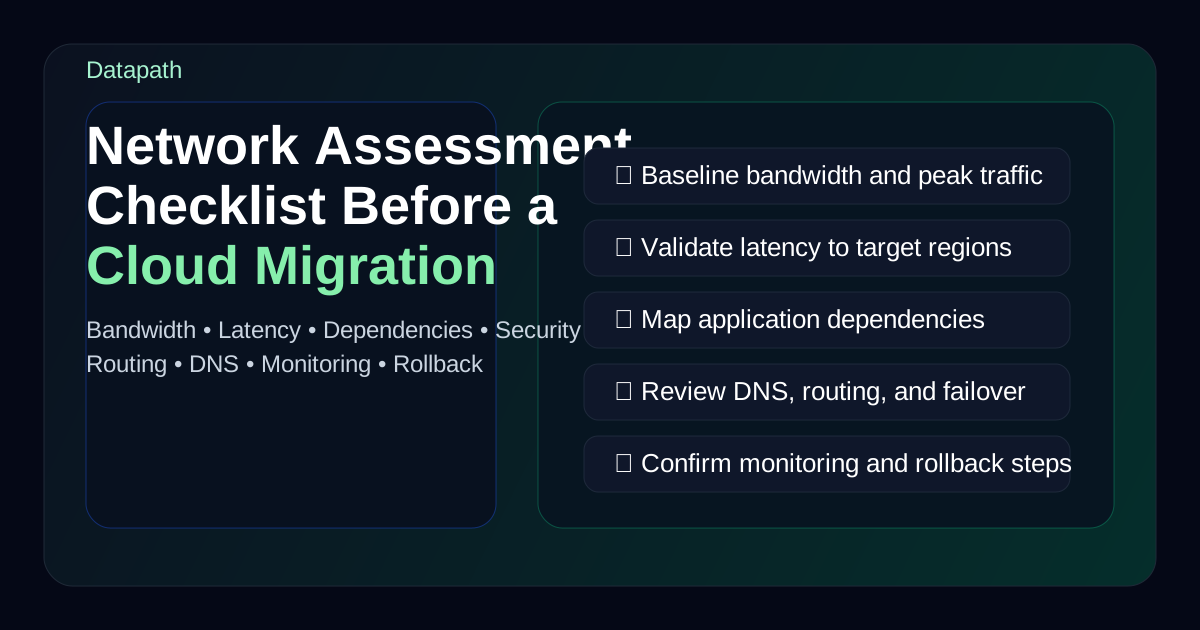

What should a network assessment checklist include before a cloud migration?
A network assessment checklist before a cloud migration should document application dependencies, baseline bandwidth and latency, review segmentation and security controls, validate DNS and remote access paths, confirm backup and recovery requirements, and identify any infrastructure changes that need to happen before cutover. If that work is skipped, the migration usually looks simpler on paper than it feels in production.123
That is the core reason we think network assessment deserves more attention than it usually gets. Teams often spend plenty of time discussing destination platforms, licensing, and migration tooling, then treat the network like a passive pipe that will simply adapt. In reality, the network determines whether cloud applications feel usable, whether identity and security controls remain enforceable, whether branches and remote users stay productive, and whether a rollback or recovery path is realistic.
In our experience, the best pre-migration assessments do not just ask whether the internet circuit is fast enough. They ask whether the environment can support the business after traffic patterns change. A Microsoft 365 rollout, Azure workload migration, hosted line-of-business app, VDI deployment, or hybrid-cloud architecture can all shift latency sensitivity, inspection points, egress patterns, VPN behavior, and vendor dependencies at the same time.
If your team is already reviewing broader cloud migration services, thinking through a cloud account governance framework, or comparing Datapath’s managed IT services for ongoing support, this checklist is the work that keeps migration planning grounded in reality.
Need a pre-migration network assessment?
Datapath helps teams validate WAN paths, bandwidth, latency, dependencies, firewall policy, rollback criteria, and post-cutover support before production workloads move.
Use this quick map to match common cloud migration assessment searches to the right planning work:
| Search intent | What the assessment should answer | Best next step |
|---|---|---|
| cloud migration assessment checklist | Are workloads, users, data, identity, network readiness, recovery, and support ownership ready for migration? | Build a readiness scorecard before approving scope or timeline. |
| network assessment checklist | Can bandwidth, latency, packet loss, DNS, firewall rules, segmentation, and remote access support the new traffic pattern? | Baseline current-state behavior and remediate weak paths before cutover. |
| WAN migration checklist | Will branches, remote users, VPN or ZTNA, SD-WAN, failover, and cloud-region paths still perform after the move? | Test site-to-site and user-to-app paths from every critical location. |
| best practices for testing new network infrastructure before cutover | What pilot, failover, rollback, alerting, user-acceptance, and business-workflow tests must pass? | Run cutover rehearsal before production change windows. |
| cloud migration testing checklist | Which technical and business validations prove the migration is ready? | Pair infrastructure tests with application, identity, backup, and user workflow tests. |
Why does network readiness matter so much before cloud migration?
Network readiness matters because cloud migration changes where applications live, how users reach them, and which controls sit in the traffic path. Microsoft, AWS, and DigitalOcean all emphasize readiness assessment because poor preparation shows up later as performance complaints, unexpected remediation work, and migration delays.124
Cloud migration changes traffic patterns
An on-premises application may currently serve users over a fast local network. After migration, that same workflow might depend on internet egress, cloud-region proximity, secure web gateways, identity checks, and WAN performance between offices. If those paths are not assessed ahead of time, users experience the migration as a downgrade even if the application itself was moved correctly.
The network affects both performance and governance
A pre-migration assessment should not stop at speed. It should also answer questions like:
- Where will sensitive traffic traverse after cutover?
- Which systems still depend on on-prem resources?
- What breaks if a VPN, firewall rule, or DNS dependency is missed?
- How will remote users, branch offices, and vendors reach the new environment?
- Which alerts, logs, and ownership boundaries need to change?
Those questions matter even more for regulated teams in healthcare, finance, education, and municipal operations where uptime, evidence, and segmentation expectations are harder to ignore.
What should be on the checklist before migration starts?
We recommend organizing the assessment around performance, architecture, security, and operational ownership. The goal is not to create a giant spreadsheet for its own sake. The goal is to surface what must be true before production workloads move.
1. Inventory applications, dependencies, and traffic flows
Before touching circuits or firewall rules, document what actually communicates with what. Microsoft specifically recommends assessing workloads and dependencies before migration because applications rarely move in true isolation.1
At minimum, your team should identify:
- critical applications and business owners
- upstream and downstream dependencies
- authentication dependencies such as Active Directory, Entra ID, or SSO providers
- database and file-share dependencies
- APIs and third-party integrations
- printing, scanning, and line-of-business workflows that still rely on local resources
- remote-access or branch-office requirements
This is where a lot of migration plans get exposed. An application may look cloud-ready until someone remembers it still depends on an on-prem SQL server, a local print service, a flat-file integration, or a hard-coded IP allowlist. If the dependency map is incomplete, cutover risk stays hidden.
2. Baseline bandwidth, latency, and packet loss
A useful network assessment should measure current-state behavior, not just read the ISP contract. That means collecting actual data on bandwidth utilization, peak periods, latency to likely cloud regions, and any packet loss or jitter affecting critical workflows.23
We usually recommend checking:
| Area | What to measure | Why it matters |
|---|---|---|
| Internet circuits | Utilization, peak load, failover behavior | Helps validate whether cloud traffic can scale |
| Site-to-site paths | Latency, packet loss, congestion windows | Affects branches and hybrid workloads |
| Remote access | VPN throughput, split-tunnel behavior, auth friction | Shapes user experience after migration |
| Cloud-region paths | Round-trip latency to target regions | Helps avoid poor app responsiveness |
| SaaS paths | Traffic to Microsoft 365, Azure, AWS, other platforms | Shows where optimization may matter most |
If your users already complain about file sync, Teams calls, remote desktop sessions, or cloud app responsiveness, the migration will magnify those issues unless the underlying path is addressed.
3. Review segmentation, firewalls, and policy translation
Cloud migration often exposes old firewall and segmentation assumptions. Networks built around a central office perimeter do not always translate cleanly to branch-first, remote-user, or cloud-native traffic patterns. CISA and AWS both stress the need to align security controls with the new architecture instead of assuming the old enforcement model will follow automatically.45
Your checklist should review:
- firewall rules tied to on-prem subnets or static addresses
- allowlists used by vendors or external systems
- east-west segmentation requirements between workloads
- inspection points for branch and remote traffic
- internet breakout design
- DNS filtering, web filtering, or secure gateway dependencies
- admin access paths into cloud-hosted systems
This is also the right time to review whether the current edge model still makes sense. Some teams need a more mature managed NGFW or broader firewall operating model before migration rather than after it.
4. Validate DNS, identity, and name-resolution dependencies
DNS gets forgotten constantly, and then cutover day turns into a scavenger hunt. A strong pre-migration checklist should document internal and external DNS dependencies, TTL strategy, split-brain scenarios, certificate dependencies, and any services that rely on local name resolution.
Identity is just as important. If authentication, conditional access, MFA prompts, or directory synchronization behave differently after migration, users feel it immediately. Review:
- directory sync or federation dependencies
- conditional access policies tied to location or network assumptions
- service accounts and application identities
- certificate-based authentication or VPN integrations
- privileged admin access paths
Teams doing cloud projects in Microsoft-heavy environments should also connect this work to broader admin hygiene like auditing Microsoft 365 admin roles before a compliance review.
5. Confirm backup, recovery, and rollback assumptions
Migration planning is incomplete if the only success path is “nothing goes wrong.” DigitalOcean and AWS both frame readiness around business continuity as much as deployment mechanics.24
We recommend documenting:
- backup status for systems in scope
- restore testing for critical workloads
- rollback thresholds and who can trigger them
- DNS reversal or traffic re-routing steps
- temporary coexistence requirements between old and new environments
- retention and snapshot considerations during migration windows
If the team cannot explain how to recover from a bad cutover, then the environment is not migration-ready yet.
How do cloud migration assessment, WAN migration, and cutover testing fit together?
Cloud migration assessment, WAN migration planning, and cutover testing should be treated as one readiness workflow. The assessment identifies what must be true before the move. The WAN migration checklist verifies the paths users and applications will rely on. Cutover testing proves the business can switch, validate, roll back, and support the new model without improvising.
| Readiness area | What to test before cutover | Evidence to keep |
|---|---|---|
| WAN and internet paths | Branch latency, packet loss, failover, VPN or ZTNA behavior, SD-WAN policy, cloud-region routing, and peak utilization | Baseline reports, failover notes, speed/latency tests, and site-by-site exceptions |
| Application workflows | Login, file access, database calls, printing, scanning, API connections, vendor access, and user acceptance | Test scripts, pass/fail notes, owner signoff, and remediation tickets |
| Network infrastructure | Firewall rules, NAT, DNS, DHCP, certificates, routing, VLANs, segmentation, monitoring, and alerting | Rule-change log, DNS plan, rollback steps, and monitoring screenshots |
| Security controls | MFA, conditional access, least privilege, admin paths, logging, secure web gateway policy, and exposed services | Access reviews, policy exports, log samples, and approved exceptions |
| Rollback and recovery | Backup status, restore validation, DNS reversal, traffic rerouting, coexistence, and vendor escalation | Recovery test record, rollback trigger list, and escalation contacts |
A test network can help, but it should mirror the production assumptions that matter: identity, DNS, routing, firewall policy, application dependencies, and realistic user paths. A clean lab test that ignores branch traffic, vendor integrations, or privileged access will not protect the business from the failures that usually appear during a real migration.
Datapath uses this workflow inside cloud migration services so assessment findings become owned remediation, cutover criteria, rollback steps, and post-migration support instead of a static checklist.
What operational questions should IT leaders answer before cutover?
The most useful assessments force ownership conversations, not just technical reviews. A migration can fail operationally even when the infrastructure is mostly correct.
Who owns what during migration?
Every critical task should have a named owner:
- network changes
- firewall and rule updates
- cloud-side connectivity
- DNS updates
- application validation
- user communications
- vendor escalation
- rollback decision-making
If those responsibilities are blurry, the business ends up waiting while engineers debate who is supposed to respond.
Which business workflows deserve first-class validation?
Do not validate only login success. Validate the workflows that actually matter:
- remote and branch user access
- printing or file transfers if still required
- EHR or ERP transaction speed
- voice and video quality if call paths change
- vendor-integrated applications
- security logging and alert visibility
A network migration sign-off should prove the business can operate, not merely that the target instance is live.
What changes after migration and who will support them?
The support model often changes after cutover. Monitoring thresholds, escalation paths, vendor contacts, documentation, and capacity planning may all need to be updated. That is why we think pre-migration assessment should include an explicit post-migration operating plan rather than stopping at deployment readiness.
Common mistakes in cloud-migration network assessments
We see the same patterns repeatedly.
Teams assess bandwidth but not dependency complexity
A bigger circuit does not solve broken application chains, outdated allowlists, or bad DNS assumptions.
Teams test from headquarters but ignore branches and remote users
The most important user path may not be the office closest to the data center. Hybrid work and multi-site operations make this mistake expensive.
Teams assume security controls will map over automatically
Old network perimeters, flat VLAN habits, and one-off rule exceptions often become harder to manage in hybrid environments unless they are redesigned intentionally.
Teams skip recovery testing because the schedule is tight
That usually saves time right up until a failed cutover forces the business to improvise under pressure.
Why Datapath uses this checklist approach
We think a pre-migration network assessment should reduce ambiguity, not just collect trivia. The real value is knowing what must be fixed before cutover, what can move later, and what risks leadership is knowingly accepting.
At Datapath, we use this kind of checklist to connect cloud planning with the operating realities that matter after launch: performance, security, branch connectivity, support ownership, and recovery discipline. If your team is preparing for a migration and wants a clearer view of what the network has to support, start with the Datapath home page, review our cloud migration services and data storage consulting services, explore the resources and guides hub, or talk with our team about what readiness should look like in your environment.
FAQ: network assessment before cloud migration
What is the purpose of a network assessment before cloud migration?
The purpose is to confirm that connectivity, dependencies, security controls, and recovery plans can support the workload after cutover. It reduces surprises around performance, access, and business continuity.
What should be measured in a pre-migration network assessment?
Most teams should measure bandwidth utilization, latency, packet loss, application dependencies, firewall and segmentation requirements, DNS behavior, remote-access paths, and failover readiness.124
How early should a network assessment happen before migration?
It should happen early enough to give the team time to remediate issues before cutover. If the assessment starts only after migration windows are scheduled, it is usually too late to fix architectural gaps calmly.
Why do cloud migrations fail even when the application moves successfully?
They often fail because surrounding dependencies were missed: identity, DNS, branch connectivity, security controls, vendor allowlists, or recovery workflows. The app may be live while the business experience is still broken.
Does every cloud migration need a formal checklist?
Not every project needs the same level of process, but every production migration benefits from a documented readiness review. The more regulated, distributed, or uptime-sensitive the environment is, the more important that checklist becomes.
What belongs in a cloud migration assessment checklist?
A cloud migration assessment checklist should cover workload fit, dependencies, identity, data sensitivity, network readiness, WAN paths, firewall policy, DNS, backup and recovery, cutover testing, rollback criteria, vendor access, user communication, and post-migration support ownership.
What should a WAN migration checklist include?
A WAN migration checklist should test branch connectivity, cloud-region latency, failover, VPN or ZTNA behavior, SD-WAN policy, bandwidth utilization, packet loss, remote-user experience, and the monitoring alerts that prove each path is healthy.
How should teams test new network infrastructure before cutover?
Teams should test new network infrastructure with pilot users, representative applications, DNS changes, firewall rules, identity flows, failover, rollback, monitoring, backup access, and business workflow validation before the production change window.
Sources
- Microsoft Learn: Assess your workloads for cloud migration
- DigitalOcean: Cloud Migration Checklist
- Align: Important Network Considerations When Migrating to the Cloud
- AWS Prescriptive Guidance: Evaluating migration readiness
- CISA: Cross-Sector Cybersecurity Performance Goals