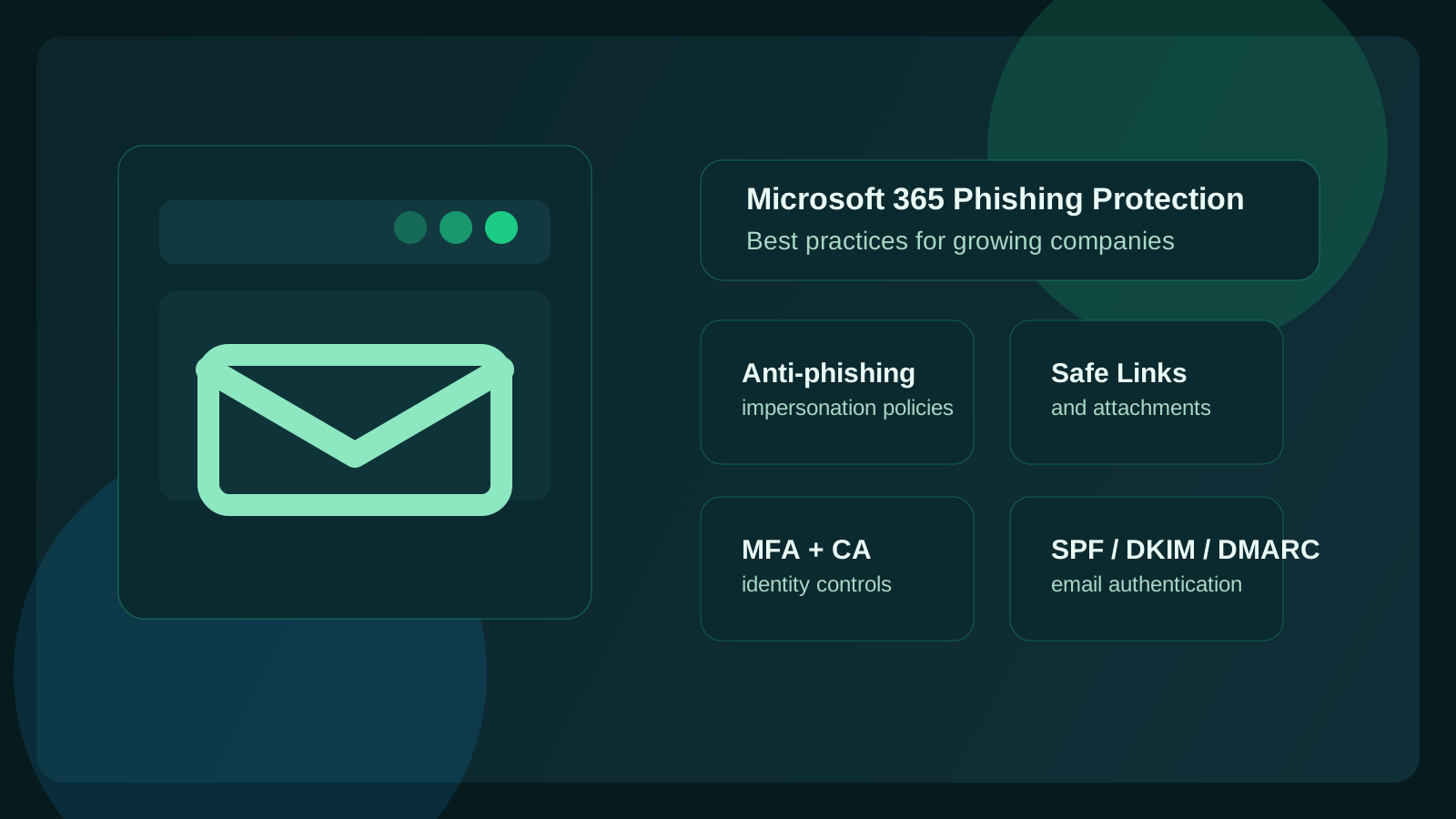
What are the most important Microsoft 365 phishing protection best practices for growing companies?
The most important Microsoft 365 phishing protection best practices for growing companies are to move beyond default email filtering and build a layered defense: enable stronger anti-phishing policies, protect executives and shared brands from impersonation, turn on Safe Links and Safe Attachments, enforce MFA, disable legacy authentication, align SPF/DKIM/DMARC, and train users to report suspicious messages quickly.123
That matters because growth changes the attack surface. More employees, more inboxes, more vendors, more approvals, more shared mailboxes, more onboarding, and more cloud sprawl all create more places for phishing to work. Attackers do not need to compromise your whole environment at once. They usually need one believable message, one tired employee, one overprivileged account, or one fake invoice thread.
At Datapath, we think growing companies get into trouble when they assume Microsoft 365 is either “fully handled by default” or “too complex to tune properly.” Neither is true. Microsoft gives you a strong foundation, but the safest environments are the ones where the defaults are reviewed, strengthened, and matched to how the business actually works.
Why are growing companies especially vulnerable to Microsoft 365 phishing risk?
Growing companies are especially vulnerable because they usually add complexity faster than they add security discipline. New users get onboarded quickly. New departments start using new SaaS tools. Leadership delegates approvals to email. Shared mailboxes grow. Vendors multiply. Hybrid work becomes normal. Meanwhile, nobody steps back to ask whether the identity, email, and reporting controls are still keeping up.
That is why phishing remains such an effective attack path. Microsoft’s own Defender guidance emphasizes impersonation protection, spoof intelligence, and configurable phishing thresholds because ordinary email filters do not fully stop the more convincing attacks that target real business workflows.12
The risk is not just spammy fake messages anymore. It is:
- executive impersonation
- vendor-payment fraud
- credential theft through fake Microsoft sign-in pages
- malicious links delivered inside apparently normal conversations
- attachments that look routine but carry malware
- account takeover followed by internal phishing from a legitimate mailbox
If your company is growing, the right question is not “do we have phishing protection?” It is “have we tuned Microsoft 365 for the way our people actually work now?”
Which Microsoft 365 controls matter most first?
If you want the shortest path to meaningful risk reduction, start with the controls that reduce both phishing success and post-compromise damage.
1. Turn on stronger anti-phishing policies in Microsoft Defender for Office 365
Microsoft documents that all cloud mailboxes get baseline anti-phishing features, but the more advanced protections around impersonation and tuning live in Microsoft Defender for Office 365 policies and preset security policies.123 For most growing companies, that is where the real configuration work starts.
We recommend reviewing whether you are still relying on defaults only. In many environments, the default policy does not fully enable the protections leadership assumes are already active. Microsoft specifically notes that preset Standard and Strict security policies help turn on stronger anti-phishing protections, including impersonation settings, without requiring every option to be built from scratch.23
A practical first pass should include:
- enabling preset Standard or Strict protection where appropriate
- reviewing phishing threshold settings
- deciding which users, domains, and brands need impersonation protection
- confirming quarantine and junk actions match your operating preferences
- checking whether mailbox intelligence is enabled and acting on detections
If your organization is lean, Standard is usually the easier starting point. If the business faces more fraud pressure, regulated workflows, or repeated spoofing attempts, Strict or custom tuning may make more sense.
2. Protect executives, finance, HR, and shared brands from impersonation
Impersonation is one of the highest-value controls because attackers love to imitate people your employees already trust. Microsoft supports protection for specific users, internal domains, and custom domains, and mailbox intelligence helps judge whether the message fits established communication patterns.13
For growing companies, we think the minimum review list should include:
- CEO, president, founder, or managing partner
- CFO, controller, and finance leads
- HR and payroll contacts
- IT admins and help desk aliases
- shared mailbox identities used for billing, support, or vendor communications
- your primary company domains and any common lookalike targets
This matters because business email compromise rarely looks dramatic. It often looks like a familiar sender name with a slightly wrong domain, a spoofed reply about a bank change, or a Microsoft file-sharing notification that arrives at exactly the wrong busy moment.
3. Turn on Safe Links and Safe Attachments
Safe Links and Safe Attachments are among the most practical defenses in Defender for Office 365 because they reduce the odds that one bad click or one hidden payload turns into a larger incident. Microsoft and Microsoft-adjacent guidance consistently point to these features as core phishing controls for modern environments.34
Safe Links helps by scanning and rewriting URLs so Microsoft can evaluate them at click time. That matters because many phishing campaigns use links that look harmless at delivery but become malicious later. Safe Attachments adds sandbox-style analysis for suspicious files before they reach users.
For a growing company, these controls matter most for:
- invoice and document-sharing emails
- Teams and Microsoft 365 collaboration links
- fake Microsoft sign-in pages
- credential-harvest links hidden behind URL shorteners or lookalike domains
- attachment-led malware and credential theft
If you are already paying for the licensing that includes these features and they are not fully enabled, that is low-hanging fruit.
4. Enforce MFA and remove legacy authentication paths
MFA is not a phishing filter, but it is still one of the most important phishing countermeasures because it limits the damage when credentials are stolen.56 Microsoft’s business security guidance repeatedly treats MFA as foundational, and we agree.
The biggest mistake we see is thinking “we have MFA somewhere” is the same thing as “our environment is actually hard to abuse.” It is not. Growing companies should verify:
- MFA is required for all users, not just admins
- admin accounts have the strongest MFA options available
- legacy authentication is disabled where possible
- Conditional Access policies are doing the enforcement, not just user preference
- high-risk sign-ins and impossible-travel alerts are monitored and reviewed
If attackers get a password through phishing, the next question is whether your environment gives them an easy path forward. MFA and Conditional Access make that path much harder.
Why do SPF, DKIM, and DMARC matter for phishing protection?
Email authentication matters because your anti-phishing controls work better when your own mail is trustworthy and easier to validate. Microsoft’s recommended settings guidance is explicit here: if SPF, DKIM, or DMARC are missing or misconfigured, legitimate mail can be mishandled and phishing defenses become harder to tune well.2
In plain English:
- SPF says which systems are allowed to send mail for your domain.
- DKIM signs the message so recipients can verify it was authorized and not altered.
- DMARC tells other systems how to handle messages that fail authentication and whether the visible sender aligns with the authenticated source.2
For a growing business, DMARC is especially important because vendors, marketing tools, ticketing systems, and finance platforms often send on your behalf. If those services are not aligned properly, users get trained to tolerate suspicious-looking email. That is the opposite of what you want.
We recommend treating email authentication as a business hygiene project, not just a mail-admin checkbox. It affects deliverability, spoof resistance, and how confidently your users can judge what looks real.
How should growing companies tune Microsoft 365 phishing settings without drowning in false positives?
This is where many teams hesitate, and fairly enough. Nobody wants security settings that quarantine normal business mail all day. But the answer is not to stay weak. The answer is to tune deliberately.
Start with preset policies, then tune based on real traffic
Microsoft recommends Standard and Strict preset security policies for many organizations because they switch on stronger protection faster.23 We like this as a baseline because it prevents analysis paralysis. Start from a known-good posture, then refine.
Review quarantine outcomes and user complaints together
If users say mail is missing, do not blindly loosen everything. Review:
- what was quarantined
- whether the sender passed authentication
- whether impersonation settings fired correctly
- whether a trusted sender or domain exception is actually justified
- whether the business process itself is encouraging risky behavior
A healthy phishing program accepts some tuning work. What you want is not zero false positives. You want fewer dangerous false negatives.
Use stricter settings for higher-risk groups first
Finance, HR, leadership, and privileged IT users usually deserve stricter policies sooner because the downside of one successful phish is much higher. Microsoft allows policy targeting by users and groups, which makes this practical for companies that are not ready to move the entire organization to the most aggressive settings immediately.3
What role does user training still play if Microsoft 365 is configured well?
A huge one. Good configuration reduces the number of dangerous messages that land, but it does not eliminate them. Attackers keep adjusting. Users still make judgment calls. And some phishing attempts happen after an account is already compromised, which can make the message look unusually legitimate.
That is why we recommend pairing Microsoft 365 controls with a reporting culture and short, practical coaching. Users should know how to spot:
- fake Microsoft login prompts
- unusual document-sharing requests
- invoice or ACH change requests
- urgent executive requests that bypass normal process
- MFA fatigue prompts they did not initiate
- messages from first-time senders asking for sensitive action
If you need a broader user-side framework, our guide on security awareness training is the right companion piece.
How often should Microsoft 365 phishing protections be reviewed?
For most growing companies, quarterly is a sensible minimum. That lines up with Microsoft’s practical guidance and with reality: users change, vendors change, departments change, and attack patterns change.4
We recommend reviewing these items at least quarterly or after major operational changes:
| Review area | What to confirm |
|---|---|
| Anti-phishing policies | thresholds, actions, impersonation targets, mailbox intelligence |
| Email authentication | SPF, DKIM, DMARC alignment for every real sending platform |
| MFA and Conditional Access | coverage, exceptions, legacy auth status, risky sign-in handling |
| Safe Links / Safe Attachments | enabled scope, user click-through behavior, policy gaps |
| Quarantine trends | false positives, repeat threats, executive spoof attempts |
| User reporting | whether employees actually escalate suspicious mail promptly |
A quarterly review is not overkill. It is the difference between a configured platform and a maintained one.
What does a practical Microsoft 365 phishing protection baseline look like?
If we were describing a sensible baseline for a growing company, it would look something like this:
- Microsoft Defender for Office 365 anti-phishing protections enabled and reviewed13
- Standard or Strict preset policies turned on, or well-tuned custom equivalents23
- executive, finance, HR, and admin impersonation protection configured13
- Safe Links and Safe Attachments enabled where licensing supports it34
- SPF, DKIM, and DMARC aligned for all sending services2
- MFA enforced broadly, with legacy auth shut down where possible56
- Conditional Access policies protecting sign-in risk and privileged access5
- employees trained to report suspicious email, not just delete it6
- quarterly review of policies, quarantines, exceptions, and new risk patterns4
That baseline will not make phishing disappear. But it will make your environment significantly harder to exploit, and that is the point.
What should a growing company do next?
If your Microsoft 365 setup has grown organically, the best next step is a focused review of email, identity, and reporting controls before the next incident forces the conversation.
Start by asking:
- Are we still relying mostly on defaults?
- Which executives and departments are protected from impersonation?
- Are Safe Links, Safe Attachments, MFA, and Conditional Access all actually enforced?
- Is DMARC aligned across every system that sends on our behalf?
- Do users know where to report suspicious messages?
- Who owns reviewing phishing controls every quarter?
If the answers are fuzzy, that is fixable. It just means the environment has outgrown informal administration.
Explore our managed cybersecurity services guide, our guide to Microsoft 365 security best practices for mid-market businesses, and our vCIO guide if you are trying to decide how much of this should stay internal versus become part of a managed security program.
FAQ
Does Microsoft 365 include phishing protection by default?
Yes, Microsoft 365 includes baseline anti-phishing protections for cloud mailboxes, but stronger impersonation controls, Safe Links, Safe Attachments, and better tuning often depend on Microsoft Defender for Office 365 and how the environment is configured.123
What is the biggest phishing mistake growing companies make in Microsoft 365?
The biggest mistake is assuming the default setup is already optimized. Many growing companies never revisit impersonation protection, phishing thresholds, email authentication, or MFA enforcement after the initial rollout.
Should a growing company use Standard or Strict preset security policies?
Usually start with Standard if the business wants a strong baseline with less friction, then move higher-risk groups or the full environment toward Strict as tuning improves. The right answer depends on your mail flow, fraud exposure, and tolerance for quarantine overhead.23
Is MFA enough to stop phishing in Microsoft 365?
No. MFA is essential, but it is only one layer. You still need email filtering, impersonation protection, link and attachment controls, email authentication, and user reporting discipline.25
Sources
- Microsoft Learn: Anti-phishing policies in Microsoft 365
- Microsoft Learn: Recommendations for Microsoft 365 security settings
- Microsoft Learn: Configure anti-phishing policies in Microsoft Defender for Office 365
- Sourcepass: Microsoft 365 Email Security Best Practices for Growing Organizations
- Microsoft Learn: Microsoft 365 for business security best practices
- Microsoft Security: Cybersecurity for Small Businesses
Footnotes
-
Microsoft Learn: Anti-phishing policies in Microsoft 365 ↩ ↩2 ↩3 ↩4 ↩5 ↩6 ↩7
-
Microsoft Learn: Recommendations for Microsoft 365 security settings ↩ ↩2 ↩3 ↩4 ↩5 ↩6 ↩7 ↩8 ↩9 ↩10 ↩11 ↩12
-
Microsoft Learn: Configure anti-phishing policies in Microsoft Defender for Office 365 ↩ ↩2 ↩3 ↩4 ↩5 ↩6 ↩7 ↩8 ↩9 ↩10 ↩11 ↩12 ↩13
-
Sourcepass: Microsoft 365 Email Security Best Practices for Growing Organizations ↩ ↩2 ↩3 ↩4
-
Microsoft Learn: Microsoft 365 for business security best practices ↩ ↩2 ↩3 ↩4
-
Microsoft Security: Cybersecurity for Small Businesses ↩ ↩2 ↩3
