
Does server virtualization still make sense for SMBs in 2026?
Yes — server virtualization still makes sense for SMBs in 2026 when the business needs to consolidate stable workloads, reduce hardware sprawl, improve backup and recovery flexibility, or keep tighter control over line-of-business applications that do not move cleanly to SaaS. It is not the automatic answer it once was, but it is still a practical one in the right environment.12
What changed is not that virtualization stopped being useful. What changed is that SMBs now have more choices. Many organizations can offload email, file sharing, identity, collaboration, and even ERP functions to SaaS or cloud platforms. That means the decision is no longer “should we virtualize everything?” It is “which workloads still benefit from virtualization, and what operating model will be easiest to run well?”
At Datapath, we think that is the right framing. The goal is not to preserve servers out of habit or to move everything to the cloud out of fashion. The goal is to build an environment that is easier to operate, easier to recover, and easier to explain when leadership asks what is actually protecting the business.
What is server virtualization, and why has it mattered for so long?
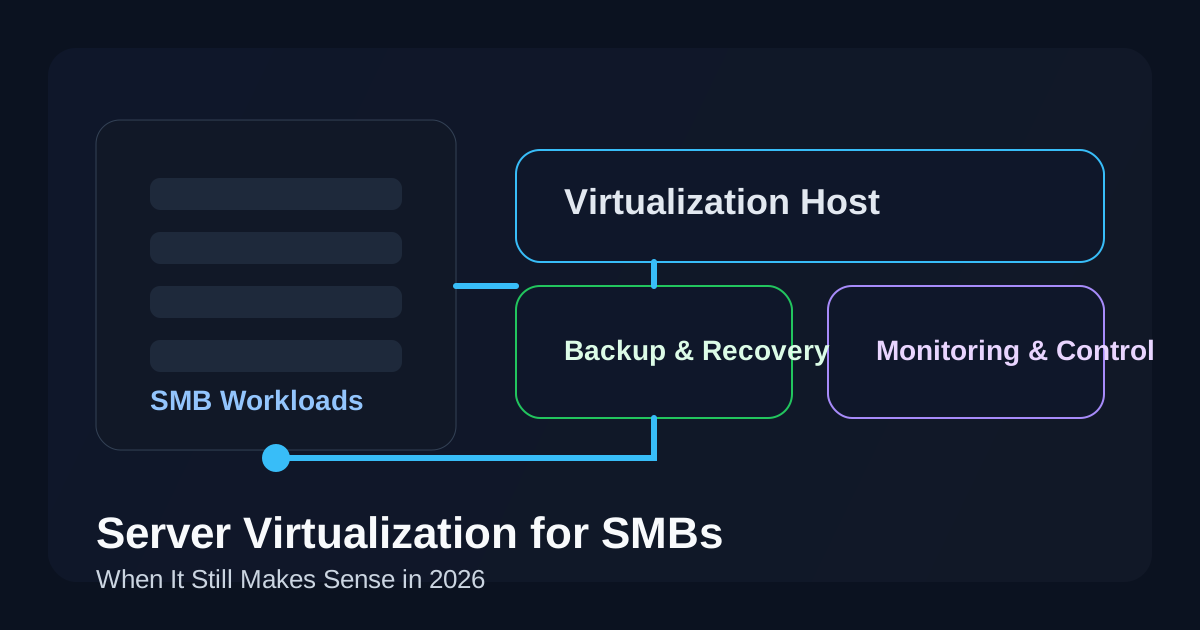
Server virtualization is the practice of running multiple virtual machines on a single physical host so workloads can share compute resources while staying logically separate. A hypervisor allocates CPU, memory, storage, and networking to each virtual machine, which lets the business run several server roles without buying separate hardware for each one.12
That model mattered because it solved three very real SMB problems:
- too many underused physical servers
- too much hardware overhead for small IT teams
- too little flexibility for backup, recovery, and maintenance
Those benefits still matter in 2026. If a business is running an internal application server, domain services, a print or file server, a lightweight SQL workload, or a vendor tool that expects Windows Server, virtualization can still deliver a cleaner and more resilient architecture than a pile of single-purpose boxes.
When does server virtualization still make strong business sense?
The best use cases are usually boring in a good way. Virtualization is still strong when workloads are stable, predictable, and business-critical enough to justify controlled infrastructure.
1. When a business still depends on line-of-business applications that are not SaaS-friendly
A lot of SMBs still run software that was never designed for a clean SaaS migration. That may include manufacturing systems, medical software, local databases, specialty accounting tools, municipal applications, or vendor products that require direct Windows Server access.
In those environments, virtualization often gives the business a better path than pretending cloud migration will be simple. It creates isolation between workloads, makes snapshots and recovery workflows easier, and reduces the risk of tying the whole environment to one aging physical box.
2. When consolidation reduces cost and chaos
If the environment still has multiple physical servers doing modest work, virtualization can reduce hardware count, power use, rack space, and maintenance overhead. That does not mean “cheap” in every case. It means simpler. And simpler usually ages better than a fragmented stack.
For SMBs with limited internal IT depth, that simplification matters. One well-designed host cluster or even one properly protected host can be easier to monitor and support than several inconsistent machines with unclear ownership.
3. When backup and disaster recovery matter more than cloud marketing
A practical virtualization stack often improves recovery options because virtual machines are easier to back up, replicate, move, and restore than bespoke physical servers. That does not magically make the business resilient, but it usually makes resilience easier to engineer.3
That is especially relevant for organizations already thinking seriously about backup and disaster recovery, disaster recovery services, or the true cost of IT downtime. If the recovery target matters, virtualization can still be a very practical middle layer between raw hardware and a fully rearchitected cloud stack.
4. When compliance or data locality expectations are real
Some SMBs need tighter control over where systems live, how data is segmented, who can touch the host infrastructure, and how changes are documented. Healthcare, finance, legal, manufacturing, and public-sector environments run into this often.
Virtualization does not solve compliance by itself, but it can give the organization a cleaner control surface. That can be useful for access control, segmented workloads, logging, patching cadence, and evidence collection when paired with disciplined operations.
When does server virtualization stop making sense?
This is the part buyers often skip. Virtualization is not valuable just because it is familiar.
It usually stops making sense when:
- the workloads already have strong SaaS replacements
- the business is keeping on-prem servers only because “that is how we have always done it”
- licensing, host refresh, storage, and support costs are approaching or exceeding cleaner cloud alternatives
- the internal team does not actually have the discipline to patch, monitor, back up, and validate recovery for the environment
- a single-host design creates hidden fragility instead of resilience
That last point matters. A badly run virtual environment can create the illusion of maturity while concentrating risk in one place. If backups are weak, storage is aging, firmware is ignored, and nobody tests restores, then virtualization is just a more elegant failure mode.
How should SMBs compare virtualization against cloud-first options?
The right comparison is not “servers versus cloud.” It is operating model versus operating model.
A fair evaluation should ask:
| Decision factor | Virtualization may fit better when… | Cloud-first may fit better when… |
|---|---|---|
| Application fit | The workload depends on Windows Server, local network access, or vendor constraints | The workload has a strong SaaS or managed-cloud equivalent |
| Cost shape | The business wants predictable use of already-justified hardware | The business wants to avoid refresh cycles and shift to operating expense |
| Recovery design | VM backup, replication, and local restore speed are important | Geographic redundancy and managed platform recovery are stronger priorities |
| IT maturity | The team can maintain hosts, storage, patching, and monitoring well | The team wants to reduce infrastructure administration burden |
| Performance / latency | Local performance or site-specific integration matters | Users are distributed and internet-delivered access is already normal |
This is also why many healthy environments end up hybrid. They keep a small virtualized core for the workloads that truly belong there and move everything else to managed cloud or SaaS. That is often the most rational answer.
What should SMBs look for in a modern virtualized server environment?
If an SMB decides virtualization still fits, the design should be modern, documented, and intentionally small.
A healthy 2026 checklist usually includes:
- current supported hypervisor platform
- documented host, storage, and network dependencies
- MFA and role-based admin access
- monitored backups with restore testing
- patching and firmware cadence for hosts and guests
- capacity planning for CPU, memory, and storage growth
- clear recovery priorities for each VM
- vendor support boundaries that are actually understood
That last item is bigger than it sounds. A lot of problems in SMB infrastructure come from unsupported edge cases: old guest operating systems, strange USB dependencies, single-purpose appliances, or third-party applications nobody wants to touch. Those are not arguments against virtualization. They are arguments for honesty before the design becomes someone else’s emergency.
What are the biggest mistakes SMBs make with virtualization?
The first mistake is treating consolidation as strategy. Consolidation is useful, but it is not the same as modernization. If the same old problems survive inside virtual machines — weak patching, bad permissions, no lifecycle discipline, no documented recovery — then the business has not really improved much.
The second mistake is overbuilding. SMBs do not need enterprise theater. They need an environment that their actual team can run. Too many hosts, too many edge-case failover promises, or too much platform complexity can erase the simplicity virtualization was supposed to create in the first place.
The third mistake is ignoring the application roadmap. Some workloads should stay virtualized for years. Others should be phased out, replaced, or moved. If nobody owns that roadmap, the virtual environment slowly becomes a museum of technical debt.
What is the practical takeaway for SMBs in 2026?
The practical answer is simple: server virtualization still makes sense for SMBs in 2026 when it reduces complexity, protects business-critical workloads, and supports a recovery model the organization can actually operate. It makes less sense when it survives only because nobody wants to revisit old assumptions.
For most organizations, the best question is not “should we keep servers?” It is “which workloads still deserve controlled infrastructure, and what is the cleanest way to support them?” Sometimes that answer is virtualization. Sometimes it is SaaS. Sometimes it is a hybrid design with a very small on-prem footprint.
If your team is trying to sort that out, the next useful comparisons are usually our guides to cloud migration services, co-managed IT services, and managed IT services. The right answer is usually the one that gives your business clearer ownership, better recovery confidence, and less day-to-day friction.
Frequently Asked Questions
What is server virtualization for SMBs?
Server virtualization for SMBs is the use of a hypervisor to run multiple virtual servers on shared physical hardware. It helps smaller organizations consolidate workloads, improve flexibility, and simplify backup and recovery compared with maintaining several separate physical servers.
Is server virtualization cheaper than cloud?
Not always. Virtualization can be cost-effective when workloads are stable and hardware is well utilized, but cloud may be better when the business wants to avoid refresh cycles, reduce infrastructure management, or replace server-hosted workloads with SaaS.
What workloads should stay virtualized?
Workloads that often stay virtualized include domain services, local application servers, print and file services, moderate database workloads, and vendor software that depends on Windows Server or local network performance.
What is the biggest virtualization risk for SMBs?
The biggest risk is concentrated fragility. If too many workloads depend on one poorly protected host, weak backups, aging storage, or undocumented recovery steps, the virtual environment becomes a single point of failure.
Sources
- Microsoft Learn: Hyper-V overview
- Red Hat: What is virtualization?
- Microsoft Azure Architecture Center: Backup and disaster recovery for Azure applications
