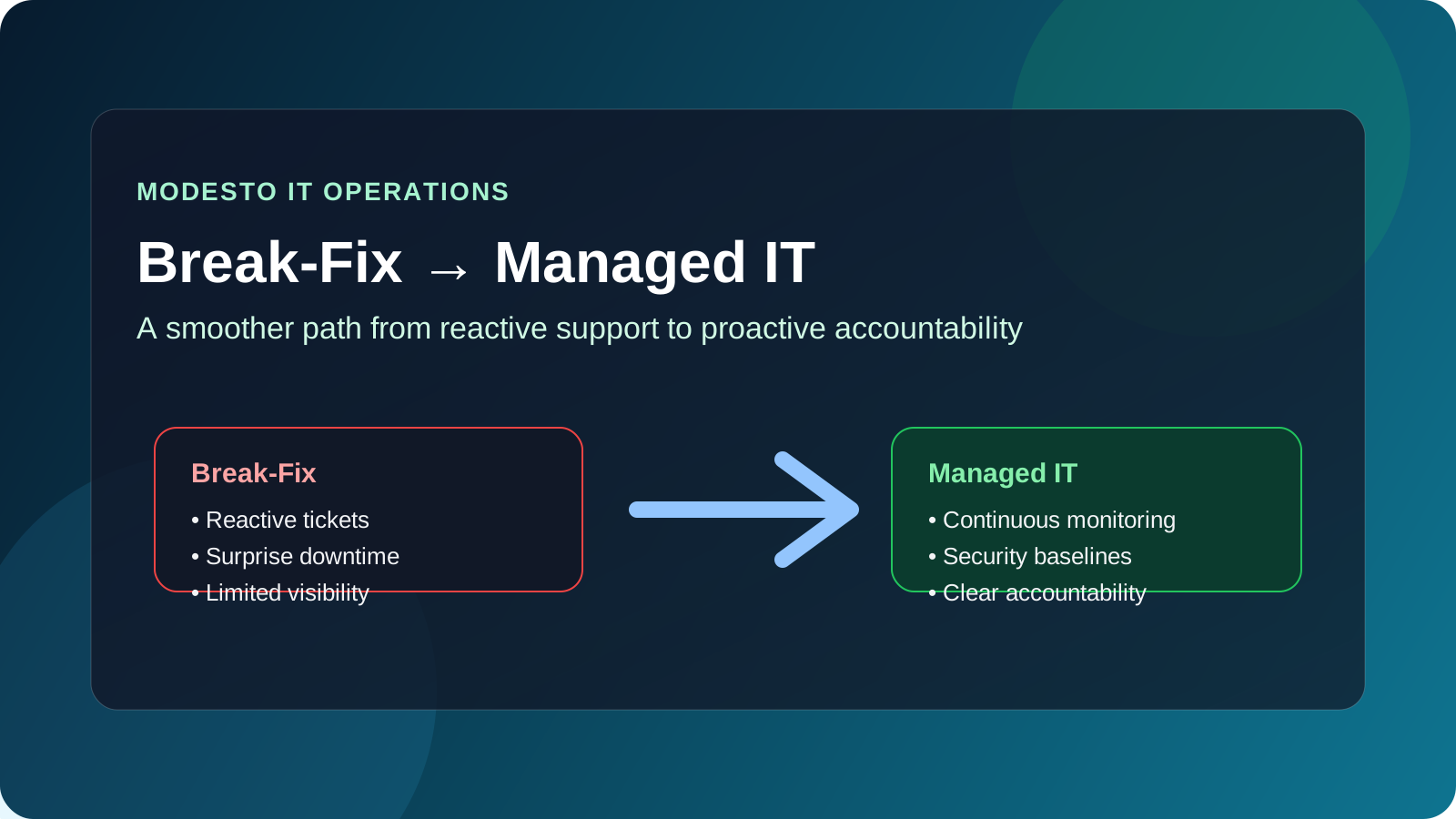
Why are Modesto businesses moving away from break-fix IT support?
More Modesto businesses are moving away from break-fix IT support because the reactive model gets expensive once operations, security expectations, and compliance pressure start to grow. When the provider only shows up after something fails, leadership ends up paying for downtime, distractions, rushed fixes, and recurring problems that never really disappear.12
That worked better when environments were smaller and less connected. It works a lot worse when the business depends on Microsoft 365, cloud apps, vendor integrations, remote access, cyber insurance controls, and reliable user support every day. In our experience, the real trigger is rarely a single outage. It is the accumulation of friction: too many recurring issues, too little visibility, and too much uncertainty around who actually owns prevention.
For most growing organizations, the question is no longer whether support is available when something breaks. The real question is whether the IT operating model can reduce incidents before they hurt productivity, client trust, or compliance posture.
What changes when a business switches to managed IT services?
The biggest change is that IT stops being mostly reactive. In a break-fix model, the provider is paid to respond after a problem shows up. In a managed IT model, the provider is responsible for ongoing monitoring, maintenance, patching, backup oversight, security hygiene, and recurring support under a defined service agreement.13
That difference matters because it shifts the conversation from hourly rescue work to operating discipline.
Break-fix vs. managed IT at a practical level
| Area | Break-fix IT | Managed IT services |
|---|---|---|
| Support model | Reactive | Proactive and ongoing |
| Billing | Per incident or hourly | Recurring monthly agreement |
| Monitoring | Limited or none between issues | Continuous monitoring and review |
| Security posture | Often inconsistent | Baseline controls, maintenance, and reporting |
| Planning | Short-term fixes | Ongoing roadmap and accountability |
| Downtime risk | Higher, because response starts after failure | Lower, because issues are often found earlier |
That does not mean managed IT eliminates every outage. It means the provider is supposed to reduce preventable failure, improve response quality, and help the business make better technology decisions before a small issue turns into a bigger one.24
When has a Modesto business outgrown break-fix support?
Most businesses have outgrown break-fix support before they admit it. We usually see the same signals show up together.
1. Downtime is becoming a business problem, not just an IT annoyance
If users cannot work, phones are down, line-of-business apps stall out, or recurring server and network issues interrupt the workday, the business is already paying a hidden tax. Research and field guidance from MSP operators consistently point to the same conclusion: proactive maintenance costs less than repeated emergency intervention once the environment gets more complex.13
2. Security expectations have outpaced the current support model
Modern businesses need more than occasional troubleshooting. They need patching, endpoint visibility, access control discipline, backup review, and faster response to suspicious activity. CISA and NIST both emphasize repeatable cyber hygiene, asset visibility, and ongoing risk management rather than one-off fixes.45
3. Leadership wants accountability, not just a phone number
Break-fix support often leaves a management gap. When there is no recurring review cadence, no SLA, and no clear owner for prevention, leadership gets updates only when something is already broken. Managed IT should create clearer ownership, reporting, and a more stable decision-making rhythm.
How should a business transition from break-fix to managed IT services?
The smoothest transitions follow a structured plan instead of treating the change like a rushed vendor swap.
Start with discovery and asset visibility
Before changing providers or service models, the business needs a usable picture of what exists today. That should include:
- users, devices, servers, and network equipment
- Microsoft 365 or cloud tenant ownership
- backup platforms and recovery dependencies
- security tools, remote-access methods, and admin accounts
- line-of-business systems and critical workflows
- outside vendors with technical access
A transition gets messy fast when nobody knows who controls DNS, firewall administration, backup settings, or the Microsoft 365 global admin role. Discovery is not admin overhead. It is how the new operating model avoids inheriting blind spots.36
Define what the managed service actually includes
A good managed IT agreement should not hide behind vague language like “full support.” It should spell out what is included, what is monitored, how escalation works, and where responsibilities begin and end.
At minimum, the scope should clarify:
- help desk and end-user support expectations
- device and server management
- patching and maintenance cadence
- backup monitoring and restore expectations
- security tooling and alert handling
- onsite vs remote support rules
- after-hours coverage and escalation paths
- strategic planning or vCIO-style review cadence
This is also where the business should review whether it needs fully managed IT or a co-managed model that supports an internal IT lead rather than replacing them.
Standardize service levels before go-live
A clean transition depends on service levels that leadership can understand. That usually means defining response targets, priority levels, approval rules, and reporting expectations before the first serious incident lands.
A simple example looks like this:
| Priority | Example issue | Expected response |
|---|---|---|
| Critical | Major outage, ransomware event, internet failure | Immediate or urgent response path |
| High | Key user unable to work, server degradation, backup failure | Same-day response |
| Normal | Routine troubleshooting, software support, small change request | Standard queue handling |
The point is not paperwork. It is removing ambiguity. Good SLAs make escalations easier, not heavier.
What should happen during the first 30 days?
The first month should focus on control, visibility, and stabilization.
Tooling and monitoring rollout
Most businesses transitioning to managed IT will need some combination of remote monitoring, endpoint management, security tooling, asset tracking, patch management, and backup visibility. MSP guidance from vendors like NinjaOne and operational onboarding playbooks all point to the same sequence: establish visibility first, then automate maintenance, then tighten reporting and governance.36
Security baseline review
Before calling the transition complete, the new provider should review obvious baseline issues such as:
- MFA coverage for admins and high-risk users
- unsupported or unpatched endpoints
- endpoint protection coverage
- stale accounts and shared credentials
- backup failures or untested recovery workflows
- remote-access configuration and vendor access
That work aligns with broader security guidance from CISA and NIST, and it matters just as much to uptime as it does to compliance.45
Communication and handoff
Users should know how to get help. Leadership should know who owns escalations. Finance and operations should know how purchases, approvals, and urgent decisions get handled. A provider that cannot explain the support model clearly during onboarding will usually struggle to run it clearly later.
What should Modesto businesses ask before signing with a managed IT provider?
The best buyer questions are not flashy. They are operational.
Ask how the provider reduces repeat incidents
Anyone can promise responsiveness. Ask how they handle patching, recurring issue review, backup validation, identity hygiene, and executive reporting. If the answer stays vague, the delivery model probably is too.
Ask how they document and transfer knowledge
A provider should be able to explain how they maintain documentation for networks, cloud systems, vendors, and critical workflows. That documentation is what makes support faster and less fragile later.
Ask what the first 90 days should look like
A strong provider should be able to describe a realistic first-quarter plan that includes onboarding, risk review, tooling rollout, stabilization work, and a roadmap for the next set of improvements. If the plan starts and ends with “install our agents,” it is too thin.
Why Datapath for businesses making this transition in Modesto?
We think the value of managed IT is not just that someone answers tickets faster. It is that the business gets a cleaner operating model. That means better visibility, stronger security habits, fewer avoidable surprises, and clearer accountability when something does go wrong.
For Modesto businesses, that often means combining local context with broader process maturity. If your team is moving away from reactive support, start with our managed IT services overview, compare what local businesses should expect in managed IT services in Modesto, review the planning questions in our outsourced IT support guide, and talk with our team about transitioning from break-fix to managed IT.
Frequently Asked Questions
What is the difference between break-fix and managed IT services?
Break-fix support is reactive and usually billed per incident or per hour. Managed IT services are ongoing, proactive, and delivered under a recurring agreement that covers monitoring, maintenance, support, and operational accountability.
When should a business switch from break-fix to managed IT?
A business should usually switch when downtime, recurring issues, security expectations, or growth have made reactive support too expensive or too unpredictable to manage comfortably.
Does managed IT cost more than break-fix support?
The monthly contract is usually more structured and visible, but many businesses switch because unmanaged downtime, emergency fixes, and recurring technical debt are already costing more than they appear on paper.
What should a provider review during the transition?
The transition should review assets, accounts, backup coverage, security baselines, vendor access, service levels, documentation, and the onboarding plan for users and leadership.
How long does the transition usually take?
It depends on the size and condition of the environment, but most organizations should expect an initial stabilization period in the first 30 days followed by deeper optimization and planning work over the next 60 to 90 days.
