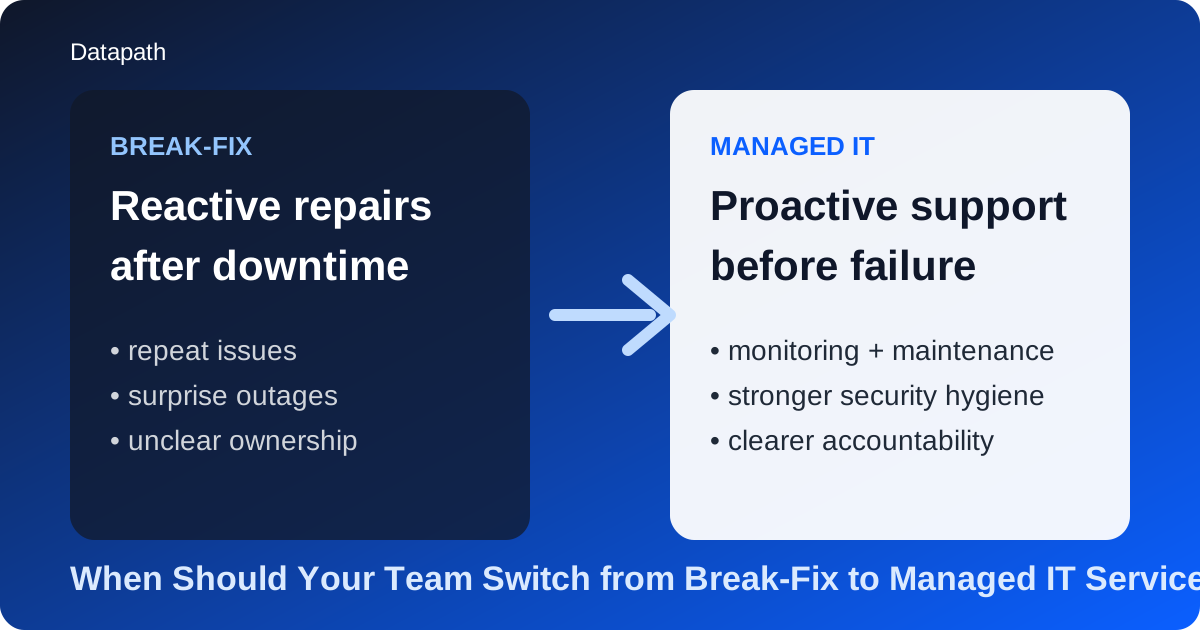
When should your team switch from break-fix to managed IT services?
Your team should usually switch from break-fix to managed IT services when recurring issues, unplanned downtime, security gaps, or growth-related IT friction start creating more operational risk than reactive support can handle.123 In practice, the tipping point is rarely one dramatic outage. It is usually the moment leadership realizes the business is spending too much time recovering from avoidable problems instead of preventing them.
We see that shift most often when a company has outgrown the “call someone when something breaks” model. Break-fix support can still work in small, simple environments with low compliance pressure and limited operational dependence on technology. But once uptime, security, onboarding, vendor management, and business continuity matter more, a reactive model starts leaving too much to chance.
That is why we encourage buyers to compare support models around operating reality, not just monthly invoices. If your team is already evaluating Datapath, our managed IT services overview, or related buying guides like What Does a Managed IT Contract SLA Usually Include? and What to Ask in the First MSP Vendor Call, the real question is whether your environment still fits a reactive support model at all.
What makes break-fix IT stop working well for a growing organization?
Break-fix support stops working well when the business needs prevention, planning, and accountability more than one-off repairs.14 The model is simple: a problem happens, someone is called, and the business pays to restore service. That can feel efficient when systems are stable and business dependence on IT is relatively light.
The problem is that break-fix rewards response, not prevention. It usually does not create standing responsibility for patching discipline, monitoring coverage, documentation hygiene, lifecycle planning, backup validation, or long-term risk reduction. Over time, that gap becomes visible in ways leadership can feel.
Why does reactive support become expensive even if the invoice looks smaller?
Reactive support often looks cheaper because there is no recurring service fee, but that does not mean the operating cost is lower.13 The hidden costs usually show up in four places:
- staff waiting while systems are restored
- repeat issues that were patched but not fully solved
- emergency work that interrupts business hours or projects
- risk exposure from weak monitoring, inconsistent maintenance, or unclear ownership
We think this is where many teams misread the model. The expense is not just the technician bill. It is the cumulative cost of lost time, avoidable escalations, and uncertainty about whether the environment is actually healthy.
Why does break-fix create more risk as the business gets more regulated or distributed?
Once a business operates across multiple sites, supports remote users, depends on Microsoft 365 and cloud systems, or faces compliance pressure, the support model has to do more than restore failed devices.25 It has to maintain security baselines, document ownership, reduce drift, and support response expectations that match the business impact of downtime.
That is why reactive support tends to age badly in healthcare, finance, multi-site operations, and other environments where gaps in monitoring or process create outsized operational consequences. A reactive model can still fix what broke. It is just weaker at reducing the chance that the same issue will break something important again.
What warning signs show it is time to move away from break-fix IT?
The clearest warning signs are repeated disruptions, weak accountability, rising security concern, and growth that your current support model cannot absorb cleanly.124
1. Are the same problems coming back again and again?
If your team keeps seeing the same workstation issues, network instability, backup questions, or user-access failures, you are probably dealing with patchwork support instead of operational improvement.14 We usually treat recurring issues as a sign that nobody owns root-cause reduction in a durable way.
2. Is downtime starting to affect business confidence?
When downtime starts showing up in client-facing operations, internal deadlines, onboarding, or executive reporting, the support question changes. It is no longer “Can someone fix this?” It becomes “Why are we still vulnerable to this in the first place?”24 That is usually when managed services become much easier to justify.
3. Are security and compliance becoming board-level concerns?
A reactive support model rarely gives leadership strong confidence around patching, alert visibility, backup oversight, or audit readiness.256 If leaders are asking whether suspicious activity would be detected quickly, whether backups would restore cleanly, or whether controls are documented well enough for review, the environment is usually asking for a more structured operating model.
This is especially true for teams also working through healthcare, financial-services, or policy-driven requirements. Related posts such as What to Ask Before Migrating PHI Systems to the Cloud and Managed SIEM Coverage Options for Regulated Industries in California come up in the same buying conversations because support maturity and control maturity are tightly connected.
4. Is growth exposing weak processes?
Many teams discover the limits of break-fix support during expansion. New hires arrive, remote access multiplies, line-of-business apps become more important, and nobody is fully responsible for standardization. That usually leads to messy onboarding, permission drift, aging hardware decisions, and too much dependence on one internal generalist.34
If growth is making the environment heavier instead of smoother, that is a strong signal the support model is behind the business.
5. Does leadership want accountability instead of “best effort” help?
A lot of businesses reach the tipping point when executives realize they are no longer looking for occasional technical help. They want response expectations, recurring reporting, escalation clarity, and a partner who can help plan the environment instead of only repairing it. That is where a managed model usually wins.
What does managed IT services give you that break-fix usually does not?
Managed IT services typically give you proactive monitoring, structured maintenance, clearer service accountability, stronger security hygiene, and planning that aligns technology with business operations.123 The exact scope varies, but the operating difference is consistent: the provider is not waiting for failure before acting.
How does proactive support change day-to-day operations?
A proactive model usually improves operations by making maintenance and oversight continuous instead of incidental.12 That often includes:
| Capability | Break-fix model | Managed IT model |
|---|---|---|
| Monitoring | Limited or event-driven | Ongoing monitoring and alert review |
| Maintenance | Often ad hoc | Scheduled and recurring |
| Accountability | Per incident | Defined service expectations |
| Planning | Minimal | Regular roadmap and review cadence |
| Security hygiene | Reactive | More structured and preventive |
| Scalability | Weak during growth | Better suited to standardization |
We think the biggest practical difference is that managed IT makes ownership visible. Instead of asking who should handle patching, backup reviews, vendor coordination, or after-hours escalation, the service model defines more of that up front.
Does managed IT mean giving up internal control?
Not necessarily. Many organizations use managed services to strengthen internal IT, not replace it. In our experience, the best relationships make the ownership boundary clearer. Internal teams keep business context and strategic decision-making, while the managed partner adds operational discipline, tooling depth, and day-to-day consistency.
That is why the conversation often overlaps with vCIO planning for organizations with aging infrastructure, co-managed cybersecurity vs managed security services, and broader resources and guides. The right model depends on what your team needs to keep, what it needs help running, and what risks leadership wants reduced first.
How should a team evaluate whether it is actually ready to switch?
A team is usually ready to switch when leadership can clearly identify business pain, operating gaps, and the outcomes it expects from a more proactive support model.13 We recommend pressure-testing the decision with a few practical questions.
What should leadership ask before making the move?
Ask questions like these:
- Which recurring issues are draining the most time today?
- Which systems would cause the most pain if they failed tomorrow?
- Who owns patching, backup verification, and escalation right now?
- How fast does the business expect response after hours?
- Where are compliance, documentation, or security-review gaps still fuzzy?
- Is growth making support easier or more chaotic?
If those answers reveal vague ownership, recurring friction, or too much dependence on a single person, the case for managed services is usually already there.
What should a transition plan include?
A smart transition should include environment assessment, documentation cleanup, tool rollout, role clarity, support-channel onboarding, and early baseline reporting.1 We like to see buyers confirm not just what the provider promises, but how the first thirty to ninety days will work in practice.
That evaluation pairs well with our managed IT services overview, the Datapath homepage, and buying guidance around managed IT contract SLAs. The goal is not to switch for the sake of switching. It is to move into a model that reduces ambiguity and improves how the business operates every day.
Why Datapath for teams moving beyond break-fix IT?
We think the right time to leave break-fix behind is when leadership wants fewer surprises, clearer ownership, and a support model that can keep pace with security, growth, and operational expectations. That usually means better monitoring, more disciplined maintenance, more useful reporting, and planning that looks beyond the next ticket.
Datapath helps organizations move from reactive support to a more accountable operating model without pretending every environment needs the same answer. Some teams need fully managed coverage. Others need co-managed support, better service definitions, or stronger strategic planning around an internal team. The common thread is clearer ownership and less operational guesswork.
If your organization is weighing that shift now, review our managed IT services page, explore more buying resources in our guides library, or talk with our team about where reactive IT is still creating risk in your environment.
Frequently asked questions
When should a company move from break-fix to managed IT services?
A company should usually move from break-fix to managed IT services when recurring issues, downtime, weak security visibility, or growth-related support friction start hurting operations more than a reactive support model can reasonably absorb.
Is break-fix IT ever still a good fit?
Yes. Break-fix can still fit very small or low-complexity environments where downtime tolerance is high, compliance pressure is low, and the business does not need proactive monitoring, planning, or structured accountability.
What is the biggest advantage of managed IT over break-fix?
The biggest advantage is proactive accountability. Managed IT is designed to reduce avoidable issues through monitoring, maintenance, security hygiene, and clearer ownership instead of waiting for failures to trigger action.
Does managed IT always replace an internal IT team?
No. Many organizations use managed IT to extend an internal team with additional coverage, tooling, process discipline, and strategic guidance rather than replacing internal ownership entirely.
What should buyers compare before switching providers?
Buyers should compare service scope, response expectations, escalation paths, security responsibilities, reporting cadence, transition support, and how clearly the provider defines who owns what after the contract starts.
Sources
- Break-Fix vs Managed Services: A Strategic IT Guide
- It’s finally time to move from reactive to proactive IT support
- Managed IT vs In-House IT: Which Approach Suits Your Business?
- 7 Signs Your Business Needs Managed IT Services
- Managed IT Services vs Break Fix: Find the Right Fit
- CISA Cybersecurity Performance Goals
Footnotes
-
Break-Fix vs Managed Services: A Strategic IT Guide ↩ ↩2 ↩3 ↩4 ↩5 ↩6 ↩7 ↩8 ↩9
-
It’s finally time to move from reactive to proactive IT support ↩ ↩2 ↩3 ↩4 ↩5 ↩6 ↩7
-
Managed IT vs In-House IT: Which Approach Suits Your Business? ↩ ↩2 ↩3 ↩4 ↩5
-
7 Signs Your Business Needs Managed IT Services ↩ ↩2 ↩3 ↩4 ↩5
