
What should a Conditional Access policy rollout plan include for a regulated business?
A Conditional Access policy rollout plan for a regulated business should define who is in scope, which Microsoft 365 and Entra ID controls will be enforced first, how break-glass access is protected, when report-only testing ends, and what evidence will be retained for compliance review. The strongest plans phase controls deliberately so security improves without locking out users, disrupting operations, or creating undocumented exceptions.12
That matters because identity has become one of the fastest paths into a regulated environment. A weak rollout can create just as much pain as weak security: blocked clinicians, finance staff locked out during close, remote teams unable to authenticate, or administrators scrambling because nobody documented exclusions properly. In our experience, regulated organizations get better results when they treat Conditional Access as an operating-control project rather than a one-time portal configuration.
If your team is already reviewing managed cybersecurity services, comparing co-managed IT support models, or planning broader managed IT services, this is one of the highest-leverage identity projects to get right.
Why is Conditional Access such a priority for regulated businesses?
Conditional Access matters in regulated environments because it helps turn identity policy into enforceable access control. Microsoft describes Conditional Access as a policy engine that evaluates signals such as user identity, device state, location, application, and risk before granting or blocking access.1 That is exactly the kind of control model regulated organizations need when sensitive data, audit obligations, and uptime requirements all collide.
For healthcare, finance, education, and public-sector teams, the problem is rarely just “turn on MFA.” The real challenge is deciding how to require strong authentication, device trust, and session restrictions in a way that aligns with patient workflows, financial operations, student services, or government administration. A rushed identity policy can create friction in exactly the places where the business cannot afford it.
Identity controls now carry operational weight
Conditional Access is not only a security setting. It directly affects business continuity, remote access, contractor onboarding, mobile workflows, privileged administration, and third-party support. When a business depends on Microsoft 365, Entra ID, Intune, SaaS apps, and cloud file-sharing, identity policy becomes a production control.
Auditors increasingly expect enforceable controls
Frameworks and customer questionnaires do not usually reward vague claims about “security best practices.” They reward evidence. A documented rollout plan, pilot records, sign-in log review, privileged-access controls, and exception handling all give leadership something concrete to point to when proving that identity access is governed rather than improvised.34
Regulated teams cannot afford broad user disruption
The reason to phase a rollout is simple: regulated businesses often have high-consequence users. Clinicians, finance administrators, district personnel, and municipal teams cannot all be forced into new access requirements overnight. The better approach is to prioritize risk first, then expand coverage in controlled waves.
How should a regulated business plan a Conditional Access rollout?
A strong rollout plan starts before the first policy is enabled. We recommend breaking the work into design, pilot, enforcement, and governance checkpoints so the team can improve security without losing visibility.
1. Confirm prerequisites before writing any production policy
Before rollout starts, verify:
- Microsoft Entra licensing and feature availability
- which users have privileged roles
- which groups will be used for targeting and exclusions
- whether device compliance data is trustworthy
- whether legacy authentication is still in use
- whether emergency access accounts exist and are tested
Microsoft explicitly recommends excluding emergency access accounts from Conditional Access and validating policy impact with test users before broad enforcement.1 We agree. If a team skips that step, recovery from a bad policy change gets ugly fast.
2. Inventory identities, apps, and business-critical workflows
Do not design policy in the abstract. Map the environment first:
- user populations: workforce, contractors, vendors, guests, admins
- applications: Microsoft 365, line-of-business SaaS, privileged admin tools
- endpoints: managed laptops, personal devices, kiosks, shared devices
- workflows: after-hours access, mobile access, executive travel, remote support
- dependencies: Intune, compliant-device status, named locations, identity protection signals
This inventory is what keeps a rollout grounded in reality. In our experience, the biggest rollout mistakes happen when policy owners understand the controls but not the workflows.
3. Define policy tiers by business impact
Most regulated teams should not roll out every policy to every user at once. We usually recommend dividing rollout into practical tiers:
| Tier | Typical scope | Primary goal |
|---|---|---|
| Tier 1 | Global admins, privileged IT, security staff | Lock down highest-risk access first |
| Tier 2 | Finance, healthcare, or other regulated business units | Require stronger controls where data sensitivity is highest |
| Tier 3 | General workforce | Standardize MFA and approved access patterns |
| Tier 4 | Guests, contractors, exception populations | Apply narrower rules with documented business justification |
That sequence is usually easier to defend than a flat, all-user rollout because it ties control strength to actual risk.
What rollout phases work best in practice?
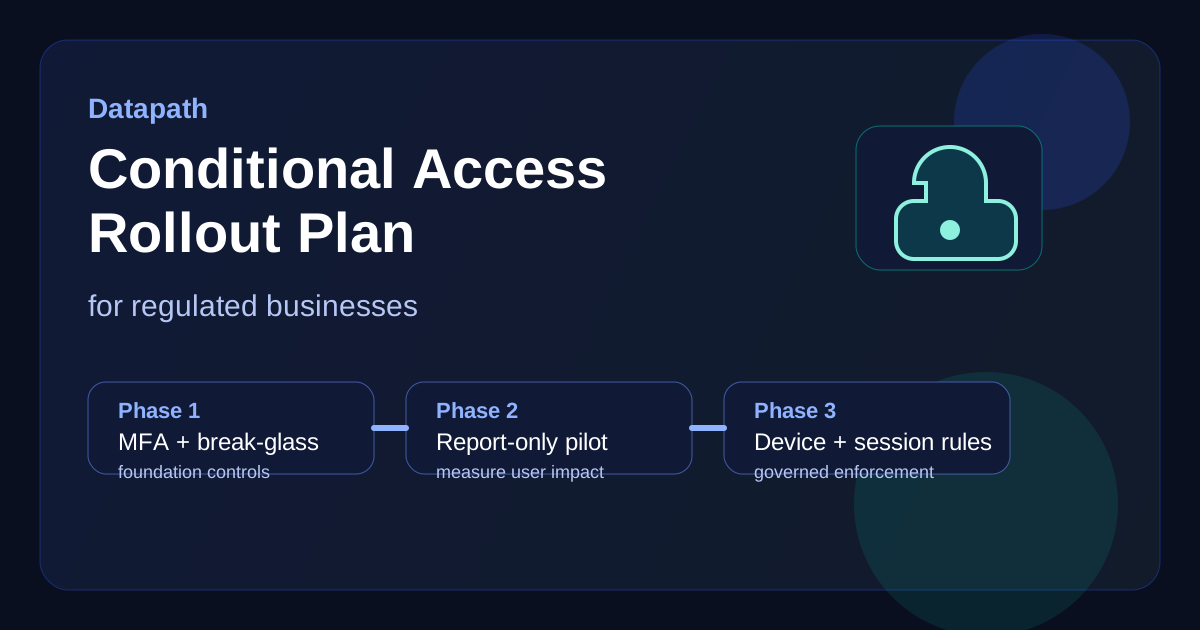
We recommend a phased model that begins with baseline protections, then expands to stronger device and session controls once sign-in behavior is understood.
Phase 1: Foundation and safety rails
The first phase should establish the controls that reduce major identity risk without creating unnecessary complexity.
Focus here on:
- break-glass account validation and monitoring
- blocking legacy authentication where possible12
- securing MFA registration flows
- enforcing MFA for privileged administrators
- standard naming and documentation for every policy5
This phase is where teams also decide how policies will be reviewed, approved, and communicated. It is not glamorous work, but it is what prevents brittle policy sprawl later.
Phase 2: Report-only pilot for broader users
Once the safety rails are in place, move key user populations into report-only mode before enforcement. Microsoft recommends testing templates and reviewing impact before switching policies on, and that guidance is worth following.1
During report-only, review:
- who would have been blocked
- which apps generate the most friction
- where unmanaged devices still appear
- whether travel and remote-work patterns create false positives
- whether service accounts or shared-device workflows need separate handling
This is also the right time to write user communications. People tolerate stronger security much better when they understand what is changing, why it matters, and how to get help.
Phase 3: Broad MFA and approved-access enforcement
After the pilot data looks clean, enforce the baseline controls for broader populations. For many regulated businesses, this means:
- requiring MFA for all standard users
- requiring MFA for guests and external collaboration
- restricting access from untrusted locations where justified
- limiting access from unmanaged mobile or browser sessions
- aligning approved-client or app-protection requirements with mobile access patterns6
At this point, the rollout should still be measured. If a business unit depends heavily on personal devices, shared stations, or vendor access, those workflows may need a narrower wave with more support coverage.
Phase 4: Device trust, session controls, and risk-based policies
Once baseline MFA is stable, higher-maturity teams can add device compliance, stronger session restrictions, and risk-based responses.
That often includes:
- requiring compliant or hybrid-joined devices for sensitive apps78
- applying stricter controls to admin access and elevated roles
- using sign-in risk or user risk where licensing supports it1
- tightening token and session behavior for high-value resources
This is where Conditional Access starts to feel less like a login requirement and more like a full identity-governance control.
What mistakes cause Conditional Access rollouts to fail?
Most failures are not caused by the technology itself. They come from weak planning, weak communication, or weak exception discipline.
Treating every user the same
A regulated organization rarely has one uniform access model. Shared devices, frontline workflows, outsourced support, field staff, and executives all behave differently. A single blanket rule often creates more helpdesk load than security value.
Turning on device requirements before device hygiene is ready
If Intune enrollment, compliance policies, or endpoint visibility are incomplete, a “require compliant device” policy becomes a support ticket generator instead of a control. Device trust should be enforced only after the organization trusts its own device posture data.
Letting exceptions become permanent shadow policy
Exclusions are necessary, but they should be narrow, documented, reviewed, and time-bound. Otherwise the environment ends up with a polished Conditional Access dashboard and a weak real-world control model.
Skipping documentation leadership can actually use
The technical team may understand every policy. That is not the same as having a rollout record leadership, auditors, insurers, and operations managers can follow. Every regulated business should be able to answer:
- what was deployed
- who approved it
- who is excluded and why
- which evidence is retained
- how impact is monitored after enforcement
Why Datapath recommends a governance-first rollout
We think Conditional Access projects work best when security, IT operations, and business ownership are aligned. The technical design matters, but so do escalation paths, exception approval, communications, and post-rollout review. That is especially true if your team is supporting multiple locations, lean internal IT staff, or compliance-sensitive users.
A governance-first approach usually means:
- designing policy around real workflows, not just templates
- proving report-only impact before broad enforcement
- limiting exceptions and reviewing them regularly
- pairing identity controls with endpoint, backup, and response planning
- documenting enough evidence for audits, renewals, and leadership reviews
That is also why many organizations pair Conditional Access work with a broader Microsoft 365 security review, third-party cyber risk assessment process, or a practical conversation with our contact page when internal capacity is thin.
Why Datapath for Conditional Access rollout planning
We help regulated organizations tighten identity controls without pretending the environment is simple. In our experience, the best rollout plans connect Microsoft 365 identity policy to actual business operations, endpoint realities, privileged-access risk, and compliance evidence.
If your team needs to phase MFA, device trust, and access restrictions without creating unnecessary disruption, we can help you build a rollout plan that leadership can understand and technical teams can actually run.
FAQ: Conditional Access policy rollout plan for regulated businesses
What should a Conditional Access rollout plan document?
It should document scope, policy objectives, targeted user groups, exclusions, pilot timing, report-only review, enforcement sequence, rollback options, and the evidence retained for compliance or leadership review.
Should regulated businesses enforce MFA for everyone at once?
Usually no. Most regulated teams get a cleaner rollout by securing privileged roles first, then expanding to sensitive business units, broader users, and more complex exception populations in controlled phases.
When should device-compliance requirements be enforced?
They should be enforced only after the organization trusts its device inventory, enrollment coverage, and compliance-policy data. Otherwise the control can block legitimate work without improving security meaningfully.
Are break-glass accounts still necessary with Conditional Access?
Yes. Emergency access accounts should exist, be tested, and remain tightly monitored so the organization can recover safely from policy mistakes or broader identity outages.
Sources
- Microsoft Learn: Plan your Microsoft Entra Conditional Access deployment
- MSEndpointMgr: Microsoft Conditional Access implementation considerations and common mistakes
- NIST Cybersecurity Framework 2.0
- CISA Cross-Sector Cybersecurity Performance Goals
- UFSTech: Avoiding Conditional Access policy misconfigurations
- Microsoft Learn: Require approved client app or app protection policy
- Microsoft Learn: Require device compliance with Conditional Access
- Jamf: Creating a Conditional Access policy
Footnotes
-
Microsoft Learn: Plan your Microsoft Entra Conditional Access deployment ↩ ↩2 ↩3 ↩4 ↩5 ↩6
-
MSEndpointMgr: Microsoft Conditional Access implementation considerations and common mistakes ↩ ↩2
-
UFSTech: Avoiding Conditional Access policy misconfigurations ↩
-
Microsoft Learn: Require approved client app or app protection policy ↩
-
Microsoft Learn: Require device compliance with Conditional Access ↩
