
What should mid-market companies budget for outsourced help desk cost in 2026?
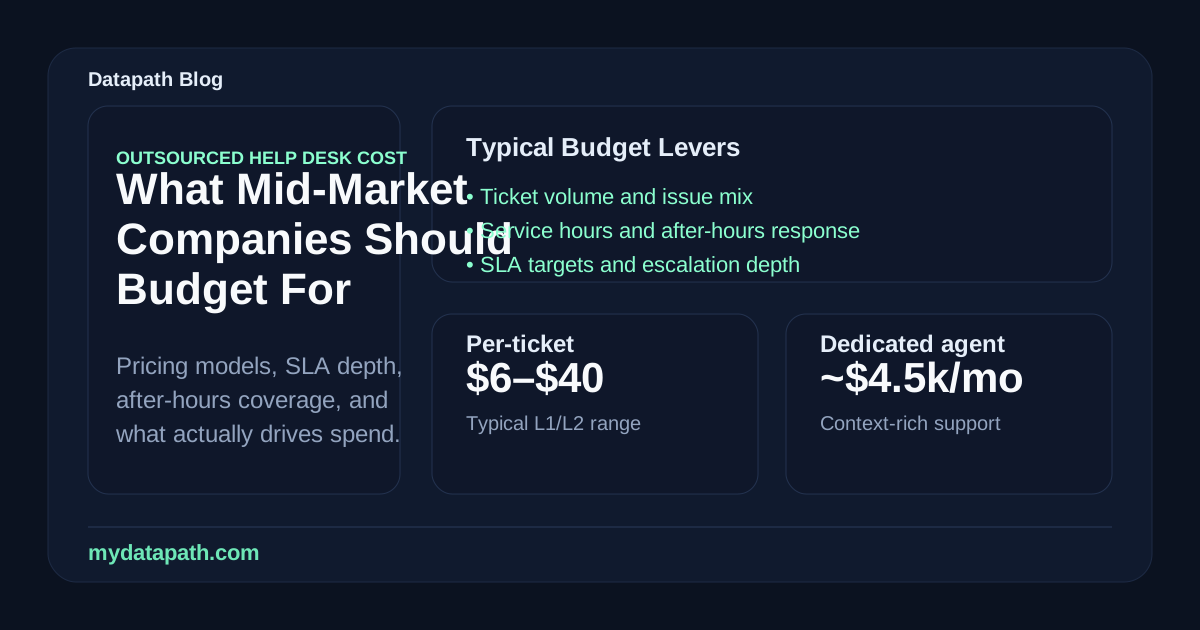
A realistic outsourced help desk cost budget for a mid-market company in 2026 usually depends on ticket volume, service hours, escalation depth, response-time expectations, and whether support is shared or dedicated. In practical terms, many outsourced help desk programs still price somewhere between $6 and $40 per ticket for lower-tier support, while dedicated-agent models can land closer to $4,500 per agent per month or an hourly range shaped by location and coverage.12345 The right budget is not just about finding the cheapest rate. It is about matching support capacity, user experience, and accountability to the way your business actually operates.
In our experience, companies get into trouble when they budget for outsourced support as if they are buying generic call-center labor. A mid-market help desk usually sits closer to the core of operations than leadership expects. It affects employee productivity, after-hours continuity, onboarding, vendor coordination, Microsoft 365 support, endpoint issues, and the day-to-day confidence people have that technology will work when they need it.
That is why we recommend treating budgeting as an operating-model decision. Start with your real support demand, tie the cost model to business impact, and compare providers against service design, not just rate cards. If your team is already evaluating options, this also connects to our guidance on managed IT services, MSP SLA metrics, the Datapath homepage, and our resource guides.
What actually drives outsourced help desk cost?
Outsourced help desk pricing looks simple in proposals and much less simple in practice. The rate is usually a wrapper around several variables that materially change cost and support quality.
Ticket volume and issue mix shape the baseline
The first big driver is volume. If your environment creates a modest and predictable stream of password resets, device setup questions, and common application issues, pricing can look efficient. If your users generate a high number of multi-step tickets, VIP escalations, onboarding requests, vendor interactions, or site-specific troubleshooting, the economics change quickly.
The issue mix matters just as much as the count. A provider handling simple Level 1 requests can operate very differently from one expected to support Microsoft 365 administration, endpoint troubleshooting, line-of-business applications, or coordination with internet and software vendors.
Service hours and after-hours coverage can move the budget fast
A standard business-hours desk is one thing. A desk expected to answer during nights, weekends, or holidays is something else entirely. ScienceSoft specifically calls out support time coverage, support levels, monthly ticket count, and SLA terms as core pricing variables.1
We usually advise teams to ask a blunt question early: do you need true after-hours response, or do you only need a basic on-call path for severe incidents? Plenty of organizations overpay for blanket coverage they rarely use. Others underbuy and then discover that overnight disruptions do not get meaningful attention until the next business morning.
SLAs, escalation depth, and support quality matter more than a cheap entry rate
A provider can offer a low headline rate and still become expensive if the service desk is slow, shallow, or poorly escalated. First-response targets matter, but they are not enough by themselves. Mid-market companies should budget around the full support expectation:
- first response by priority
- time to begin meaningful work
- time to restore service
- after-hours responsiveness
- escalation ownership
- communication quality during incidents
This is one reason we keep pointing people back to measurable accountability. The cheapest help desk model often gets expensive once internal IT has to clean up escalations, chase vendors, or manage unhappy users.
Which pricing models are most common in 2026?
Most outsourced help desk programs still fall into three familiar buckets. The important part is not memorizing the names. It is understanding which model fits your support pattern.
Per-ticket pricing
Per-ticket pricing is straightforward: you pay based on the number of incidents or requests handled. Industry benchmarks still commonly place lower-tier outsourced ticket costs in the $6 to $40 range, depending on support level and monthly volume.12
This model usually fits best when:
- ticket demand is variable but not chaotic
- the environment is reasonably standardized
- most issues are repeatable and documented
- leadership wants a usage-based model
The downside is that providers may be tempted to optimize for ticket movement instead of durable resolution. A low per-ticket price is not very attractive if users keep reopening the same issue.
Dedicated-agent or per-seat pricing
Dedicated-agent pricing is better for organizations that want steadier capacity and tighter familiarity with the environment. Some market references still place these programs around $4,500 per agent per month, while hourly equivalents can vary widely depending on location and service design.2345
This model usually works better when:
- support demand is steady and relatively high
- business workflows are specialized
- users need more continuity and context
- the provider is expected to function like an extension of the internal IT team
The tradeoff is obvious: you gain predictability and depth, but you are paying for reserved capacity whether every hour gets used or not.
Hybrid pricing
Hybrid models combine baseline capacity with usage-based expansion. In our view, this is often the most practical option for mid-market teams because it mirrors real operations more closely. You get a stable support foundation without forcing every month to look identical.
A hybrid model can work well when you have:
- a predictable core ticket load
- occasional spikes tied to onboarding, projects, or seasonality
- a need for after-hours or VIP handling without staffing a full dedicated desk
What budget ranges are realistic for mid-market companies?
There is no single universal number because “mid-market” covers a wide spread of complexity. Still, some rough budgeting patterns are useful.
If your environment is relatively standardized
Organizations with consistent tooling, limited custom applications, and mostly routine user support can often make a shared-service model work. In that case, the budget may map well to per-ticket economics, especially if ticket volume is understood and user expectations are clear.
ScienceSoft’s published examples show how monthly cost can compress as ticket volume increases, including sample math around a few hundred tickets per month and larger support programs.1 That does not mean your budget should blindly follow a calculator, but it does show why volume, scope, and support depth need to be modeled together.
If your users depend on faster, deeper support
Regulated businesses, multi-site organizations, healthcare groups, finance teams, and operations-heavy companies usually need something stronger than low-cost queue coverage. They often require cleaner escalation paths, better documentation habits, stronger vendor coordination, and support that understands business-critical workflows instead of just generic desktop issues.
That kind of support usually costs more, but it also tends to protect uptime and user confidence far better. Premier NX’s 2026 help desk trends piece makes the same broader point: companies are outsourcing not only to save money, but also to improve employee experience, resilience, and the ability to free internal talent for higher-value work.6
If you are comparing offshore, nearshore, and U.S.-based support
Location still materially affects price. Helpware and other outsourcing references continue to show lower offshore rates and higher U.S.-based rates, with hourly comparisons spanning everything from single-digit offshore labor to much higher domestic coverage depending on complexity.45
We think the mistake here is assuming location alone determines value. For a low-complexity environment, lower-cost geography may be perfectly workable. For a regulated or high-accountability environment, the wrong support model can create hidden cost through delays, weak escalations, and poor ownership.
How should mid-market companies build a help desk budget instead of guessing?
We recommend budgeting in four passes.
1. Start with users, sites, and monthly support demand
Do not start with a provider price sheet. Start with your own environment:
- active user count
- number of offices or sites
- monthly ticket volume
- common issue categories
- percentage of after-hours incidents
- systems that create the most escalations
If you do not know those basics, the budget is going to be fiction.
2. Separate routine support from business-critical support
Not every request deserves the same support model. Password resets, standard workstation issues, and common SaaS questions are one category. Priority incidents affecting executives, finance workflows, Microsoft 365 access, security tools, or line-of-business platforms are another.
This helps you avoid overbuying premium coverage for everything or underbuying where the cost of delay is high.
3. Model the contract around outcomes, not just labor
A useful budget conversation should answer:
- What response times do we actually need?
- What restoration expectations matter most?
- How much provider familiarity does the environment require?
- Which systems need documented escalation ownership?
- How much internal IT effort do we still want to retain?
That is the difference between “What is the cheapest help desk?” and “What support model will actually hold up?”
4. Leave room for transition, documentation, and cleanup work
One quiet budget mistake is assuming the monthly run rate is the whole story. New outsourced desks usually need transition effort: knowledge transfer, tooling setup, workflow cleanup, documentation review, identity and admin-path clarification, and service-scope tuning in the first 30 to 90 days.
If the provider inherits a messy environment, the cheapest proposal may only look cheap because that cleanup work is not visible yet.
Why Datapath treats outsourced help desk cost as a governance question
We do not think the right help desk budget is the one with the lowest apparent support rate. We think it is the one that creates dependable outcomes for the business: faster resolution, clearer ownership, better employee experience, and less wasted internal IT energy on repetitive support motion.
That usually means aligning support scope, SLA expectations, and escalation design before signing the agreement. It also means checking whether the provider can support the broader operating model around managed IT services, your vCIO planning, and the accountability standards leadership expects from an MSP relationship.
Why Datapath for outsourced help desk planning and support design
We help mid-market and regulated organizations budget support based on real operational needs, not generic outsourcing averages. That includes clarifying what should stay in-house, what should move to a provider, how SLA targets should be structured, and where service design can lower friction without sacrificing accountability.
If your team is comparing outsourced help desk options now, we can help you pressure-test the cost model before you buy something that looks efficient on paper and frustrating in practice.
Frequently asked questions about outsourced help desk cost
How much does outsourced help desk support cost per ticket?
In many 2026 market references, outsourced help desk support still commonly falls between $6 and $40 per ticket for lower-tier support, depending on volume, support hours, issue complexity, and SLA expectations.12
Is dedicated-agent pricing better than per-ticket pricing?
It depends on the environment. Dedicated-agent pricing usually works better when support demand is steady, workflows are more specialized, or the business needs stronger continuity and context. Per-ticket pricing is often more efficient when demand is variable and the environment is relatively standardized.
What increases outsourced help desk cost the fastest?
The biggest cost drivers are usually after-hours coverage, higher escalation depth, complex application support, strict SLA targets, multilingual requirements, and messy environments that require more discovery and coordination.1
Should mid-market companies choose the cheapest outsourced help desk provider?
Usually not. A low headline rate can hide weak escalation quality, poor communication, or shallow troubleshooting. Mid-market companies generally get better results when they compare outsourced help desk cost against support quality, business impact, and accountability requirements together.
