
What disaster recovery test plan mistakes should IT leaders avoid?
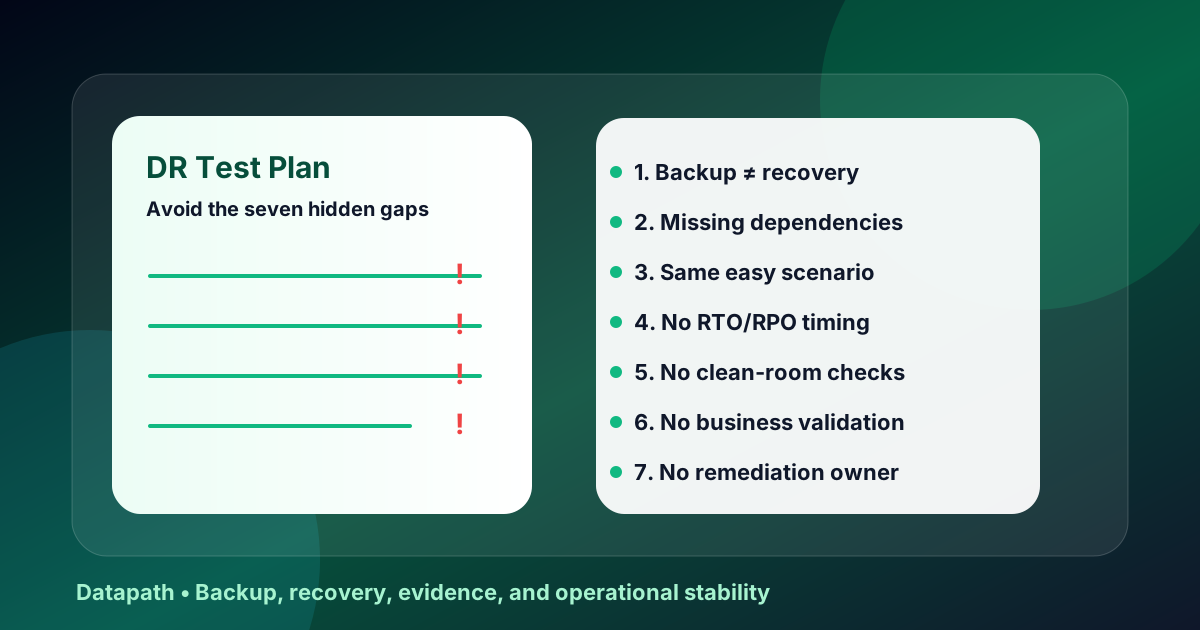
The biggest disaster recovery test plan mistakes are treating a successful backup job as recovery proof, testing only technical restores, ignoring identity and network dependencies, failing to measure RTO/RPO, skipping business-user validation, omitting evidence capture, and leaving remediation unowned after the test. A useful test plan proves the business can recover usable systems, not merely that backup software can start a restore.12
This topic came from current Google Search Console opportunity data: Datapath is getting impressions for disaster recovery test plan template queries around page-one/page-two positions, which tells us buyers are not only looking for a generic checklist. They are trying to avoid a bad exercise, satisfy auditors or insurers, and decide whether a provider can turn backup tooling into a real recovery program.
If your team already has a template, use this article as the blunt second pass. A template tells you what fields to fill out. The mistakes below tell you where the test can still fail even when every field looks complete.
| Mistake | What it hides | Better test-plan requirement |
|---|---|---|
| Testing backup jobs instead of recovery outcomes | Data exists, but the service may not work | Restore into a usable workflow and validate with business owners |
| Ignoring dependencies | Apps fail because identity, DNS, network, certificates, or vendors are missing | Map upstream and downstream dependencies before test day |
| Skipping timing evidence | RTO/RPO targets remain assumptions | Capture timestamps from declaration through business validation |
| Testing only the easy scenario | The plan works only under ideal conditions | Rotate restore, failover, ransomware, cloud, identity, and vendor scenarios |
| Forgetting security checks | Restored systems may be vulnerable or still compromised | Validate clean recovery points, access controls, logging, and EDR/MDR coverage |
| Treating evidence as admin overhead | Auditors, insurers, and executives cannot trust the result | Assign an evidence owner and produce a test summary report |
| Failing to close findings | The next test repeats the same failure | Convert gaps into owner, due date, risk decision, and retest evidence |
For context, NIST SP 800-34 frames contingency planning around business impact, recovery priorities, backup scope, storage location, recovery procedures, and testing.1 NIST SP 800-84 treats exercises as structured events that should be designed, conducted, evaluated, and improved rather than treated as one-off paperwork.2 CISA’s ransomware guidance also emphasizes offline or immutable backups and regular integrity testing because attackers often target recovery options directly.3
Here are the seven mistakes we would look for before trusting a disaster recovery test plan.
1. Mistaking successful backups for successful recovery
A completed backup job proves that a backup process ran. It does not prove that the restored system will boot cleanly, authenticate users, connect to required databases, process transactions, serve patients, run payroll, or support a field team during an outage.
What the mistake looks like
The most common version is a dashboard screenshot showing green backup jobs. Another version is a file-level restore of one harmless folder while the real recovery requirement is an EHR, ERP, accounting system, student information system, dispatch workflow, or Microsoft 365-dependent process.
That test may be useful, but it is not enough. It validates a backup artifact, not a business capability.
What to require instead
Your test plan should state the recovery outcome in business language:
- Which workflow is being restored?
- Which system, data, identity, and network components support it?
- What must a business user successfully do after recovery?
- What evidence proves that the workflow is usable?
- Which recovery point was used, and how old was the data?
For a regulated or mid-market organization, that difference matters. Auditors, insurers, executives, and customers care less about whether the backup tool was happy and more about whether the organization can recover the service it promised to protect.
Where Datapath usually starts
We usually start by separating backup coverage from recovery proof. If your team needs help with that split, Datapath’s disaster recovery services connect backup design, restore testing, runbooks, and reporting into one operating model. Our broader backup and disaster recovery guide is also a useful primer before you run a formal exercise.
2. Leaving identity, DNS, and network dependencies out of scope
A restore can succeed technically while the application remains unusable because the systems around it did not recover. This is the dependency mistake, and it is brutal because teams often discover it only after the “successful” restore is already complete.
Which dependencies get missed most often?
The usual blind spots include:
- Active Directory, Entra ID, MFA, SSO, privileged-access vaults, and break-glass accounts
- DNS, DHCP, certificates, VPN, firewall rules, SD-WAN, VLANs, and routing paths
- database servers, APIs, message queues, licensing servers, print services, and reporting engines
- SaaS platforms, vendor portals, telecom dependencies, payment rails, and third-party integrations
- endpoint management, EDR, SIEM, MDR, logging, ticketing, and communications tools
A test plan that lists only servers is usually too shallow. The real question is whether the full service chain can recover.
How should the test plan fix it?
Before test day, build a dependency map for each critical workflow. It does not need to be a perfect enterprise architecture diagram. It does need to name the services that must exist before the restored system can work.
Use a simple table:
| Dependency | Owner | Recovery order | Test validation | Evidence |
|---|---|---|---|---|
| Entra ID / MFA | Identity lead | Before user validation | Test admin and user sign-in | Sign-in logs, screenshots |
| DNS and firewall rules | Network lead | Before app testing | Confirm name resolution and allowed paths | Change ticket, command output |
| Database service | App owner | Before application launch | Confirm connection and data recency | App screenshot, query output |
| EDR and logging | Security owner | Before return to service | Confirm recovered endpoint is monitored | EDR console, alert test |
If your recovery depends on Microsoft 365, include tenant access, admin roles, mail flow, SharePoint or OneDrive recovery, Teams files, Purview retention interactions, and backup-provider access. The Microsoft 365 backup services page is a practical service path for teams whose recovery model depends heavily on cloud collaboration data.
Need a cleaner disaster recovery test plan?
Datapath can review your restore scenarios, dependency map, RTO/RPO assumptions, backup evidence, and recovery runbooks before the next outage or audit exposes the gaps.
3. Running the same low-risk restore every year
A narrow restore test is better than no test. The mistake is repeating the same safe exercise every year and pretending it proves broader resilience. If the only test is a small file restore, the plan may never validate application recovery, cloud failover, ransomware containment, legal hold, vendor escalation, or executive decision-making.
What scenarios should rotate through the plan?
Use a scenario rotation that matches business risk:
- accidental deletion of a critical folder, mailbox, record, or database table
- failed application update that requires rollback
- ransomware affecting production and backup-adjacent systems
- loss of the primary site, circuit, firewall, or cloud region
- compromise of privileged credentials or identity-provider outage
- vendor-hosted application outage with limited access to provider support
- Microsoft 365, SaaS, or cloud collaboration data recovery
- recovery of a business service with internal users validating results
The point is not to stage theater. The point is to test different failure modes because each one stresses a different part of the plan.
Why does this matter for mid-market teams?
Mid-market environments are often complex enough to have real dependencies but lean enough that one or two people understand too much of the recovery path. Rotating scenarios exposes single-person knowledge, stale runbooks, missing vendor contacts, and unrealistic escalation assumptions.
This is where a recovery program overlaps with incident response retainer services. A ransomware-driven recovery test should include containment authority, evidence preservation, communication paths, and clean-recovery decisions, not only backup restoration.
4. Failing to measure RTO and RPO with real timestamps
Recovery time objective and recovery point objective are useful only if the test measures them honestly. A plan that says “RTO: four hours” but captures no timestamps is not a test plan. It is a wish.
What should teams measure?
At minimum, record:
- incident declaration or test activation time
- when recovery work actually starts
- backup or replica selected for restoration
- restore start and completion time
- identity and network validation time
- application technical validation time
- business-user validation time
- return-to-service or cutback decision time
- actual data age versus approved RPO
- exceptions, blockers, and workaround duration
A server that boots in 30 minutes may still produce a six-hour business outage if users cannot authenticate, the database must replay logs, integrations are broken, or leadership takes too long to approve cutover. Your test report should show the whole timeline.
What is the listicle-level gut check?
If the test summary cannot answer “what took the longest?” and “where did the RTO/RPO assumption fail?”, the exercise did not produce enough evidence. That is one reason we often pair disaster recovery planning with vCIO services or executive roadmap work: recovery targets are business decisions, not only technical settings.
5. Skipping clean-room, security, and access validation
Fast recovery from a compromised or poorly secured state is not success. It can turn one incident into two.
What security checks belong in a DR test plan?
A ransomware-aware plan should validate:
- whether the selected restore point is plausibly clean
- whether immutable, offline, or isolated copies survived destructive activity
- whether restored systems have EDR, logging, and monitoring active
- whether privileged access is limited and documented during recovery
- whether firewall and segmentation rules still match the intended design
- whether restored endpoints or servers need patches before reconnecting
- whether compromised credentials, tokens, or service accounts were rotated
- whether outbound communications, scheduled jobs, and integrations are safe to resume
CISA explicitly warns that ransomware actors may try to delete backups, encrypt repositories, disable backup software, or use compromised credentials to reach backup systems.3 That means backup security belongs inside the recovery test, not in a separate conversation months later.
When does this become a managed cybersecurity issue?
If the DR plan assumes clean backups but nobody can explain how backup infrastructure is monitored, how privileged backup accounts are protected, or how recovered systems are checked before reconnection, the gap is larger than disaster recovery. It belongs in managed cybersecurity services, cybersecurity risk assessment services, and recurring executive review.
6. Forgetting business validation and communications
Technical teams often stop when the system appears healthy. Business leaders care whether the workflow actually works. Those are not the same thing.
Who should validate recovered services?
The test plan should include business owners for the systems being recovered. For example:
| Environment | Business validation example |
|---|---|
| Healthcare | Can staff access a patient chart, schedule, claim, imaging workflow, or downtime-reconciliation record? |
| Financial services | Can users retrieve client records, process approvals, access secure documents, and preserve audit evidence? |
| K-12 education | Can staff access the SIS, communications platform, learning tools, emergency contacts, or identity services? |
| Local government | Can departments continue permitting, finance, public works, records, or public-safety-adjacent workflows? |
| Multi-site business | Can each site reach the restored application through the expected network path? |
Business validation should happen before the test is declared successful. If the application is technically online but users cannot complete the critical workflow, recovery is incomplete.
What communications should be tested?
Test who gets notified, which channel is used if email or Teams is unavailable, who approves failover, who briefs executives, who updates vendors, and who owns customer-facing statements if needed. NIST SP 800-61 highlights incident coordination with external parties such as other response teams, service providers, law enforcement, customers, and constituents.4 Disaster recovery exercises should not ignore that coordination layer.
For public-sector teams, the connection between technology continuity and public communication is especially direct. Datapath’s government IT services and city government IT outsourcing guide can help frame recovery planning around service delivery, records, and public accountability.
7. Producing a report that does not drive remediation
The final mistake is treating the test report as the finish line. The report should be a control document: what happened, what failed, what risk remains, who owns the fix, and when the retest will happen.
What should the report include?
A usable disaster recovery test summary report should include:
- test date, scope, systems, scenario, and participants
- target RTO/RPO and actual measured results
- selected recovery points and backup sources
- timeline of recovery milestones
- screenshots, logs, tickets, console reports, and user validation proof
- exceptions and failed steps
- impact of each gap on recovery objectives
- remediation owner and due date
- retest requirement
- leadership signoff or formal risk acceptance
If the report says everything passed with no findings for years, be skeptical. Real tests usually produce findings because environments change. That is not failure. That is the point.
How do you turn findings into an operating cadence?
Put findings into the same management system used for security, infrastructure, and compliance work. Assign owners. Review progress in QBRs or executive business reviews. Re-test the fix. Update the runbook immediately when the recovery path changes.
That is where Datapath’s operating model matters. We do not think disaster recovery should live as a once-a-year technical chore. It should connect to Datapath, managed IT services, cybersecurity operations, backup architecture, vendor management, and leadership reporting so recovery stays aligned with the way the business actually runs.
Why Datapath for disaster recovery test plan mistakes
Datapath helps regulated and mid-market organizations turn disaster recovery from a backup checkbox into a tested operating model. That means connecting recovery scenarios to business workflows, identity, Microsoft 365, network dependencies, cyber insurance evidence, executive reporting, and remediation ownership.
If your next DR test needs to prove more than “the backup job was green,” start with Datapath’s disaster recovery services, compare adjacent hybrid cloud disaster recovery services, and use our disaster recovery testing checklist to build the evidence package. For teams with lean internal staff, co-managed IT services can add recovery planning and escalation capacity without replacing the context your internal team already has.
Want the next DR test to produce real evidence?
Datapath can help scope the test, validate dependencies, measure recovery timing, document findings, and turn open gaps into a practical remediation plan.
FAQ: disaster recovery test plan mistakes
What is the most common disaster recovery test plan mistake?
The most common mistake is testing backup completion instead of business recovery. A backup job can be successful while the restored application is unusable because dependencies, permissions, identity, network paths, or data integrity were never validated.
How often should a disaster recovery test plan be reviewed?
Most organizations should review the plan at least annually and after major infrastructure, cloud, application, vendor, identity, or security changes. Regulated, high-change, or uptime-sensitive environments usually need smaller tests throughout the year, not one large annual exercise.
Should disaster recovery tests include ransomware scenarios?
Yes. Ransomware changes the recovery question because attackers may target backups, credentials, management servers, and documentation. A ransomware-aware test should validate immutable or offline copies, clean restore points, privileged access, monitoring, containment authority, and communication paths.
What evidence should a DR test produce?
A DR test should produce the scenario brief, recovery timeline, RTO/RPO results, backup or replica used, restore logs, screenshots, validation notes, business-owner signoff, exceptions, remediation owners, and retest dates. Without evidence, the test is hard to defend to leadership, insurers, auditors, or customers.
Who should participate in a disaster recovery test?
The test should include IT operations, security, application owners, business workflow owners, executive decision-makers, vendor contacts, and communications or compliance stakeholders when relevant. If only infrastructure staff participate, the test may miss approval, communication, legal, insurance, and user-validation failures.
How is a disaster recovery test different from a tabletop exercise?
A tabletop exercise walks through decisions and roles in a simulated scenario. A disaster recovery test validates technical recovery steps, backup restores, failover paths, and business usability. Mature programs use both because decision readiness and technical recoverability fail in different ways.
Sources
Footnotes
-
National Institute of Standards and Technology, SP 800-34 Rev. 1: Contingency Planning Guide for Federal Information Systems. ↩ ↩2
-
National Institute of Standards and Technology, SP 800-84: Guide to Test, Training, and Exercise Programs for IT Plans and Capabilities. ↩ ↩2
-
Cybersecurity and Infrastructure Security Agency, StopRansomware Guide. ↩ ↩2
-
National Institute of Standards and Technology, SP 800-61 Rev. 2: Computer Security Incident Handling Guide. ↩
