Office 365 Anti-Phishing Policy Tuning
Review Standard, Strict, or custom anti-phishing policies, protected users, protected domains, mailbox intelligence, phishing thresholds, quarantine actions, and exception handling.
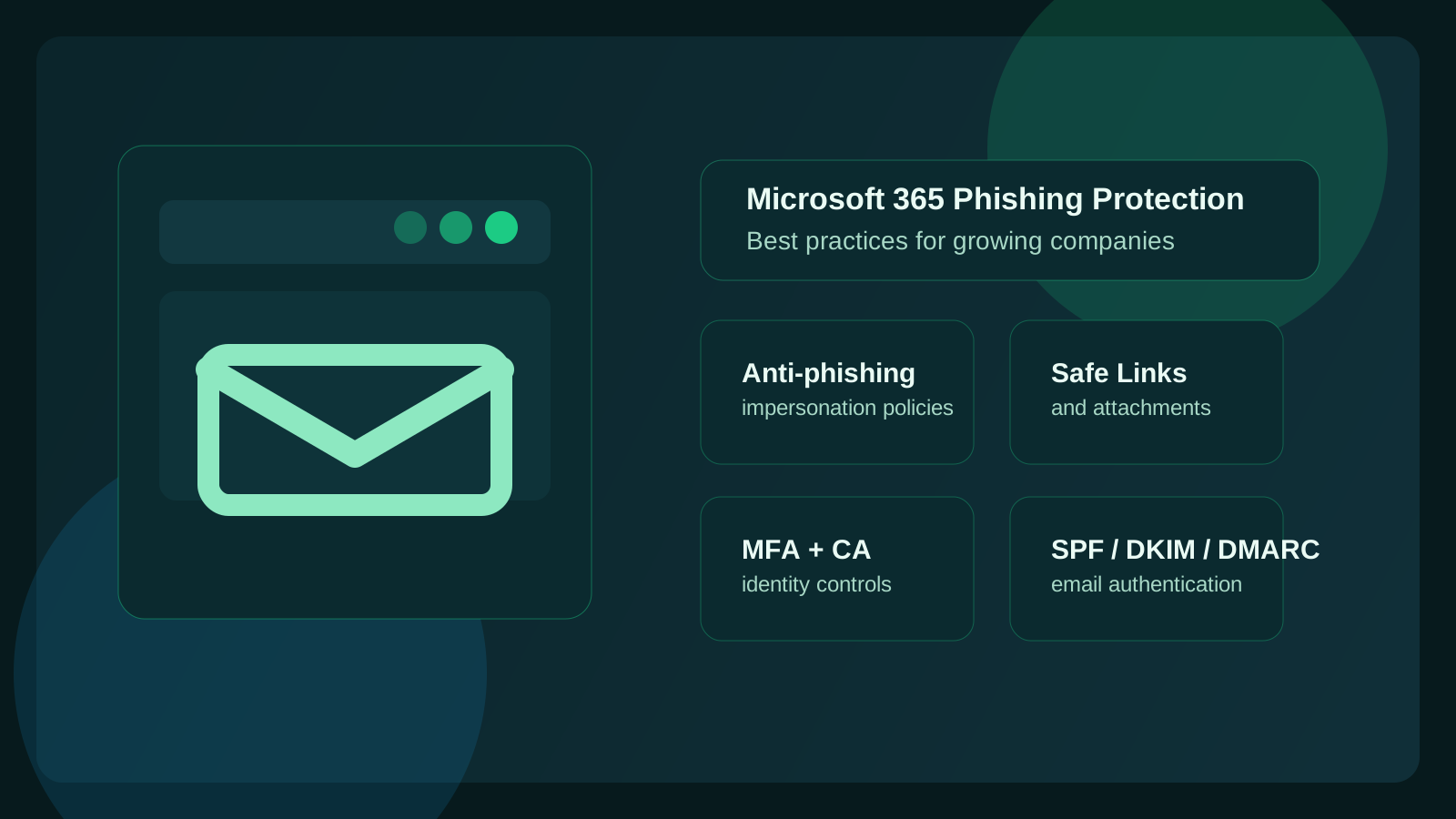
Microsoft 365 Phishing Protection Services
Datapath helps regulated and mid-market teams prevent phishing in Office 365 by tuning anti-phishing policies, Defender for Office 365, impersonation protection, Safe Links, Safe Attachments, SPF, DKIM, DMARC, MFA, Conditional Access, user reporting, quarantine review, and incident escalation so phishing defense is operated instead of assumed.
What Datapath Delivers
Review Standard, Strict, or custom anti-phishing policies, protected users, protected domains, mailbox intelligence, phishing thresholds, quarantine actions, and exception handling.
Validate Defender for Office 365, Exchange Online Protection, Safe Links, Safe Attachments, SPF, DKIM, DMARC, MFA, Conditional Access, legacy authentication, and admin-role exposure.
Define user-reporting workflows, suspicious-message review, Microsoft 365 security assessment evidence, compromised-mailbox escalation, vendor comparison, executive updates, and quarterly phishing protection reporting.
Map SPF, DKIM, DMARC, DMARC aggregate reports, authorized senders, p=none monitoring, quarantine testing, and p=reject rollout decisions to Microsoft 365 phishing protection ownership.
Buyer Questions
Searches around Office 365 phishing protection usually mean the team knows Microsoft 365 has native controls, but is not sure whether policy scope, impersonation coverage, authentication, reporting, and response workflow are actually operating.
A practical service that improves Microsoft 365 email defense beyond defaults by connecting anti-phishing policy, Defender, identity, authentication, and reporting.
Datapath reviews policy scope, Defender coverage, Safe Links, Safe Attachments, impersonation protection, MFA, DMARC, quarantine outcomes, risky allow lists, and quarterly ownership.
Help confirming that phishing protection covers the right people, departments, domains, vendors, shared mailboxes, and regulated workflows.
Datapath maps finance, HR, executives, admins, vendors, shared mailboxes, and regulated-data users to the controls and response paths they need.
A way to reduce successful phishing through technical controls, user reporting, identity hardening, and incident-response escalation.
Datapath combines Microsoft 365 policy tuning with MFA, Conditional Access, email authentication, user-reporting workflows, compromised-mailbox response, and executive evidence.
A managed partner that owns recurring tuning, quarantine review, false-positive handling, exception cleanup, and leadership-ready reporting.
Datapath turns phishing protection into an operated service with review cadence, documented exceptions, escalation rules, and reporting that leadership can understand.
A practical check that baseline protection, Defender features, Safe Links, Safe Attachments, and user reporting are not only enabled but owned.
Datapath reviews tenant protection, policy scope, licensing fit, user groups, executive risk, and recurring reporting so the control becomes an operated service.
A policy-level review of Standard, Strict, or custom anti-phishing settings before changing production mail flow.
Datapath checks assignment, priority, protected users, protected domains, mailbox intelligence, quarantine actions, exception handling, and change evidence.
A safe configuration path for Standard, Strict, or custom anti-phishing policy without breaking legitimate mail.
Datapath maps users, groups, protected executives, protected domains, phishing thresholds, quarantine actions, and exceptions before rollout.
Confidence that multiple Microsoft 365 policy layers cover the right groups instead of relying on one inherited default.
Datapath maps coverage for executives, finance, HR, admins, shared mailboxes, vendors, and regulated-data users, then identifies gaps and risky overlaps.
A safer rollout path that reduces phishing risk without creating unmanaged false positives or broad allow-list bypasses.
Datapath compares policy settings to business workflows, quarantine outcomes, spoof patterns, false positives, and leadership-ready evidence.
Help deciding which Defender, impersonation, spoof intelligence, and phishing threshold settings should change first.
Datapath prioritizes high-risk user protection, sender authentication, Safe Links, Safe Attachments, MFA, Conditional Access, reporting, and response follow-up.
A plain-English readout of what Microsoft 365 can protect natively and where operational support or third-party email security may be needed.
Datapath ties Defender for Office 365 tuning to Microsoft 365 hardening, managed cybersecurity, user reporting, compromised-mailbox response, and quarterly reviews.
A fast review for teams using O365 shorthand who need to know whether email security settings are practical, current, and documented.
Datapath reviews the same Microsoft 365 policy, identity, authentication, quarantine, and reporting controls under the Office 365 or O365 naming buyers use internally.
A shorthand buyer path for Microsoft 365 teams that need phishing protection checked across policy, filtering, identity, authentication, reporting, and response.
Datapath reviews anti-phishing policies, Defender settings, Safe Links, Safe Attachments, DMARC, MFA, quarantine results, user reporting, and exception ownership.
Help reducing lookalike sender, domain spoofing, vendor impersonation, and business email compromise risk.
Datapath reviews SPF, DKIM, DMARC, protected domains, spoof intelligence, protected users, quarantine actions, finance escalation, and documented sender exceptions.
A practical filter review that separates baseline Exchange Online Protection, Defender capabilities, authentication gaps, and false-positive tuning.
Datapath reviews filter outcomes, quarantine samples, authentication alignment, policy priority, user groups, risky allow lists, and recurring tuning evidence.
Layered protection against credential theft, malicious links, attachment payloads, account takeover, and business email compromise.
Datapath connects Defender policy tuning with Safe Links, Safe Attachments, MFA, Conditional Access, compromised-mailbox response, and executive reporting.
An MSP-managed operating model for policy tuning, escalation, quarantine review, false-positive handling, exceptions, and leadership reporting.
Datapath defines what the provider owns, what internal IT approves, how incidents escalate, and how phishing protection is reviewed each quarter.
Guidance on which protections can be improved with existing Microsoft 365 licensing and where Defender for Office 365 or extra operations may be needed.
Datapath reviews E3/E5 licensing, Exchange Online Protection, Defender features, Safe Links, Safe Attachments, impersonation coverage, identity controls, and response ownership.
A practical way to choose between Microsoft-native controls, additional email security software, user reporting, identity controls, and managed service ownership.
Datapath scores prevention by policy scope, impersonation coverage, Safe Links, Safe Attachments, sender authentication, MFA, reporting, response workflow, and recurring evidence.
A comparison of native Defender controls, third-party email security, awareness tools, SOC/MDR monitoring, and MSP support before adding another product.
Datapath reviews the current tenant first, then identifies whether better tuning, extra tooling, incident response, or managed ownership will reduce actual phishing risk.
A step-by-step setup path for anti-phishing policy, impersonation protection, Safe Links, Safe Attachments, MFA, authentication, user reporting, and quarantine review.
Datapath turns the setup into an operated control set with assigned policy scope, high-risk user coverage, reporting, exception governance, and quarterly review.
Protection for leaders, finance, HR, admins, and vendor-change workflows that are common business email compromise targets.
Datapath validates protected-user lists, protected domains, spoof intelligence, mailbox intelligence, finance escalation, quarantine actions, and follow-up reporting.
Protection for executives, finance, HR, admins, and shared brands that attackers imitate in business email compromise attempts.
Datapath validates protected-user lists, protected-domain lists, mailbox intelligence, spoof intelligence, quarantine actions, escalation paths, and vendor-change workflows.
Help turning Defender for Office 365 settings into working policy, triage, reporting, and response ownership.
Datapath reviews Defender policy priority, impersonation settings, Safe Links, Safe Attachments, user reports, quarantine results, alerts, and follow-up workflows.
Help tuning impersonation, spoof intelligence, mailbox intelligence, phishing thresholds, quarantine, protected users, and protected domains without disrupting mail flow.
Datapath reviews Defender policy scope, priority, false positives, risky exceptions, protected-user lists, protected domains, spoof detections, and leadership-ready change evidence.
A policy-precedence review before enabling built-in protection in a tenant that already has custom anti-phishing or anti-spam policies.
Datapath reviews Strict, Standard, custom, built-in, and default policy assignment, then validates Safe Links, Safe Attachments, quarantine, BCL bulk handling, and exception behavior after the change.
A practical way to reduce sensitive email going to the wrong recipient, domain, external party, or attachment workflow.
Datapath reviews Purview DLP policy tips, sensitivity labels, encryption, external-recipient warnings, mail flow rules, user coaching, and evidence so misdirected-email controls are operated instead of guessed.
A safer way to tune BCL bulk-mail thresholds and phishing sensitivity without breaking legitimate business mail.
Datapath reviews BCL values, sender authentication, quarantine samples, user complaints, campaign patterns, protected users, and business-critical senders before changing thresholds or exceptions.
Help measuring whether stricter phishing protection is creating false positives, deliverability issues, or user-release pressure.
Datapath compares quarantine results, released messages, authentication alignment, protected-user triggers, vendor mail flow, and risky allow-list requests so policy tuning stays evidence-based.
A vendor comparison that explains whether native Microsoft controls, third-party tools, MSP support, or managed cybersecurity coverage will reduce phishing risk.
Datapath compares current Microsoft 365 controls, Defender coverage, identity posture, authentication, user reporting, investigation paths, response ownership, and recurring reporting.
A platform or service evaluation for teams comparing Defender, third-party email security, awareness tools, SOC/MDR coverage, and MSP ownership.
Datapath helps score phishing defense by policy quality, impersonation coverage, link and attachment handling, user reporting, false-positive process, response workflow, and executive evidence.
A short list of the controls that actually reduce successful phishing, credential theft, impersonation, and delayed response.
Datapath prioritizes anti-phishing policy scope, impersonation protection, Safe Links, Safe Attachments, email authentication, MFA, reporting, and response ownership.
A combined plan that connects email security, identity hardening, endpoint response, backup recovery, and incident escalation.
Datapath ties Microsoft 365 phishing protection to managed cybersecurity, identity security, compromised-mailbox response, and Microsoft 365 backup readiness.
A safe tuning path that improves phishing detection without creating broad bypasses or breaking legitimate mail.
Datapath reviews authentication alignment, sender behavior, quarantine samples, phishing thresholds, bulk-mail handling, business-critical workflows, documented exceptions, and review cadence.
A Microsoft 365-aware sequence for compromised mailbox containment, mailbox-rule cleanup, evidence preservation, and payment-risk escalation.
Datapath connects Microsoft Learn-style account response with finance holds, recipient validation, incident-response escalation, and follow-up phishing protection tuning.
A practical way to turn official CISA email-authentication guidance into Microsoft 365 sender authentication, reporting, and enforcement decisions.
Datapath inventories authorized senders, validates SPF and DKIM, reviews DMARC aggregate reports, tunes Microsoft 365 protections, and documents enforcement readiness.
Help connecting sender authentication to phishing protection instead of treating DNS records as a one-time checklist item.
Datapath ties SPF, DKIM, and DMARC to Defender for Office 365, spoof intelligence, protected domains, quarantine outcomes, risky allow lists, and response ownership.
A safer path from p=none monitoring to quarantine or reject without breaking legitimate mail from Microsoft 365, vendors, marketing tools, or line-of-business systems.
Datapath reviews DMARC reports, validates sender alignment, fixes records, runs staged enforcement, captures approval evidence, and keeps the control under recurring review.
Operating Model
Datapath combines always-on monitoring, technician accountability, and strategic planning so IT does not depend on heroics or disconnected vendors.
Map licensing, policies, protected users, sending domains, mail flow, user groups, exceptions, reporting paths, and recent phishing or spoofing patterns.
Apply the right Microsoft 365 phishing protection settings by risk group, including finance, HR, executives, shared mailboxes, admins, and regulated-data users.
Confirm SPF, DKIM, and DMARC alignment across Microsoft 365, marketing platforms, ticketing tools, finance systems, vendors, and other legitimate senders.
Review quarantines, reported messages, spoof attempts, false positives, risky allow lists, policy changes, open risks, and incident follow-up with leadership-ready evidence.
Best Fit
Reduce business email compromise, vendor-payment fraud, executive impersonation, payroll scams, and fake Microsoft sign-in attempts against high-risk workflows.
Connect phishing protection to HIPAA, cyber insurance, audit evidence, identity control, incident response, and patient or client data protection.
Keep internal business context while Datapath adds Microsoft 365 security review, policy tuning, escalation ownership, and recurring reporting support.
Related Pages
FAQ
Microsoft 365 phishing protection services help a business review, tune, monitor, and report on Office 365 anti-phishing policies, Defender for Office 365, Safe Links, Safe Attachments, email authentication, user reporting, identity controls, and phishing response workflows.
Office 365 phishing protection services help prevent phishing in Office 365 by tuning anti-phishing policies, Defender for Office 365, impersonation protection, Safe Links, Safe Attachments, SPF, DKIM, DMARC, MFA, Conditional Access, user reporting, quarantine review, and incident escalation.
Yes. Office 365 includes baseline protection, but many useful controls require policy tuning, licensing review, impersonation protection, email authentication alignment, Safe Links, Safe Attachments, MFA, Conditional Access, reporting, and recurring review.
Prevent phishing in Office 365 by combining anti-phishing policy, impersonation protection, Safe Links, Safe Attachments, SPF, DKIM, DMARC, phishing-resistant MFA where appropriate, Conditional Access, user reporting, quarantine review, risky allow-list cleanup, and recurring tuning.
Office 365 anti phishing should include appropriate preset or custom policies, protected users, protected domains, mailbox intelligence, phishing thresholds, spoof intelligence, quarantine review, risky allow-list cleanup, user reporting, and evidence-based tuning.
Anti phishing policies in Microsoft 365 should define policy scope, priority, protected users, protected domains, mailbox intelligence, spoof intelligence, phishing thresholds, quarantine actions, sender exceptions, user reporting, and a review cadence tied to business risk.
Yes. Datapath can review Office 365 anti phishing policy best practices, compare Standard, Strict, and custom settings, validate high-risk user coverage, reduce risky allow lists, and turn the findings into a practical remediation plan.
Yes. Datapath can help configure Office 365 anti-phishing policy by reviewing Standard, Strict, and custom settings, assigning policies to the right users and groups, protecting executives and domains, setting quarantine actions, and documenting exceptions.
Phishing protection Office 365 support usually covers anti-phishing policies, impersonation protection, Safe Links, Safe Attachments, quarantine review, sender authentication, risky allow-list cleanup, user reporting, identity controls, and response follow-up.
Yes. Datapath can review SPF, DKIM, DMARC, protected domains, spoof intelligence, impersonation policy, sender exceptions, quarantine outcomes, and finance escalation workflows so spoofing protection is easier to operate and prove.
Yes, but ownership must be explicit. An MSP-managed phishing protection model should define policy tuning, quarantine review, user-reporting triage, risky exception cleanup, escalation paths, compromised-mailbox response, and leadership reporting.
Microsoft 365 email security is broader. It includes phishing protection, malware filtering, link and attachment inspection, authentication, identity controls, reporting, incident response, and administrative governance across the tenant.
Yes. Datapath can review Defender for Office 365 licensing, policy scope, Safe Links, Safe Attachments, impersonation protection, quarantine handling, user reporting, alert review, and escalation paths for practical business use.
Yes. Datapath can review Microsoft E3 and E5 phishing prevention coverage, clarify which controls are included, identify Defender for Office 365 gaps, tune policy scope, and connect email security settings to identity controls, reporting, and response workflows.
The best phishing prevention for Microsoft 365 combines tuned anti-phishing policies, impersonation protection, Safe Links, Safe Attachments, SPF, DKIM, DMARC, MFA, user reporting, quarantine review, and clear ownership for response and exceptions.
The best phishing protection software for Office 365 is the option that closes the real gaps in your tenant. Datapath compares native Microsoft controls, third-party email security, user reporting, incident response, false-positive handling, and managed ownership before recommending tooling.
Protect Office 365 from phishing by assigning anti-phishing policies to the right users, enabling impersonation protection, Safe Links and Safe Attachments where licensed, aligning SPF, DKIM, and DMARC, enforcing MFA, reviewing user reports, and tuning quarantine outcomes.
Yes. Datapath can help compare native Microsoft controls, Defender for Office 365, third-party email security, managed cybersecurity coverage, user reporting, incident response, false-positive handling, and recurring reporting so buyers do not add tools without ownership.
Yes. Datapath reviews authentication results, sender behavior, quarantine samples, impersonation triggers, false positives, business-critical workflows, and documented exceptions so allow lists stay narrow, justified, time-bounded, and reviewed.
Yes. Datapath can review Microsoft 365 built-in protection alongside Strict, Standard, custom, and default anti-phishing or anti-spam policies, then validate Safe Links, Safe Attachments, quarantine, BCL bulk handling, policy precedence, and exceptions before broad rollout.
Yes. Datapath can review Microsoft Purview DLP policy tips, sensitivity labels, encryption, external-recipient warnings, mail flow rules, user coaching, and evidence collection so misdirected-email prevention fits day-to-day email operations.
Yes. Datapath can review Office 365 BCL values, sender authentication, quarantine trends, user complaints, business-critical senders, protected-user triggers, and false positives before changing bulk-mail thresholds or creating exceptions.
They should include anti-phishing policy tuning, impersonation protection, link and attachment controls, email authentication, identity hardening, user reporting, investigation workflow, response escalation, false-positive process, exception governance, and leadership-ready evidence.
The most important Office 365 anti-phishing features are anti-phishing policy scope, impersonation protection, spoof intelligence, mailbox intelligence, Safe Links, Safe Attachments, SPF, DKIM, DMARC, MFA, user reporting, quarantine review, and exception governance.
Yes. Microsoft 365 phishing protection helps reduce ransomware risk by blocking malicious links and attachments, reducing credential theft, improving user reporting, and connecting email alerts to identity containment, endpoint response, backup validation, and incident escalation.
A Microsoft 365 security assessment should review identity controls, admin roles, anti-phishing policy, Defender configuration, Safe Links, Safe Attachments, SPF, DKIM, DMARC, risky exceptions, user reporting, and compromised-mailbox response readiness.
Yes. SPF, DKIM, and DMARC help validate legitimate senders, reduce domain spoofing, improve deliverability troubleshooting, and make Microsoft 365 phishing policy tuning cleaner because legitimate mail is easier to distinguish from abuse.
Most growing companies should review Microsoft 365 phishing controls at least quarterly and after changes such as executive turnover, acquisitions, new finance systems, new marketing platforms, repeated spoofing attempts, or cyber-insurance renewal.
Yes. Datapath can help with compromised-mailbox response, containment planning, account review, message tracing, policy cleanup, user communication, recovery coordination, and evidence capture for leadership, insurance, or compliance review.
Yes. Microsoft 365 phishing protection should connect to BEC response by documenting account disablement, session revocation, MFA method review, app-consent review, forwarding-rule cleanup, message tracing, finance escalation, and post-incident policy tuning.
Yes. Datapath helps Microsoft 365 teams apply CISA-style email authentication guidance by reviewing SPF, DKIM, DMARC, sender alignment, DMARC reports, Defender policy, spoof intelligence, quarantine outcomes, risky exceptions, and enforcement readiness.
Yes. Datapath can help inventory legitimate senders, monitor DMARC aggregate reports, fix SPF and DKIM alignment, test quarantine, document business approval, and move toward p=reject when the organization is ready to block unauthenticated mail.
Service Area
Datapath supports regulated organizations across California and Central Ohio with local presence and accountable managed services.

Book a free, no-obligation consultation with our team to explore how Datapath can support your business.