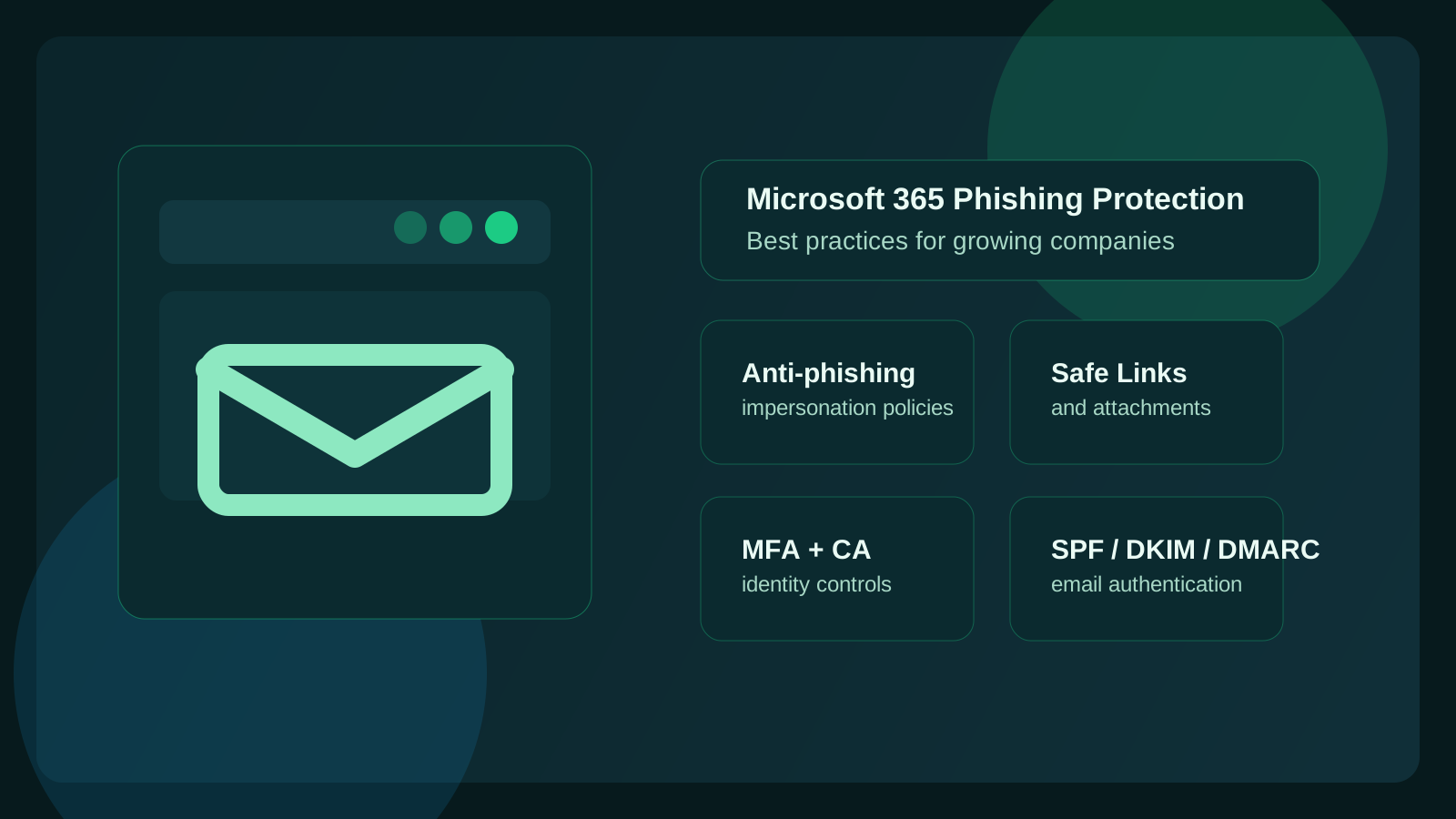
What is the best Microsoft 365 phishing protection checklist?
The best Microsoft 365 phishing protection checklist starts with Office 365 anti-phishing policies, Defender for Office 365 impersonation protection, Safe Links, Safe Attachments, SPF/DKIM/DMARC, phishing-resistant MFA, user reporting, and quarterly tuning. Defaults help, but growing companies need policy scope, protected-user lists, quarantine review, vendor evaluation, and E3/E5 licensing decisions matched to real business workflows.123
That matters because growth changes the attack surface. More employees, more inboxes, more vendors, more approvals, more shared mailboxes, more onboarding, and more cloud sprawl all create more places for phishing to work. Attackers do not need to compromise your whole environment at once. They usually need one believable message, one tired employee, one overprivileged account, or one fake invoice thread.
At Datapath, we think growing companies get into trouble when they assume Microsoft 365 is either “fully handled by default” or “too complex to tune properly.” Neither is true. Microsoft gives you a strong foundation, but the safest environments are the ones where the defaults are reviewed, strengthened, and matched to how the business actually works.
For a service-level view of that operating model, start with Datapath’s Microsoft 365 phishing protection services before you compare licensing, tools, or provider support.
Need Microsoft 365 phishing protection tuning?
Datapath reviews Microsoft 365 anti-phishing policy scope, Defender coverage, impersonation protection, E3/E5 fit, Safe Links, Safe Attachments, DMARC, MFA, quarantine, bulk-mail thresholds, and risky allow lists.
Which Office 365 anti-phishing policy questions should this page answer?
This page is built for Microsoft 365 and Office 365 administrators who need practical answers before they change security policy. It covers the anti-phishing policy settings, impersonation controls, Defender features, and tuning questions that determine whether protection gets stronger without breaking normal business email.
| If you are searching for this | Start with this part of the checklist | What Datapath would review |
|---|---|---|
| ”Office 365 phishing protection” | Anti-phishing policy, Defender features, email authentication, identity controls, and reporting as one operating model | Whether the tenant can prevent phishing in Office 365 without relying on defaults alone |
| ”phishing protection Office 365” | Practical coverage across Safe Links, Safe Attachments, impersonation protection, quarantine, and MFA | Whether protection is scoped to the users and workflows most likely to be targeted |
| ”prevent phishing Office 365” | Controls that reduce successful clicks, credential theft, spoofing, and business email compromise | Whether policy, authentication, user reporting, and response ownership are all in place |
| ”Microsoft E3 phishing prevention” | Licensing-aware protection planning for E3 tenants that need stronger controls without assuming E5 solves operations | Whether E3, E5, Defender, identity, and reporting controls are matched to the actual risk |
| ”executive impersonation protection Microsoft 365” | Protection for leaders, finance, HR, admins, and shared brands that attackers imitate in business email compromise attempts | Whether protected-user lists, protected domains, spoof intelligence, and escalation workflows are in place |
| ”Office 365 anti phishing” | Baseline Exchange Online Protection plus Defender policy scope | Whether users, groups, domains, Safe Links, Safe Attachments, and reporting are covered |
| ”Office 365 anti phishing policy” | Standard, Strict, or custom anti-phishing policy assignment | Which users, groups, domains, policy priorities, actions, and exceptions are covered |
| ”configure anti-phishing policy Office 365” | A safe configuration sequence for Standard, Strict, or custom policies before production changes | Whether policy scope, impersonation targets, quarantine actions, and exceptions are documented |
| ”anti phishing policies Microsoft 365” | Multiple policy layers instead of one default tenant setting | Whether finance, HR, executives, admins, shared mailboxes, and vendors have the right protection |
| ”Office 365 anti phishing policy best practices” | Phased rollout, protected users, protected domains, and quarantine review | Whether stricter settings reduce risk without creating unmanaged false positives |
| ”anti phishing policy Office 365” | phishing thresholds, spoof intelligence, mailbox intelligence, and impersonation controls | Whether settings are tuned from evidence instead of left at defaults |
| ”best phishing prevention for Microsoft 365” | A layered prevention model across Defender, impersonation protection, link and attachment controls, authentication, identity, and reporting | Whether Microsoft 365 phishing defense is operated as a control set instead of treated as one software purchase |
| ”best phishing protection software for Office 365” | A comparison of native Microsoft controls, third-party email security, awareness tools, MDR/SOC escalation, and managed-provider ownership | Whether the software or provider improves detection, response, false-positive handling, and executive visibility |
| ”how to protect Office 365 from phishing?” | A practical setup path for anti-phishing policy, MFA, Safe Links, Safe Attachments, SPF/DKIM/DMARC, reporting, and quarterly review | Whether the tenant has the right controls assigned to the right users and maintained over time |
| ”Microsoft anti phishing policy” | Defender for Office 365 licensing and configuration | Whether the tenant has the controls leadership assumes are active |
| ”O365 anti phishing” | Fast administrator checklist for policies, authentication, MFA, and reporting | Whether the practical setup is owned, documented, and reviewed quarterly |
| ”Defender for Office 365 anti-phishing policy tuning” | Evidence-based tuning of impersonation, spoof, threshold, quarantine, and reporting settings | Whether policy changes are tested against real mail flow instead of made by guesswork |
| ”what changes when I flip on built-in protection if I already have custom anti-phishing and anti-spam policies?” | A policy-precedence question before enabling built-in protection in a tenant that already has custom rules | Which policy wins for the recipient, whether Safe Links or Safe Attachments behavior changes, and how exceptions will be tested |
| ”how do I evaluate phishing protection vendors for Microsoft 365?” | A vendor comparison that separates native Microsoft controls, third-party tools, and managed service ownership | Whether the provider improves configuration, investigation, response, reporting, and executive usability |
| ”Microsoft 365 security platforms with strong phishing defense” | A platform or service comparison for Defender, identity, authentication, user reporting, and supplemental tools | Whether the platform is operated well enough to reduce phishing without overwhelming IT |
| ”which anti-phishing features matter?” | A short list of the controls that reduce successful phishing, impersonation, and credential theft | Whether Defender, identity, authentication, reporting, and response controls are working together |
| ”Microsoft 365 protection against phishing and ransomware” | A combined plan for email filtering, identity hardening, backup resilience, and incident response | Whether Microsoft 365 controls reduce the two most common attack paths instead of treating them separately |
| ”can I tune bulk mail and phishing thresholds without risky allow lists?” | A safe tuning process for bulk-mail thresholds, false positives, deliverability, and business-critical senders | Whether exceptions are narrow, documented, time-bounded, and reviewed |
| ”practical guide for tuning bulk mail and impersonation protection without breaking deliverability” | A tuning workflow that separates BCL bulk handling, impersonation findings, authentication alignment, and false-positive review | Whether BCL changes, quarantine actions, protected-user lists, and sender fixes are tested before broad allow-list changes |
What is the best phishing prevention for Microsoft 365?
The best phishing prevention for Microsoft 365 is a layered operating model: tuned Office 365 anti-phishing policies, Defender for Office 365 impersonation protection, Safe Links, Safe Attachments, SPF/DKIM/DMARC, phishing-resistant MFA for high-risk users, user reporting, and reviewed exceptions. The best tool is the one that proves those controls are configured and maintained.
If you are comparing the best phishing protection software for Office 365, score each option by what it adds beyond current Microsoft settings: executive impersonation coverage, attachment and URL handling, user-report triage, false-positive workflow, compromised-mailbox response, and quarterly leadership evidence. Software helps most when someone owns tuning and follow-through.
How do you improve Microsoft 365 phishing protection?
Improve Microsoft 365 phishing protection by treating email security as an operated control set: Office 365 anti-phishing policy, Defender tuning, impersonation protection, Safe Links, Safe Attachments, SPF/DKIM/DMARC, MFA, Conditional Access, user reporting, quarantine review, and quarterly tuning. The goal is to prevent phishing in Microsoft 365 without breaking legitimate mail flow.
That is the difference between a tenant that has features available and a tenant that has defenses working. The checklist below gives administrators a way to separate basic setup, higher-risk user protection, and the service work that keeps settings from drifting.
| Zero-click search intent | What the answer needs to clarify | Commercial handoff |
|---|---|---|
| ”Office 365 phishing protection” | Protection is more than a policy toggle; it includes Defender, identity, authentication, reporting, and review cadence | Microsoft 365 phishing protection services |
| ”phishing protection Office 365” | Coverage must be scoped by risk group, especially leadership, finance, HR, admins, shared mailboxes, and regulated-data users | Office 365 phishing protection service scope |
| ”prevent phishing Office 365” | Prevention depends on filtering, identity controls, user reporting, and response workflows working together | Managed cybersecurity services |
| ”Microsoft 365 protection against phishing and ransomware” | Phishing and ransomware planning should connect mail controls, identity controls, endpoint response, backups, and incident escalation | Managed cybersecurity services |
| ”phishing protection for MSP” | MSP-managed protection should define ownership for policy tuning, quarantine review, exceptions, escalation, and leadership reporting | Microsoft 365 phishing protection services |
Microsoft 365 phishing protection checklist
Use this checklist when you are reviewing a Microsoft 365 or Office 365 tenant that has grown beyond its original setup.
| Control | What to confirm | Why it matters |
|---|---|---|
| Anti-phishing policies | Standard, Strict, or custom policies are assigned to the right users and groups | Default filtering may not match your risk profile |
| User impersonation | Executives, finance, HR, IT admins, and other high-risk users are protected | Attackers often imitate trusted internal senders |
| Domain impersonation | Your domains, lookalike domains, and key vendor domains are reviewed | Spoofed brands and payment-change emails can look believable |
| Mailbox intelligence | Mailbox intelligence is enabled and allowed to act on impersonation detections | Sender behavior can help catch unusual relationships |
| Safe Links | URL protection is enabled for the users and groups that need it | Malicious links can activate after delivery |
| Safe Attachments | Attachment detonation is enabled where licensing supports it | Invoices, shared files, and resumes are common delivery paths |
| SPF, DKIM, DMARC | All legitimate sending platforms are aligned | Authentication reduces spoofing and improves deliverability tuning |
| MFA and Conditional Access | MFA is enforced broadly and legacy authentication is blocked | Stolen passwords should not be enough to enter the tenant |
| User reporting | Employees know how to report suspicious email and reports are reviewed | Fast reporting helps security teams tune and respond |
| Quarterly tuning | Quarantine trends, exceptions, false positives, and protected-user lists are reviewed | Security settings drift as staff, vendors, and workflows change |
Which anti-phishing features matter most in Office 365?
The Office 365 anti-phishing features that matter most are anti-phishing policy scope, impersonation protection, spoof intelligence, mailbox intelligence, Safe Links, Safe Attachments, SPF/DKIM/DMARC alignment, MFA, user reporting, and quarantine review. A feature only reduces risk when it is assigned to the right users and reviewed after real mail flow proves what it catches.
| Feature | What to confirm |
|---|---|
| Anti-phishing policy | Standard, Strict, or custom policy is assigned to the correct users and groups. |
| User and domain impersonation | Executives, finance, HR, IT admins, shared brands, and important domains are protected. |
| Spoof and mailbox intelligence | Microsoft 365 can use sender history and spoof signals without creating unmanaged exceptions. |
| Safe Links and Safe Attachments | Link and attachment controls are enabled where licensing supports them. |
| Email authentication | SPF, DKIM, and DMARC are aligned for Microsoft 365 and third-party senders. |
| Reporting and response | Users can report suspicious messages and someone reviews those reports. |
Why are growing companies especially vulnerable to Microsoft 365 phishing risk?
Growing companies are especially vulnerable because they usually add complexity faster than they add security discipline. New users get onboarded quickly. New departments start using new SaaS tools. Leadership delegates approvals to email. Shared mailboxes grow. Vendors multiply. Hybrid work becomes normal. Meanwhile, nobody steps back to ask whether the identity, email, and reporting controls are still keeping up.
That is why phishing remains such an effective attack path. Microsoft’s own Defender guidance emphasizes impersonation protection, spoof intelligence, and configurable phishing thresholds because ordinary email filters do not fully stop the more convincing attacks that target real business workflows.12
The risk is not just spammy fake messages anymore. It is:
- executive impersonation
- vendor-payment fraud
- credential theft through fake Microsoft sign-in pages
- malicious links delivered inside apparently normal conversations
- attachments that look routine but carry malware
- account takeover followed by internal phishing from a legitimate mailbox
If your company is growing, the right question is not “do we have phishing protection?” It is “have we tuned Microsoft 365 for the way our people actually work now?”
How do you configure an Office 365 anti-phishing policy?
Configure an Office 365 anti-phishing policy by choosing Standard, Strict, or a custom Defender policy, assigning it to the right users and groups, protecting executives and domains from impersonation, setting phishing thresholds, confirming quarantine actions, and documenting exceptions before rollout. The safest process starts with high-risk groups, then expands after quarantine and false-positive review.234
| Configuration step | Practical decision |
|---|---|
| Choose policy type | Use Standard for broad improvement, Strict for higher-risk groups, or custom settings when business workflows require more control. |
| Assign scope | Target finance, HR, executives, IT admins, shared mailboxes, and regulated-data users first. |
| Add protected identities | Include key leaders, shared brands, primary domains, and vendor-change workflows. |
| Set actions | Decide quarantine, junk, reporting, and notification behavior before users are surprised. |
| Review exceptions | Replace broad allow lists with narrow, documented, time-bounded exceptions. |
| Measure impact | Review quarantines, released messages, false positives, and missed phish during rollout. |
Which Office 365 anti-phishing policy settings should you configure first?
If you want the shortest path to meaningful risk reduction, start with the controls that reduce both phishing success and post-compromise damage.
1. Assign Standard, Strict, or custom anti-phishing policies
Microsoft documents that all cloud mailboxes get baseline anti-phishing features, while Microsoft Defender for Office 365 adds advanced impersonation protection and richer policy controls.12 For most growing companies, that is where the real configuration work starts.
We recommend reviewing whether you are still relying on defaults only. In many environments, the default policy does not fully enable the protections leadership assumes are already active. Microsoft specifically notes that preset Standard and Strict security policies help turn on stronger anti-phishing protections, including impersonation settings, without requiring every option to be built from scratch.24
A practical first pass should include:
- enabling preset Standard or Strict protection where appropriate
- reviewing phishing threshold settings
- deciding which users, domains, and brands need impersonation protection
- confirming quarantine and junk actions match your operating preferences
- checking whether mailbox intelligence is enabled and acting on detections
- confirming policy priority so high-risk groups do not fall through a weaker rule
If your organization is lean, Standard is usually the easier starting point. If the business faces more fraud pressure, regulated workflows, or repeated spoofing attempts, Strict or custom tuning may make more sense.
2. Know what Defender for Office 365 adds
Microsoft 365 and Exchange Online Protection provide important baseline email protection, but many high-value phishing controls that buyers search for by name, including user impersonation, domain impersonation, phishing thresholds, and mailbox intelligence actions, are part of Defender for Office 365 anti-phishing policy configuration.12
That does not mean every company needs the most expensive license for every user on day one. It does mean the buying decision should be tied to risk:
- Do executives and finance receive frequent impersonation attempts?
- Do users handle regulated, financial, or student data?
- Are third-party email security tools already inspecting inbound mail?
- Are Safe Links and Safe Attachments included in the current licensing?
- Who owns policy tuning after the feature is enabled?
The wrong approach is to buy a tool, flip on a setting, and assume the problem is solved. The useful approach is to define the risk group, assign the right policy, review what it catches, and tune from evidence.
3. Understand Microsoft E3 phishing prevention and E5 limitations
Microsoft E3 phishing prevention and E5 phishing prevention questions usually come down to licensing, scope, and operations. E3 can support strong identity, authentication, and baseline email controls, while E5 and Defender for Office 365 capabilities can add deeper investigation and protection. The practical limitation is still ownership: someone must tune, review, and respond.
That matters because licensing does not automatically decide:
- which users receive the strictest policy
- whether executives and finance are protected from impersonation
- whether Safe Links and Safe Attachments are enabled for the right groups
- whether third-party senders align with SPF, DKIM, and DMARC
- who reviews quarantines, reported messages, spoofing attempts, and risky exceptions
- how compromised-mailbox evidence moves into incident response
What are Microsoft 365 E5 phishing protection limitations?
Microsoft 365 E5 phishing protection limitations are usually operational, not just technical. E5 can add powerful security capabilities, but it does not automatically decide which users need stricter policies, which vendors are legitimate senders, which allow lists are risky, which reports require escalation, or how a compromised mailbox should be handled after detection.
| E5 assumption | What still needs ownership |
|---|---|
| ”We have Defender, so phishing is handled.” | Policy scope, protected users, protected domains, quarantine review, and exception governance. |
| ”Impersonation protection is available.” | Executive, finance, HR, admin, shared mailbox, and vendor-change coverage. |
| ”Alerts will tell us what matters.” | Triage rules, business impact review, user-report handling, and escalation paths. |
| ”Safe Links and Safe Attachments are on.” | Licensing scope, rollout validation, false positives, and click/attachment follow-up. |
| ”E5 replaces process.” | Quarterly review, leadership evidence, response runbooks, and user coaching. |
4. Protect executives, finance, HR, and shared brands from impersonation
Impersonation is one of the highest-value controls because attackers love to imitate people your employees already trust. Microsoft supports protection for specific users, internal domains, and custom domains, and mailbox intelligence helps judge whether the message fits established communication patterns.13
For growing companies, we think the minimum review list should include:
- CEO, president, founder, or managing partner
- CFO, controller, and finance leads
- HR and payroll contacts
- IT admins and help desk aliases
- shared mailbox identities used for billing, support, or vendor communications
- your primary company domains and any common lookalike targets
This matters because business email compromise rarely looks dramatic. It often looks like a familiar sender name with a slightly wrong domain, a spoofed reply about a bank change, or a Microsoft file-sharing notification that arrives at exactly the wrong busy moment.
For teams searching executive impersonation protection Microsoft 365, the important question is not only whether a feature exists. It is whether the right executives, finance leaders, HR users, admin accounts, shared brands, and vendor-change workflows are covered by policy and reviewed when spoofing attempts appear.
How does Office 365 impersonation protection work?
Office 365 impersonation protection looks for messages that imitate protected users, protected domains, or familiar sender relationships. In practice, administrators need to define who is protected, decide how suspected impersonation is handled, review mailbox intelligence and spoof signals, and confirm that quarantine decisions match the business impact of the sender.
| Impersonation target | Why it belongs in the policy |
|---|---|
| Executives | Attackers use authority to rush approvals, credential entry, or wire changes. |
| Finance and payroll | Payment-change and payroll-update scams often start as believable impersonation. |
| HR and recruiting | Resume, benefits, and onboarding workflows create attachment and link risk. |
| IT admins and help desk aliases | Fake support messages can steer users into credential theft. |
| Vendor domains | Lookalike supplier messages can bypass informal approval habits. |
5. Turn on Safe Links and Safe Attachments
Safe Links and Safe Attachments are among the most practical defenses in Defender for Office 365 because they reduce the odds that one bad click or one hidden payload turns into a larger incident. Microsoft describes Safe Links as URL protection and Safe Attachments as an added layer that checks suspicious attachments in a virtual environment before delivery.56
Safe Links helps by scanning and rewriting URLs so Microsoft can evaluate them at click time. That matters because many phishing campaigns use links that look harmless at delivery but become malicious later. Safe Attachments adds sandbox-style analysis for suspicious files before they reach users.
For a growing company, these controls matter most for:
- invoice and document-sharing emails
- Teams and Microsoft 365 collaboration links
- fake Microsoft sign-in pages
- credential-harvest links hidden behind URL shorteners or lookalike domains
- attachment-led malware and credential theft
If you are already paying for the licensing that includes these features and they are not fully enabled, that is low-hanging fruit.
6. Enforce MFA and remove legacy authentication paths
MFA is not a phishing filter, but it is still one of the most important phishing countermeasures because it limits the damage when credentials are stolen. CISA and Microsoft both emphasize phishing-resistant MFA for stronger account protection, especially for cloud services and privileged users.78
The biggest mistake we see is thinking “we have MFA somewhere” is the same thing as “our environment is actually hard to abuse.” It is not. Growing companies should verify:
- MFA is required for all users, not just admins
- admin accounts have the strongest MFA options available
- legacy authentication is disabled where possible
- Conditional Access policies are doing the enforcement, not just user preference
- high-risk sign-ins and impossible-travel alerts are monitored and reviewed
If attackers get a password through phishing, the next question is whether your environment gives them an easy path forward. MFA and Conditional Access make that path much harder.
Why do SPF, DKIM, and DMARC matter for phishing protection?
Email authentication matters because your anti-phishing controls work better when your own mail is trustworthy and easier to validate. Microsoft documents SPF, DKIM, and DMARC as the email authentication foundation that helps validate legitimate senders and reduce spoofing abuse.91011
In plain English:
- SPF says which systems are allowed to send mail for your domain.
- DKIM signs the message so recipients can verify it was authorized and not altered.
- DMARC tells other systems how to handle messages that fail authentication and whether the visible sender aligns with the authenticated source.11
For a growing business, DMARC is especially important because vendors, marketing tools, ticketing systems, and finance platforms often send on your behalf. If those services are not aligned properly, users get trained to tolerate suspicious-looking email. That is the opposite of what you want.
We recommend treating email authentication as a business hygiene project, not just a mail-admin checkbox. It affects deliverability, spoof resistance, and how confidently your users can judge what looks real. It also keeps security teams from solving the wrong problem: a policy that looks too strict might actually be exposing unaligned marketing, billing, or ticketing systems.
How should Microsoft 365 protection against phishing and ransomware work together?
Microsoft 365 protection against phishing and ransomware should connect email security, identity security, endpoint response, backup resilience, and incident escalation. Phishing often starts the intrusion, identity abuse expands it, and ransomware punishes weak recovery. Treating those controls as one operating model makes the response faster and the evidence clearer.
| Attack path | Microsoft 365 control path | Datapath handoff |
|---|---|---|
| Credential phishing | Anti-phishing policy, Safe Links, MFA, Conditional Access, risky sign-in review | Microsoft 365 phishing protection services |
| Executive or vendor impersonation | Protected users, protected domains, spoof intelligence, DMARC, finance escalation | Business email compromise response plan |
| Malicious attachment or payload | Safe Attachments, endpoint protection, alert triage, containment workflow | Managed cybersecurity services |
| Account takeover | Session revocation, MFA reset, mailbox-rule cleanup, app-consent review | Microsoft 365 Identity Security Services |
| Ransomware recovery | Backup validation, restore testing, retention review, executive communication | Microsoft 365 Backup Services |
How should growing companies tune Microsoft 365 phishing settings without drowning in false positives?
To tune Microsoft 365 phishing settings without drowning in false positives, start with preset policies, apply stricter settings to high-risk groups first, review quarantine outcomes weekly during rollout, avoid broad sender allow lists, and adjust based on real misses, false positives, and business-critical senders. The answer is deliberate tuning, not weak defaults.
Start with preset policies, then tune based on real traffic
Microsoft recommends Standard and Strict preset security policies for many organizations because they switch on stronger protection faster.24 We like this as a baseline because it prevents analysis paralysis. Start from a known-good posture, then refine.
Review quarantine outcomes and user complaints together
If users say mail is missing, do not blindly loosen everything. Review:
- what was quarantined
- whether the sender passed authentication
- whether impersonation settings fired correctly
- whether a trusted sender or domain exception is actually justified
- whether the business process itself is encouraging risky behavior
A healthy phishing program accepts some tuning work. What you want is not zero false positives. You want fewer dangerous false negatives.
Use stricter settings for higher-risk groups first
Finance, HR, leadership, and privileged IT users usually deserve stricter policies sooner because the downside of one successful phish is much higher. Microsoft allows policy targeting by users and groups, which makes this practical for companies that are not ready to move the entire organization to the most aggressive settings immediately.3
Be careful with allow lists
Allow lists can be necessary, but they should be rare, specific, and reviewed. If a vendor’s mail keeps getting caught, first validate SPF, DKIM, DMARC, sending infrastructure, display names, and attachment behavior. A broad allow list can create the exact bypass attackers want.
Tune bulk mail and phishing thresholds without risky allow lists
You can tune bulk mail and phishing thresholds without relying on risky allow lists by separating three issues: legitimate bulk mail that needs authentication cleanup, suspicious mail that should stay quarantined, and business-critical senders that need narrow exceptions. A broad sender or domain allow list should be the last resort, not the first response to a user complaint.121314
For Office 365 administrators, a practical tuning sequence looks like this:
| Tuning question | Safer action before allowing broadly |
|---|---|
| Is the sender legitimate but noisy? | Validate SPF, DKIM, DMARC, sending IPs, display name, unsubscribe/list behavior, and current BCL values |
| Is the message getting caught by impersonation controls? | Check protected-user and protected-domain settings before weakening the whole policy |
| Is quarantine creating false positives? | Review samples by sender, campaign, department, and authentication result |
| Does a finance or executive workflow depend on the sender? | Create the narrowest documented exception and schedule review |
| Are users asking IT to release mail repeatedly? | Fix the underlying sender authentication or business process instead of adding permanent bypasses |
The goal is not maximum aggressiveness. The goal is a policy that catches phishing, preserves deliverability for real work, and leaves an evidence trail when exceptions are approved.
What changes when you turn on built-in protection if custom policies already exist?
Turning on built-in protection does not mean every custom anti-phishing or anti-spam setting disappears. Microsoft documents a policy order where Strict and Standard preset policies, evaluation policies, custom policies, built-in protection, and default policies can all interact. Before enabling it, confirm which recipients are in each policy, which policy wins, and how Safe Links, Safe Attachments, quarantine, and exceptions will be tested.13
| Pre-change question | Why it matters before enabling built-in protection |
|---|---|
| Which users are already in Standard, Strict, or custom policies? | Policy precedence can make one policy apply while another similar policy is ignored for the same recipient. |
| Are Safe Links and Safe Attachments already covered? | Built-in protection can affect Defender protection behavior, but you still need to validate the applied policy path. |
| Which custom anti-spam policy controls bulk mail? | BCL thresholds and actions can change whether bulk mail lands in inbox, junk, or quarantine. |
| Which allow lists are broad or permanent? | Broad allow-list methods can bypass spam, spoof, phishing, and authentication checks and should be reviewed before rollout. |
| How will false positives be measured? | Quarantine samples, user reports, released messages, and missed phish should be reviewed together after the change. |
What role does user training still play if Microsoft 365 is configured well?
A huge one. Good configuration reduces the number of dangerous messages that land, but it does not eliminate them. Attackers keep adjusting. Users still make judgment calls. And some phishing attempts happen after an account is already compromised, which can make the message look unusually legitimate.
That is why we recommend pairing Microsoft 365 controls with a reporting culture and short, practical coaching. Users should know how to spot:
- fake Microsoft login prompts
- unusual document-sharing requests
- invoice or ACH change requests
- urgent executive requests that bypass normal process
- MFA fatigue prompts they did not initiate
- messages from first-time senders asking for sensitive action
If you need a broader user-side framework, our guide on security awareness training is the right companion piece.
How often should Microsoft 365 phishing protections be reviewed?
For most growing companies, quarterly is a sensible minimum. That lines up with reality: users change, vendors change, departments change, and attack patterns change.
We recommend reviewing these items at least quarterly or after major operational changes:
| Review area | What to confirm |
|---|---|
| Anti-phishing policies | thresholds, actions, impersonation targets, mailbox intelligence |
| Email authentication | SPF, DKIM, DMARC alignment for every real sending platform |
| MFA and Conditional Access | coverage, exceptions, legacy auth status, risky sign-in handling |
| Safe Links / Safe Attachments | enabled scope, user click-through behavior, policy gaps |
| Quarantine trends | false positives, repeat threats, executive spoof attempts |
| User reporting | whether employees actually escalate suspicious mail promptly |
A quarterly review is not overkill. It is the difference between a configured platform and a maintained one.
What does a practical Microsoft 365 phishing protection baseline look like?
If we were describing a sensible baseline for a growing company, it would look something like this:
- Microsoft Defender for Office 365 anti-phishing protections enabled and reviewed13
- Standard or Strict preset policies turned on, or well-tuned custom equivalents24
- executive, finance, HR, and admin impersonation protection configured13
- Safe Links and Safe Attachments enabled where licensing supports it56
- SPF, DKIM, and DMARC aligned for all sending services91011
- MFA enforced broadly, with legacy auth shut down where possible78
- Conditional Access policies protecting sign-in risk and privileged access7
- employees trained to report suspicious email, not just delete it
- quarterly review of policies, quarantines, exceptions, and new risk patterns
That baseline will not make phishing disappear. But it will make your environment significantly harder to exploit, and that is the point.
How should you evaluate phishing protection vendors for Microsoft 365?
Evaluate Microsoft 365 phishing protection vendors by asking what they improve beyond your current Defender, identity, and email-authentication posture. The best partner should help you reduce successful phishing and reduce administrative uncertainty, not just sell another alert feed.
If the search is for Office 365 phishing protection services, ask whether the provider operates the whole loop: Defender policy tuning, impersonation protection, Safe Links, Safe Attachments, authentication alignment, user reporting, quarantine review, incident escalation, and quarterly evidence. A service that only points at settings leaves too much ownership unclear.
Use these questions before buying another tool:
- Which Microsoft 365 controls are already included in our licensing but not fully configured?
- Will the vendor improve impersonation detection, attachment analysis, URL protection, user reporting, or incident response?
- How will the service reduce false positives without relying on risky broad allow lists?
- Who reviews quarantines, spoof detections, executive impersonation attempts, and reported messages?
- Can the provider tune policies for finance, HR, leadership, and regulated workflows?
- How will findings feed back into user training and quarterly security reviews?
For many mid-market companies, the biggest gain is not a new product by itself. It is having someone accountable for the whole loop: Microsoft 365 policy, email authentication, identity controls, user reporting, investigation, and review.
If you are comparing Microsoft 365 security platforms with strong phishing defense, score the platform and provider together. Native Microsoft controls, third-party email security, security awareness tools, MDR/SOC coverage, and MSP support all fail when nobody owns tuning, exceptions, escalation, and reporting.
| Vendor or platform question | Strong answer |
|---|---|
| What does it add beyond Defender for Office 365? | Clear gap coverage for impersonation, URL analysis, attachment detonation, user reporting, investigation, or response |
| How does it handle false positives and deliverability? | Evidence-based tuning, narrow exceptions, authentication cleanup, and quarantine review |
| How does it protect executives and finance? | Protected-user coverage, vendor-change workflows, mailbox intelligence review, and escalation rules |
| How does it reduce admin workload? | Clear ownership for policy review, alert triage, user reports, and recurring improvements |
| How does leadership see results? | Quarterly reporting on policy changes, blocked threats, risky exceptions, open gaps, and incidents |
What should MSP-managed phishing protection include?
MSP-managed phishing protection for Microsoft 365 should include policy review, Defender for Office 365 tuning, impersonation protection, Safe Links and Safe Attachments coverage, SPF/DKIM/DMARC alignment, user-reporting workflows, quarantine review, incident escalation, and quarterly evidence reporting.134
The service should also make ownership explicit. Someone should know who approves exceptions, who reviews spoof detections, who follows up on reported messages, and who explains the trend line to leadership before a phishing incident becomes the first real test.
| MSP-managed area | What leadership should expect |
|---|---|
| Microsoft 365 policy tuning | Clear baseline settings, high-risk user coverage, and documented exceptions |
| Email authentication | SPF, DKIM, and DMARC alignment across every system sending as your domain |
| User reporting | A simple reporting workflow and a response process that does not depend on one person |
| Incident escalation | Named ownership for compromised-mailbox investigation and containment |
| Executive evidence | Quarterly summaries of policy changes, user reports, quarantines, spoof attempts, and open risks |
This is where Office 365 phishing protection becomes operational instead of theoretical. The tool blocks more when it is tuned well, but the managed process is what keeps settings, exceptions, people, and incident response from drifting apart.
What should a growing company do next?
If your Microsoft 365 setup has grown organically, the best next step is a focused review of email, identity, and reporting controls before the next incident forces the conversation.
Start by asking:
- Are we still relying mostly on defaults?
- Which executives and departments are protected from impersonation?
- Are Safe Links, Safe Attachments, MFA, and Conditional Access all actually enforced?
- Is DMARC aligned across every system that sends on our behalf?
- Do users know where to report suspicious messages?
- Who owns reviewing phishing controls every quarter?
If the answers are fuzzy, that is fixable. It just means the environment has outgrown informal administration.
Explore Datapath’s Microsoft 365 phishing protection services, our managed cybersecurity services, our guide to Microsoft 365 security best practices for mid-market businesses, and our vCIO guide if you are trying to decide how much of this should stay internal versus become part of a managed security program.
Need a sharper Microsoft 365 phishing defense? Review the Microsoft 365 phishing protection service scope or schedule a Microsoft 365 security assessment with Datapath. We help growing companies review email security, tighten identity controls, reduce risky exceptions, and lower phishing risk without wrecking day-to-day operations.
FAQ
Does Microsoft 365 include phishing protection by default?
Yes. Microsoft 365 includes baseline anti-phishing protection for cloud mailboxes, including spoof intelligence and related signals. Stronger controls such as impersonation protection, phishing thresholds, Safe Links, Safe Attachments, and more granular tuning usually depend on Defender for Office 365 licensing and policy configuration.123
What is the best Office 365 anti-phishing policy baseline?
For many growing companies, the best Office 365 anti-phishing policy baseline is Standard preset protection for broad coverage, stricter settings for executives and finance, protected-user and protected-domain impersonation lists, mailbox intelligence enabled, and a quarantine-review process before moving everyone to the most aggressive settings.24
How do you configure an Office 365 anti-phishing policy?
Configure an Office 365 anti-phishing policy by selecting Standard, Strict, or custom settings, assigning the policy to the right users and groups, protecting executives and domains from impersonation, setting phishing thresholds, confirming quarantine actions, and reviewing false positives before broad rollout.234
Which anti-phishing features matter most?
The anti-phishing features that matter most are policy scope, impersonation protection, spoof intelligence, mailbox intelligence, Safe Links, Safe Attachments, SPF/DKIM/DMARC alignment, MFA, user reporting, quarantine review, and exception governance.
What is the best phishing prevention for Microsoft 365?
The best phishing prevention for Microsoft 365 is a layered model that combines Office 365 anti-phishing policy tuning, impersonation protection, Safe Links, Safe Attachments, SPF/DKIM/DMARC, MFA, user reporting, quarantine review, and clear ownership for exceptions and response.
How do you protect Office 365 from phishing?
Protect Office 365 from phishing by assigning anti-phishing policies to the right users, protecting executives and domains from impersonation, enabling Safe Links and Safe Attachments where licensed, aligning SPF/DKIM/DMARC, enforcing MFA, reviewing user reports, and tuning quarantine outcomes regularly.
What are Microsoft 365 E5 phishing protection limitations?
Microsoft 365 E5 phishing protection limitations are mostly about ownership. E5 can add strong tools, but someone still needs to tune policy scope, protected-user lists, sender authentication, quarantine review, risky exceptions, user reports, response escalation, and leadership evidence.
Does Microsoft 365 protection against phishing and ransomware require one plan?
Yes. Phishing and ransomware should be planned together because phishing often starts with a stolen credential or malicious file, while ransomware response depends on identity containment, endpoint response, backup validation, restore testing, and clear incident escalation.
Do you need Defender for Office 365 to stop phishing?
You can reduce phishing risk with baseline Microsoft 365 controls, MFA, SPF/DKIM/DMARC, and user training. Defender for Office 365 becomes more important when you need advanced impersonation protection, Safe Links, Safe Attachments, richer policy tuning, and investigation workflows for high-risk users.156
Is MFA enough to stop phishing in Microsoft 365?
No. MFA is essential, but it is only one layer. You still need email filtering, impersonation protection, Safe Links, Safe Attachments, email authentication, Conditional Access, and a user reporting process. Phishing-resistant MFA is stronger than ordinary push-based MFA for high-risk accounts.78
What are Safe Links and Safe Attachments?
Safe Links checks URLs in email, Teams, and supported Office apps, including time-of-click checks. Safe Attachments adds another layer for suspicious files by opening attachments in a virtual environment before delivery. Both are Defender for Office 365 protections that help reduce click and attachment risk.56
How do SPF, DKIM, and DMARC help Microsoft 365 phishing protection?
SPF, DKIM, and DMARC help Microsoft 365 and external recipients validate whether mail that claims to come from your domain is legitimate. They reduce spoofing, improve deliverability troubleshooting, and make phishing policy tuning cleaner because legitimate senders are easier to identify.91011
What should MSP-managed phishing protection include?
MSP-managed phishing protection should include Microsoft 365 policy review, Defender for Office 365 tuning, impersonation protection, Safe Links and Safe Attachments coverage, SPF/DKIM/DMARC alignment, user-reporting workflows, quarantine review, incident escalation, and quarterly evidence reporting. It should also define who approves exceptions and who owns follow-up when users report suspicious messages.134
How often should Microsoft 365 phishing controls be reviewed?
Review Microsoft 365 phishing controls at least quarterly and after major changes such as acquisitions, new finance systems, new marketing platforms, executive changes, or repeated spoofing attempts. Review policy scope, protected users, quarantine trends, user reports, authentication alignment, and risky exceptions.
Why do advanced phishing attacks bypass native Microsoft 365 protections?
Advanced phishing attacks can bypass native controls when policies are still at defaults, high-risk users are not protected from impersonation, authentication records are misaligned, links become malicious after delivery, users approve MFA prompts, or attackers use a compromised legitimate mailbox.
How do I evaluate phishing protection vendors for Microsoft 365?
Evaluate phishing protection vendors for Microsoft 365 by checking what they add beyond your current Defender, identity, authentication, reporting, and response posture. The best provider should improve policy tuning, impersonation protection, Safe Links/Safe Attachments coverage, quarantine review, user reporting, incident escalation, false-positive handling, and leadership evidence.
What should Microsoft 365 security platforms with strong phishing defense prove?
Microsoft 365 security platforms with strong phishing defense should prove they can reduce credential theft, executive impersonation, malicious links, malicious attachments, spoofing, risky allow-list exceptions, and delayed response. Compare native Microsoft controls, third-party email security, managed monitoring, and MSP ownership as one operating model.
Can I tune bulk mail and phishing thresholds without risky allow lists?
Yes. Tune bulk mail and phishing thresholds by reviewing authentication results, sender behavior, quarantine samples, impersonation triggers, business-critical workflows, and false positives before creating exceptions. Any allow list should be narrow, documented, time-bounded, and reviewed.
What changes when I turn on built-in protection if I already have custom anti-phishing and anti-spam policies?
Built-in protection can add Defender protection behavior, but custom and preset policies still need a precedence review. Confirm which users are assigned to Strict, Standard, custom, built-in, and default policies; then test Safe Links, Safe Attachments, quarantine, BCL bulk handling, and exceptions before assuming the tenant is safer.
Sources
- Microsoft Learn: Anti-phishing policies in Microsoft 365
- Microsoft Learn: Recommendations for Microsoft 365 security settings
- Microsoft Learn: Configure anti-phishing policies in Microsoft Defender for Office 365
- Microsoft Learn: Preset security policies
- Microsoft Learn: Safe Links in Microsoft Defender for Office 365
- Microsoft Learn: Safe Attachments in Microsoft Defender for Office 365
- Microsoft Learn: Set up multifactor authentication for users
- CISA: More than a Password
- Microsoft Learn: Email authentication
- Microsoft Learn: DKIM for Microsoft 365 custom domains
- Microsoft Learn: Set up DMARC in Microsoft 365
- Microsoft Learn: Bulk email detection
- Microsoft Learn: Order and precedence of email protection
- Microsoft Learn: Create allowlists
Footnotes
-
Microsoft Learn: Anti-phishing policies in Microsoft 365 ↩ ↩2 ↩3 ↩4 ↩5 ↩6 ↩7 ↩8 ↩9 ↩10 ↩11
-
Microsoft Learn: Recommendations for Microsoft 365 security settings ↩ ↩2 ↩3 ↩4 ↩5 ↩6 ↩7 ↩8 ↩9 ↩10 ↩11
-
Microsoft Learn: Configure anti-phishing policies in Microsoft Defender for Office 365 ↩ ↩2 ↩3 ↩4 ↩5 ↩6 ↩7 ↩8 ↩9 ↩10
-
Microsoft Learn: Preset security policies ↩ ↩2 ↩3 ↩4 ↩5 ↩6 ↩7 ↩8
-
Microsoft Learn: Safe Links in Microsoft Defender for Office 365 ↩ ↩2 ↩3 ↩4
-
Microsoft Learn: Safe Attachments in Microsoft Defender for Office 365 ↩ ↩2 ↩3 ↩4
-
Microsoft Learn: Set up multifactor authentication for users ↩ ↩2 ↩3 ↩4
-
Microsoft Learn: DKIM for Microsoft 365 custom domains ↩ ↩2 ↩3
-
Microsoft Learn: Order and precedence of email protection ↩ ↩2
