
What should a Microsoft Entra emergency access account checklist include?
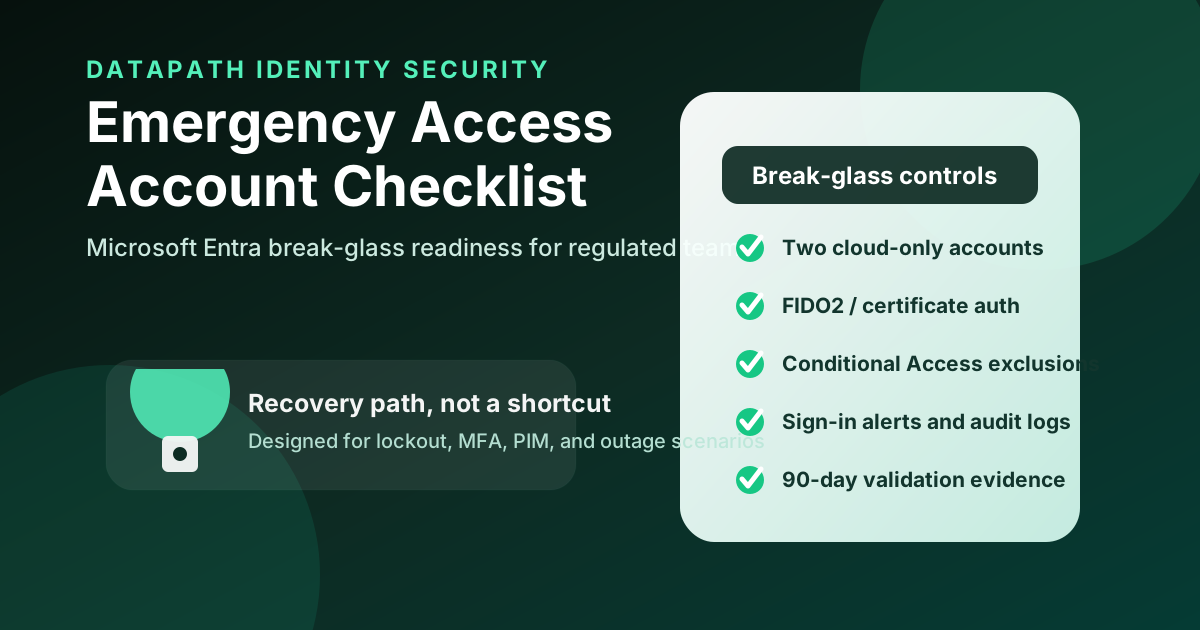
A practical Microsoft Entra emergency access account checklist should confirm at least two cloud-only emergency accounts, strong phishing-resistant authentication, direct Conditional Access exclusion from blocking policies, safe credential storage, privileged-role assignment, sign-in monitoring, audit-log review, and documented validation at least every 90 days. The purpose is not convenience. It is preventing a tenant lockout when normal administrator access fails.1
This topic shows up during Conditional Access projects because every strong identity program creates one awkward question: what happens if the control works too well and locks out the people who administer it? Microsoft’s guidance is blunt that emergency access accounts are for “break glass” scenarios where normal administrator accounts cannot be used.1
For Datapath clients, we treat emergency access as part of Microsoft 365 resilience. It belongs next to Microsoft 365 identity security services, Conditional Access policy best practices, Conditional Access rollout planning, Entra ID security checklists, managed cybersecurity services, managed IT services, and the broader Datapath resource library.
| Checklist area | What to verify | Evidence to keep |
|---|---|---|
| Account design | Two or more cloud-only accounts on the .onmicrosoft.com domain | Account inventory, purpose statement, owner list |
| Authentication | Phishing-resistant method such as FIDO2 passkey or certificate-based authentication | Credential registration proof, storage record, expiration review |
| Conditional Access | Excluded from policies that block or restrict sign-in | Policy screenshots/export, exclusion review, test result |
| Privileged access | Global Administrator role is available for emergency recovery | Role assignment record, approval model, usage procedure |
| Monitoring | Sign-in and audit activity creates urgent alerts | Alert rule, test alert, incident ticket sample |
| Validation | Sign-in and recovery process is tested regularly | Quarterly test log, findings, remediation owner |
Need Microsoft 365 emergency access that will work under pressure?
Datapath helps regulated and mid-market teams harden Entra ID, test Conditional Access resilience, and document the evidence leadership needs.
Why do emergency access accounts matter during Conditional Access rollouts?
Emergency access accounts matter because identity controls can fail closed. A mistaken Conditional Access rule, MFA outage, federated identity-provider outage, PIM approval gap, staff departure, device-loss scenario, or natural disaster can leave normal administrators unable to sign in. Microsoft specifically lists scenarios where federation is unavailable, MFA devices are unavailable, the most recent Global Administrator leaves, or no approver can activate a privileged role.1
What can lock administrators out of Entra ID?
The most common lockout pattern is not exotic. An administrator enables a policy that requires a compliant device, specific location, phishing-resistant MFA, or blocked legacy path, and the policy catches the admin population before the team validates edge cases. That can happen during a rushed security project, cyber-insurance cleanup, merger integration, or audit remediation push.
In our experience, the risky moment is usually not the first policy. It is the third or fourth policy, after a team starts layering conditions across users, devices, apps, and risk signals. One overlooked exclusion or one stale pilot group can turn a good security control into an operational outage.
Why are break-glass accounts different from normal admin accounts?
Break-glass accounts are designed for survivability, not day-to-day administration. Microsoft recommends two or more emergency access accounts that are cloud-only, use the *.onmicrosoft.com domain, and are not federated or synchronized from an on-premises environment.1 That design removes dependencies that might be unavailable during the exact incident the account is meant to survive.
Normal administrators should use separate named identities, least-privilege roles, Privileged Identity Management where appropriate, and strong access controls. Emergency accounts sit outside parts of that normal flow so they can restore access when the normal flow is broken.
How does this connect to SaaS security baselines?
CISA’s SCuBA project was created to help organizations secure cloud business applications and reduce SaaS security gaps exposed by intrusions and compromises.2 Its Microsoft Entra ID baseline assumes organizations have created emergency access accounts and implemented strong measures to protect their credentials.3 That is the right framing: emergency access is not a loophole in the baseline. It is a prerequisite for safely operating the baseline.
For regulated teams, this matters because Microsoft 365 is often where email, identity, file access, Teams, finance workflows, and compliance evidence converge. If identity administration is unavailable, incident response and business continuity slow down immediately.
How should teams build the emergency access checklist?
Teams should build the checklist as an operating control with owners, evidence, and test cadence. A one-time setup task is not enough. The account has to work after policy changes, role changes, staff turnover, MFA method changes, license changes, identity-provider changes, and emergency-response process changes.
Create two or more cloud-only accounts
Microsoft recommends creating two or more emergency access accounts and keeping them cloud-only on the *.onmicrosoft.com domain.1 That means they should not depend on AD FS, on-premises Active Directory synchronization, third-party identity providers, or a custom domain that may introduce extra failure modes.
The checklist should confirm:
- the accounts are not assigned to an individual employee as a daily-use account
- the accounts are excluded from normal joiner-mover-leaver automation that might disable them accidentally
- the naming convention is documented without making the accounts easy to misuse
- the responsible leaders know where credentials and devices are stored
- the accounts are included in privileged-access review and incident-response documentation
Use authentication that survives the emergency
Microsoft recommends strong authentication for emergency access accounts and specifically calls out using methods that differ from normal administrator authentication, such as FIDO2 security keys when normal admins use Microsoft Authenticator.1 The logic is simple: do not make the recovery account depend on the same phone, network path, MFA prompt, or identity provider that may be failing.
For most mid-market teams, the practical decision is usually between passkeys/FIDO2 security keys and certificate-based authentication. The checklist should document the selected method, where the physical credential is stored, who can access it, how expiration is avoided, and how the credential is tested.
Exclude from blocking Conditional Access policies without ignoring risk
Microsoft says emergency access accounts should be excluded from Conditional Access policies that block or restrict sign-in because those policies could make the account unusable during the emergency it exists to solve.1 Report-only policies do not block access and do not require the same exclusion.
This is where sloppy implementations become dangerous. Exclusion does not mean “unmonitored.” It means the account must be protected through other controls: phishing-resistant authentication, secure storage, restricted knowledge, urgent alerting, audit review, and documented use procedures.
Store credentials where they can be reached when systems are down
Microsoft recommends storing emergency credentials securely in separate, fireproof locations accessible to authorized individuals.1 That sounds old-fashioned until the password vault, VPN, mobile network, identity provider, or endpoint management platform is unavailable.
The checklist should answer three operational questions:
- Who can access the credentials during an actual emergency?
- Can the team reach the credentials if the primary office, phone network, or password manager is unavailable?
- Is access reviewed after staffing changes, role changes, or incident-response exercises?
For a regulated business, this evidence belongs in the same operating folder as business continuity planning, disaster recovery testing, backup recovery test planning, and executive risk reporting.
What evidence proves emergency access is governed instead of risky?
The evidence should prove the account exists, is protected, is excluded intentionally, is monitored, is tested, and is not used casually. The entire point is to create a recovery path without creating an ungoverned backdoor.
Monitor every sign-in like an incident
An emergency access sign-in should be rare. The checklist should require alerts for successful sign-ins, failed sign-ins, credential changes, role changes, authentication method changes, and Conditional Access exclusion changes. Microsoft’s guidance includes monitoring sign-in and audit logs for emergency access accounts.1
Good evidence includes alert rules, sample test alerts, SIEM or ticket records, and a documented escalation path. If the account signs in at 2:00 a.m., the question should not be “who noticed?” It should be “who is already responding?”
Validate the accounts at least every 90 days
Microsoft recommends validating emergency access accounts at least every 90 days and after key changes such as IT staff changes or Microsoft Entra subscription changes.1 That validation should not be a casual login attempt. It should verify sign-in, authentication, Conditional Access exclusion, privileged capability, monitoring, and incident-ticket creation.
| Test step | Pass condition | Failure signal |
|---|---|---|
| Sign-in test | Account can authenticate with approved emergency method | Credential expired, unavailable, or bound to wrong person/device |
| Conditional Access review | Blocking policies do not prevent emergency sign-in | Account accidentally included in a restrictive policy |
| Role capability | Account can perform defined recovery administration | Privileged role removed, eligible but not activatable, or unsupported |
| Alerting | Security/IT receives urgent alert | Sign-in is silent or buried in routine logs |
| Documentation | Test result is recorded with owner and date | No audit-ready proof exists |
Keep the checklist tied to least privilege and admin hygiene
Emergency access does not replace privileged-access hygiene. CISA’s Entra ID baseline treats highly privileged roles such as Global Administrator, Privileged Role Administrator, User Administrator, SharePoint Administrator, Exchange Administrator, Hybrid Identity Administrator, Application Administrator, and Cloud Application Administrator as foundational high-risk roles.3 That is the right place to be strict.
The emergency-access checklist should therefore sit beside recurring reviews of Global Administrator count, stale admin roles, app administrator permissions, privileged service accounts, guest administrators, and admin-account separation. If every admin is overprivileged, a break-glass account will not fix the core problem.
Why Datapath for a Microsoft Entra emergency access account checklist
Datapath helps mid-market and regulated organizations turn Microsoft 365 security from a pile of settings into an accountable operating model. A Microsoft Entra emergency access account checklist is a good example: the control only works if identity design, Conditional Access, credential storage, alerting, testing, and evidence all line up.
Our team can review emergency access alongside Microsoft 365 identity security services, managed cybersecurity services, co-managed IT services, and Datapath’s practical guides. If your organization is tightening Conditional Access, preparing for an audit, or worried about tenant lockout, talk with Datapath before the recovery path is tested by a real outage.
Frequently Asked Questions
How many Microsoft Entra emergency access accounts should we have?
Microsoft recommends two or more emergency access accounts. That gives the organization redundancy if one credential, device, storage location, or account is unavailable during the incident.
Should break-glass accounts be excluded from Conditional Access?
Yes, emergency access accounts should be excluded from Conditional Access policies that block or restrict sign-in. The compensating controls are phishing-resistant authentication, secure credential storage, urgent monitoring, limited authorized access, and recurring validation.
Should emergency access accounts use MFA?
They should use strong, phishing-resistant authentication that can survive the emergency. Microsoft recommends passkeys/FIDO2 or certificate-based authentication methods for emergency access accounts, with careful attention to dependencies and credential availability.
How often should emergency access accounts be tested?
Microsoft recommends validating emergency access accounts at least every 90 days and after key changes such as IT staff changes or Microsoft Entra subscription changes. The test should verify sign-in, privileged capability, alerting, and documentation.
Are emergency access accounts a security risk?
They are a risk if they are treated like ordinary backup admin accounts. They become a resilience control when they are cloud-only, tightly stored, excluded intentionally, monitored aggressively, tested regularly, and used only under documented emergency conditions.
