
What Conditional Access policy mistakes should mid-market businesses avoid?
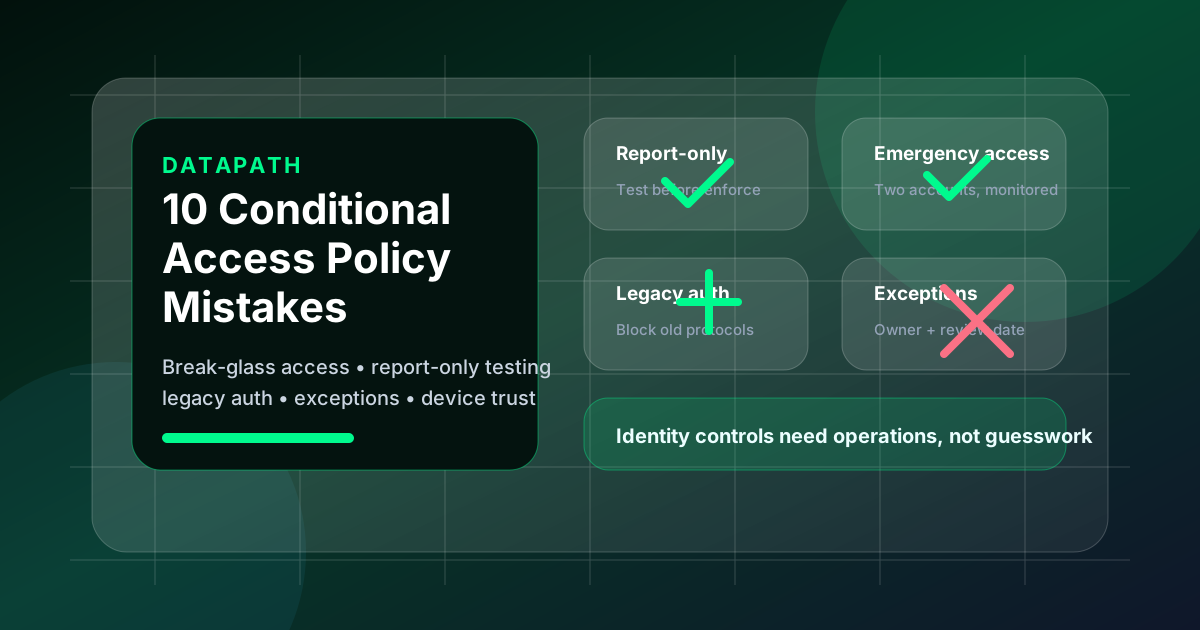
The biggest Conditional Access policy mistakes are enabling broad policies without report-only testing, forgetting emergency access accounts, trusting unmanaged exceptions, failing to block legacy authentication, treating administrators like standard users, ignoring device trust, and never reviewing policy evidence. These mistakes can lock out legitimate users while still leaving Microsoft 365 exposed.
Datapath’s recent Search Console data showed live impressions for Microsoft Conditional Access best-practice queries, including “microsoft conditional access best practices” and related variants. That usually means buyers are not only asking what to turn on. They are asking what can go wrong before they let a managed IT provider, internal admin, or co-managed team change identity controls that affect email, files, finance workflows, remote access, and administrator portals.
Microsoft describes Conditional Access as the Entra ID policy engine that uses signals such as user, group, device, location, application, and risk to decide whether access should be granted, blocked, or challenged.1 That power is exactly why mistakes matter. A bad firewall rule can break one network path. A bad identity rule can disrupt the whole business.
1. Enforcing policies before report-only testing
The first mistake is moving straight to “On” because the policy looks obvious. Microsoft provides report-only mode so administrators can evaluate most Conditional Access policies before enforcing them, review sign-in log outcomes, and understand who would have been blocked or challenged.2
For mid-market environments, we recommend a simple sequence:
- Create the policy in report-only mode.
- Run it against realistic users, locations, devices, apps, and service workflows.
- Review sign-in logs and policy impact.
- Fix unintended exclusions or blocks.
- Move to pilot enforcement before broad enforcement.
That sequence is slower than clicking “enable,” but it avoids preventable outages. It also creates evidence that leadership can use later to prove the change was tested instead of improvised.
2. Forgetting emergency access accounts
A Conditional Access rollout without emergency access planning is reckless. Microsoft recommends creating two or more cloud-only emergency access accounts, using strong authentication such as passkeys or certificate-based authentication, excluding those accounts from policies that could block sign-in, monitoring their activity, and validating them regularly.3
The common failure is treating break-glass access as a checkbox. A safer design answers practical questions:
| Emergency-access question | What good looks like |
|---|---|
| How many accounts exist? | At least two, cloud-only, not tied to one employee |
| What authentication protects them? | Phishing-resistant authentication with stored credentials and devices |
| Which policies exclude them? | Blocking or restrictive policies that could prevent emergency sign-in |
| Who can use them? | Named leaders with a documented process |
| How are they monitored? | Alerts on sign-in and audit activity |
| When are they tested? | At least every 90 days or after key staffing or subscription changes |
This connects directly to our Microsoft Entra emergency access account checklist and broader Microsoft 365 identity security services. If emergency access is vague, the rollout is not ready.
3. Leaving legacy authentication alive
Legacy authentication is one of the most dangerous leftovers in Microsoft 365 environments because old protocols do not support modern MFA and Conditional Access flows. Microsoft states that more than 97 percent of credential-stuffing attacks and more than 99 percent of password-spray attacks use legacy authentication protocols, and those attacks would stop with basic authentication disabled or blocked.4
The mistake is assuming Microsoft has already solved every legacy pathway for your tenant. Teams should still review sign-in logs, identify legacy client apps, document any unavoidable dependency, and move exceptions toward retirement.
A practical action list looks like this:
- Check interactive and non-interactive sign-in logs for legacy client apps.
- Find printers, scanners, scripts, old mail clients, or line-of-business tools still depending on outdated protocols.
- Move supported workflows to modern authentication or better service patterns.
- Document temporary exceptions with owner, reason, compensating control, and retirement date.
- Enforce a legacy-authentication block only after report-only validation.
Our Conditional Access policy best practices guide covers the baseline. This article’s blunt point is simpler: if legacy auth is still casually allowed, the business has not really finished identity hardening.
4. Building exclusions with no owner or expiration date
Every environment needs exceptions. The mistake is letting exceptions become invisible permanent policy. CISA’s Microsoft 365 SCuBA baseline warns that unaccounted exceptions, overlapping conditions, and misaligned Conditional Access logic can create policy coverage gaps.5
We recommend an exception register with five required fields:
- Scope: user, group, app, device, location, or workload.
- Reason: the exact business workflow the exception supports.
- Owner: a person accountable for review.
- Risk treatment: compensating control, accepted risk, or remediation plan.
- Review date: when the exception expires or must be renewed.
Without that register, the tenant becomes a junk drawer. Nobody knows whether an exclusion protects a critical workflow or preserves an old workaround that should have died six months ago.
5. Applying the same policy to administrators and standard users
Administrators need stricter controls because their accounts can change the tenant, access sensitive data, create app permissions, disable logging, and weaken the same policies meant to protect the business. Treating admins like standard users is a design failure.
At minimum, privileged access should have:
- separate administrative accounts where appropriate;
- stronger authentication requirements;
- tighter device expectations;
- monitoring for privileged sign-in and role changes;
- fewer standing privileges;
- documented emergency access that does not become daily-use admin access.
This is where managed cybersecurity services and identity governance overlap. The policy is not only about login prompts. It is about deciding which identities can materially change the organization’s risk posture.
6. Ignoring device trust and unmanaged access
Conditional Access can evaluate device state and require controls such as compliant devices, hybrid joined devices, approved client apps, or app protection policies.1 The mistake is requiring MFA but ignoring the endpoint. MFA helps, but it does not make an unmanaged laptop healthy, patched, encrypted, inventoried, or appropriate for sensitive access.
For regulated and mid-market teams, we usually separate access into tiers:
| Access tier | Example use case | Device expectation |
|---|---|---|
| Baseline productivity | Standard email and Teams access | MFA and reasonable session controls |
| Sensitive data | Finance, HR, PHI, student data, client files | Managed or compliant device preferred |
| Administration | Microsoft 365 admin centers, security portals, backup consoles | Strong MFA plus trusted workstation expectation |
| Exception workflows | Vendor support, travel, shared devices | Documented exception and compensating controls |
The right answer is not always “block every unmanaged device tomorrow.” The right answer is to know where unmanaged access still exists, what data it reaches, and who owns the decision.
7. Designing policies without business workflow input
Identity engineers can build technically clean policies that fail operationally. Clinicians need access during patient care. Finance users may work unusual hours during close. K-12 administrators may use seasonal workflows around enrollment, testing, and procurement. Municipal teams may have after-hours emergency operations.
The mistake is designing Conditional Access around a diagram instead of actual work. Before enforcement, ask:
- Which users travel or work after hours?
- Which roles approve payments or access sensitive records?
- Which vendors need support access?
- Which apps break if users are challenged too often?
- Which shared or kiosk devices still exist?
- Which workflows must continue during an identity-provider outage?
This is why a Conditional Access rollout plan for regulated businesses should involve operations, security, help desk, leadership, and the managed services team. Identity policy is now production infrastructure.
8. Skipping user communication and help-desk readiness
Conditional Access mistakes often show up first as support tickets. Users see unexpected MFA prompts, blocked access, device-compliance messages, or mobile app friction. If the help desk does not know what changed, the rollout becomes noisy fast.
Good communication is plain:
- what is changing;
- when it starts;
- who is affected first;
- what users should expect;
- how to get help;
- what not to do, such as approving unknown MFA prompts;
- why the change protects company data.
Here at Datapath, we see the best adoption when the rollout is paired with support scripts, ticket categories, escalation paths, and executive backing. Users do not need a white paper. They need clear instructions and a working support path.
9. Letting policies drift after go-live
Conditional Access is not finished on enforcement day. Users change roles. Vendors are added. SaaS apps multiply. Locations shift. Executives travel. Devices age out. Mergers, turnover, licensing changes, and emergency exceptions all create drift.
A quarterly review should cover:
- enabled, disabled, and report-only policies;
- emergency access account validation;
- break-glass sign-in and audit activity;
- high-risk exclusions and expired exceptions;
- legacy authentication attempts;
- admin sign-ins and privileged role changes;
- unmanaged device access to sensitive apps;
- sign-in failures created by policy changes;
- evidence retained for compliance, insurance, or leadership review.
CISA’s SCuBA guidance says organizations should regularly review Conditional Access policy logic, validate coverage against user and device contexts, and monitor for unintended exclusions.5 That is the correct mindset. Drift is not a theoretical risk. It is how clean tenants become messy again.
10. Treating Conditional Access as a tool setting instead of a managed control
The final mistake is reducing the entire program to portal configuration. Conditional Access should connect to incident response, vulnerability management, onboarding, offboarding, device management, security awareness, logging, and executive reporting.
For a mid-market company, the useful question is not “Do we have Conditional Access?” It is this: “Can we prove who is protected, who is excluded, what would happen during a risky sign-in, how emergency access works, and when leadership last reviewed the open gaps?”
That proof usually requires a managed operating model:
- named policy owners;
- change tickets and rollback notes;
- sign-in evidence;
- exception registers;
- administrator reviews;
- periodic reporting;
- alignment with Datapath resource guides and security-roadmap work.
Datapath helps teams turn Microsoft 365 identity controls into governed operations, not just settings. That matters for companies that need uptime, audit evidence, and security accountability at the same time.
Why Datapath for Conditional Access policy mistakes
Avoiding Conditional Access policy mistakes is not about buying another tool. It is about designing identity controls that match real workflows, keeping emergency paths available, reducing obvious attack paths, and maintaining evidence after rollout. The strongest programs combine Microsoft 365 administration, endpoint management, security operations, user support, and executive accountability.
Datapath works with mid-market and regulated organizations that need managed IT services, Microsoft 365 support, cybersecurity operations, and practical governance under one operating model. If your current tenant has unmanaged exceptions, weak admin controls, or policies nobody wants to touch, the next step is a structured review instead of another one-off change.
Need a Conditional Access policy review?
Datapath can help review your Microsoft 365 identity controls, emergency access, exclusions, device trust, and rollout evidence before the next policy change creates risk.
Frequently asked questions
What are the most common Conditional Access policy mistakes?
The most common mistakes are skipping report-only testing, failing to maintain emergency access accounts, leaving legacy authentication active, creating unmanaged exclusions, applying weak controls to administrators, ignoring device trust, and failing to review policy drift after rollout.
Can Conditional Access lock users out of Microsoft 365?
Yes. A poorly tested policy can block users, administrators, vendors, or critical workflows. That is why Microsoft recommends report-only testing, sign-in log review, emergency access account planning, and staged enforcement before broad rollout.
Should emergency access accounts be excluded from Conditional Access?
Emergency access accounts should be excluded from policies that could block or restrict sign-in during the exact scenario they are meant to recover from. Microsoft recommends protecting these accounts with strong authentication, monitoring their use, and validating them regularly.
Why does blocking legacy authentication matter?
Legacy authentication matters because older protocols do not support modern MFA and are heavily abused in credential attacks. Microsoft states that more than 97 percent of credential-stuffing attacks and more than 99 percent of password-spray attacks use legacy authentication protocols.4
How often should Conditional Access policies be reviewed?
Quarterly is a practical minimum for most mid-market businesses, with additional reviews after major staffing changes, acquisitions, new SaaS deployments, security incidents, audit findings, licensing changes, and emergency policy exceptions.
