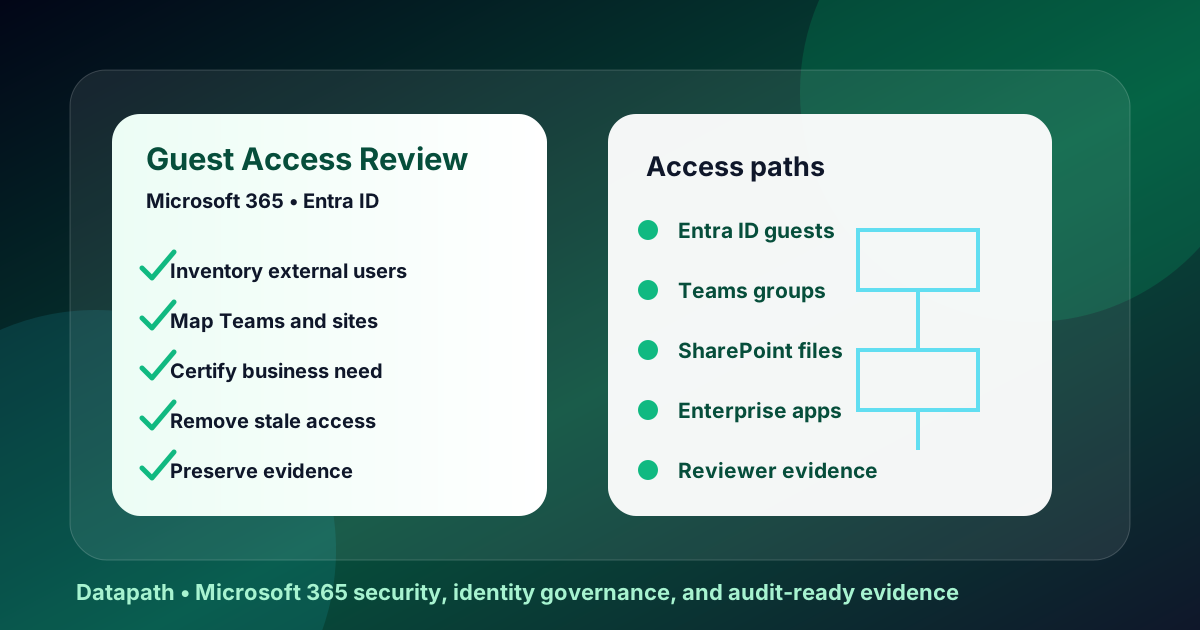

What should a Microsoft 365 guest user access review include?
A Microsoft 365 guest user access review checklist should verify every external identity, owner, business purpose, group, Team, SharePoint site, app assignment, last sign-in, MFA requirement, Conditional Access coverage, expiration date, reviewer decision, removal action, and evidence record. The point is simple: keep useful collaboration, remove stale access, and prove the review happened.
External collaboration is not a fringe Microsoft 365 problem anymore. Vendors, auditors, contractors, consultants, board members, accountants, attorneys, software partners, and school or healthcare technology providers all end up inside Microsoft 365 tenants. Microsoft notes that organizations using Office 365 can see external identities proliferate as users collaborate through Teams, sites, apps, and documents.1
That creates a predictable risk: guests who were invited for a project remain in the tenant long after the work ends. Some still have group membership. Some have SharePoint access. Some never accepted the invitation but remain discoverable. Some were added by a business user who had no reason to understand tenant-wide exposure.
At Datapath, we treat guest access as an identity-governance control, not a housekeeping task. A regulated organization should be able to show who approved external access, what the external user could reach, when the access was reviewed, what was removed, and what exception remains open.
Why do Microsoft 365 guest users become a security problem?
Microsoft 365 guest users become a security problem when collaboration is easy but lifecycle control is weak. If no one owns guest expiration, inactive-user cleanup, site permission review, and application assignment review, external identities become permanent access paths into Teams, SharePoint, OneDrive, groups, and cloud applications.
Guest access grows faster than most teams can manually track
A single customer portal, construction project, legal matter, finance audit, EHR implementation, school technology rollout, or merger diligence process can create dozens of external accounts. The first week looks controlled because the business purpose is clear. Six months later, the project owner may have changed roles, the vendor contact may have left, and nobody remembers whether the guest still needs access.
Microsoft Entra access reviews exist specifically to help organizations recertify whether users and guests still need access to groups and applications.2 That is the right mental model. Do not ask only, “Do we have guests?” Ask, “Which resource owner is willing to certify that this guest still needs this access today?”
Teams, SharePoint, and Entra ID do not represent the same risk
External access is not one switch. Teams federation, Teams guest access, Microsoft 365 groups, SharePoint site sharing, OneDrive links, app assignments, and Entra B2B users all create different exposure patterns.
| Area to review | What can go wrong | Evidence to keep |
|---|---|---|
| Microsoft Entra ID guests | Stale external identities stay enabled | Guest export, last sign-in, sponsor, review decision |
| Teams and groups | Guests remain in project workspaces | Group owner attestation, membership report, removal log |
| SharePoint and OneDrive | Files stay shared after a project closes | Sharing report, sensitive-site review, link settings |
| Enterprise apps | Vendor or consultant keeps app access | App assignment export, reviewer approval, removal proof |
| Conditional Access | Guest users bypass required controls | Policy scope screenshot, MFA evidence, exception register |
CISA’s Secure Cloud Business Applications project says its Microsoft 365 baselines are designed to protect information that organizations create, access, share, or store in cloud environments, and the project includes assessment tooling for tenant configuration checks.3 That matters because guest access is not isolated from the rest of the tenant. It touches collaboration, data protection, authentication, logging, and incident response.
Stale guests create audit and insurance headaches
The security risk is obvious, but the evidence problem is just as painful. A healthcare clinic, financial services firm, municipality, or school district may need to explain external access during a HIPAA, GLBA, CJIS, FERPA, SOC 2, cyber-insurance, or customer review. A spreadsheet made during an emergency is not enough.
A defensible process should show:
- the review period and scope
- the reviewer or resource owner
- each external user reviewed
- business justification for continued access
- access removed, retained, or escalated
- exceptions and expiration dates
- screenshots or exports proving completion
- tickets tying decisions to action
If your team already struggles with Microsoft 365 security ownership, pair this checklist with our Microsoft 365 identity security services and our guide to an Entra ID access review checklist for privileged accounts. Guest access and privileged access are different risks, but the review discipline is similar.
How should IT teams run a guest access review?
Run a Microsoft 365 guest access review in six stages: inventory external identities, classify access, assign resource owners, review continued need, remove or restrict unnecessary access, and preserve evidence. The review should be recurring, risk-ranked, and tied to real removal actions rather than a passive report.
Step 1: Export the guest-user inventory
Start in Microsoft Entra ID and export all users where userType is Guest. For each guest, capture display name, user principal name, external domain, creation date, invitation status, account status, last successful sign-in, sponsor if available, groups, Teams, app assignments, and administrative roles.
Microsoft’s external-user review guidance focuses on finding external identities so they can be reviewed and removed if they are no longer needed.1 That should be the first checkpoint: if you cannot produce a complete inventory, you cannot honestly claim the tenant is governed.
Step 2: Separate collaboration guests from privileged exceptions
Most guest users should never have privileged administrative roles. If a guest has directory roles, application-owner privileges, SharePoint site collection admin rights, security group ownership, or billing/admin access, move that account into an elevated review path.
Use this triage model:
| Guest type | Risk level | Review cadence |
|---|---|---|
| Vendor with temporary SharePoint access | Moderate | Every 30-90 days during project |
| Auditor or consultant in a defined Team | Moderate | At project close and quarterly if retained |
| External app administrator | High | Monthly or change-triggered |
| Guest with privileged Entra role | Critical | Immediate executive/security review |
| Inactive or never-redeemed guest | Usually remove | Cleanup cycle, unless owner documents need |
For Microsoft 365 tenants with external sharing pressure, also review our SharePoint external sharing audit checklist and OAuth app consent audit checklist. Guest accounts, sharing links, and consented apps often overlap during vendor-led projects.
Step 3: Assign an accountable reviewer for every resource
The reviewer should usually be the business owner, Team owner, SharePoint site owner, application owner, department lead, or vendor manager who understands why the guest was invited. IT can administer the workflow, but IT should not rubber-stamp business access it cannot validate.
Microsoft Entra access reviews can ask guests themselves, resource owners, sponsors, or decision makers to recertify access.2 In our experience, regulated teams should avoid guest self-attestation as the only control. A vendor saying “yes, I still want access” is weaker than an internal owner certifying that the vendor still needs a specific resource.
Step 4: Make decisions explicit: keep, remove, restrict, or escalate
Do not let review outcomes collapse into “approved” and “denied.” Use four decisions:
- Keep because a named business owner confirms the guest still needs the exact access.
- Remove because the project ended, the account is inactive, or no owner can justify it.
- Restrict because the guest needs less access than they currently hold.
- Escalate because the access is privileged, sensitive, disputed, or tied to a legal, audit, or incident hold.
This prevents a common failure: the team removes obvious stale accounts but leaves over-permissioned guests untouched because they are still “active.” Active does not mean appropriate.
Step 5: Apply removals and verify they landed
After reviewers decide, remove group memberships, Teams access, SharePoint permissions, app assignments, and stale guest objects where appropriate. Then verify the result with a second export or administrative screenshot. A review is not complete when someone clicks approve. It is complete when unnecessary access is gone and the evidence package matches the decision log.
If your team needs outside help turning this into a repeatable operating process, Datapath can combine identity review, Microsoft 365 hardening, endpoint visibility, and governance reporting through managed cybersecurity services and co-managed IT services.
Need a Microsoft 365 guest access review that produces evidence?
Datapath helps regulated teams inventory external users, validate Teams and SharePoint access, remove stale permissions, and document the review for leadership.
What evidence should a Microsoft 365 guest access review produce?
A Microsoft 365 guest access review should produce an evidence package: guest inventory, access scope, reviewer assignments, decisions, removed access, retained exceptions, Conditional Access coverage, screenshots or exports, tickets, and next review date. That package is what turns a security cleanup into audit-ready proof.
Evidence package checklist
Use this checklist for each review cycle:
- Scope statement: which tenants, groups, Teams, SharePoint sites, apps, and guest populations were included.
- Guest inventory: enabled guests, inactive guests, never-redeemed guests, domains, creation dates, and last sign-ins.
- Resource map: each guest’s groups, Teams, sites, applications, and elevated privileges.
- Reviewer list: accountable business or technical owner for each resource.
- Decision log: keep, remove, restrict, or escalate, with date and owner.
- Removal proof: export, screenshot, ticket, or change record showing completed action.
- Exception register: guests retained outside normal rules, with business reason and expiration date.
- Policy evidence: Conditional Access, MFA, external collaboration settings, SharePoint sharing settings, and Teams external access posture.
- Next review date: quarterly, monthly for sensitive resources, or project-close triggered.
For broader provider governance, use our vendor risk questionnaire for managed IT providers and third-party cyber risk assessment checklist. External-user review is one part of a larger third-party access program.
Cadence by risk
There is no one cadence that fits every tenant. We recommend risk-based scheduling:
| Resource type | Practical cadence | Why |
|---|---|---|
| General collaboration Teams | Quarterly | Project membership changes quickly |
| Sensitive finance, HR, healthcare, or student-data sites | Monthly or quarterly | Data exposure is higher |
| Vendor-admin app assignments | Monthly | Access can affect system configuration |
| Privileged guest accounts | Immediate and recurring | Privilege turns guest access into control-plane risk |
| Dormant and never-redeemed guests | Monthly cleanup | Low business value, unnecessary exposure |
CISA’s Microsoft 365 baseline work is a useful reference point because it treats cloud-app configuration as a measurable security posture, not a vague best-practice list.3 For executive buyers, that is the standard to demand: measurable controls, repeated checks, and evidence that survives turnover.
What should leadership ask after the review?
Leaders do not need every technical detail, but they do need an honest risk picture. Ask IT or the MSP for five numbers after each cycle:
- How many external users exist now?
- How many were inactive, never redeemed, or missing an owner?
- How many had access removed or restricted?
- How many exceptions remain, and when do they expire?
- Which policy gaps still allow uncontrolled external sharing?
If the provider cannot answer those questions, the organization does not have guest access governance. It has hope with an admin portal.
Why Datapath for Microsoft 365 guest user access review checklist work?
A Microsoft 365 guest user access review checklist only helps if it becomes an operating rhythm: inventory, review, removal, evidence, and repeat. Datapath helps regulated organizations connect that rhythm to identity security, Microsoft 365 administration, cybersecurity monitoring, compliance reporting, and strategic IT planning.
Our team supports healthcare, K-12, financial services, municipal, and mid-market organizations where external access is unavoidable but unmanaged access is unacceptable. If you are evaluating providers, start with our MSP evaluation guide and compare whether the provider can produce evidence, not just advice.
FAQ: Microsoft 365 guest user access reviews
How often should Microsoft 365 guest users be reviewed?
Most organizations should review guest users quarterly, with monthly reviews for sensitive resources, privileged guests, vendor-admin access, and high-risk SharePoint or Teams workspaces. Project-based guests should also be reviewed when the project closes.
Should inactive Microsoft 365 guest users be deleted automatically?
Inactive guests are usually strong removal candidates, but automatic deletion should follow a documented review rule. Check whether the account is tied to litigation hold, audit work, active vendor support, or a defined exception before deleting it.
Who should approve continued guest access?
The best reviewer is the internal resource owner who understands the business purpose: a department lead, application owner, Team owner, SharePoint site owner, or vendor manager. IT should administer the review and verify changes, but business owners should certify need.
Is guest access the same as external sharing?
No. Guest access usually refers to external identities in Microsoft Entra ID and Microsoft 365 groups or Teams. External sharing can also include SharePoint or OneDrive links and permissions. A complete review checks both identity membership and shared content access.
What is the fastest first step if we have never reviewed guest users?
Export all Entra ID guest users, sort by last sign-in and domain, identify never-redeemed or inactive accounts, and ask resource owners to validate access for the highest-risk Teams, SharePoint sites, and applications first.
