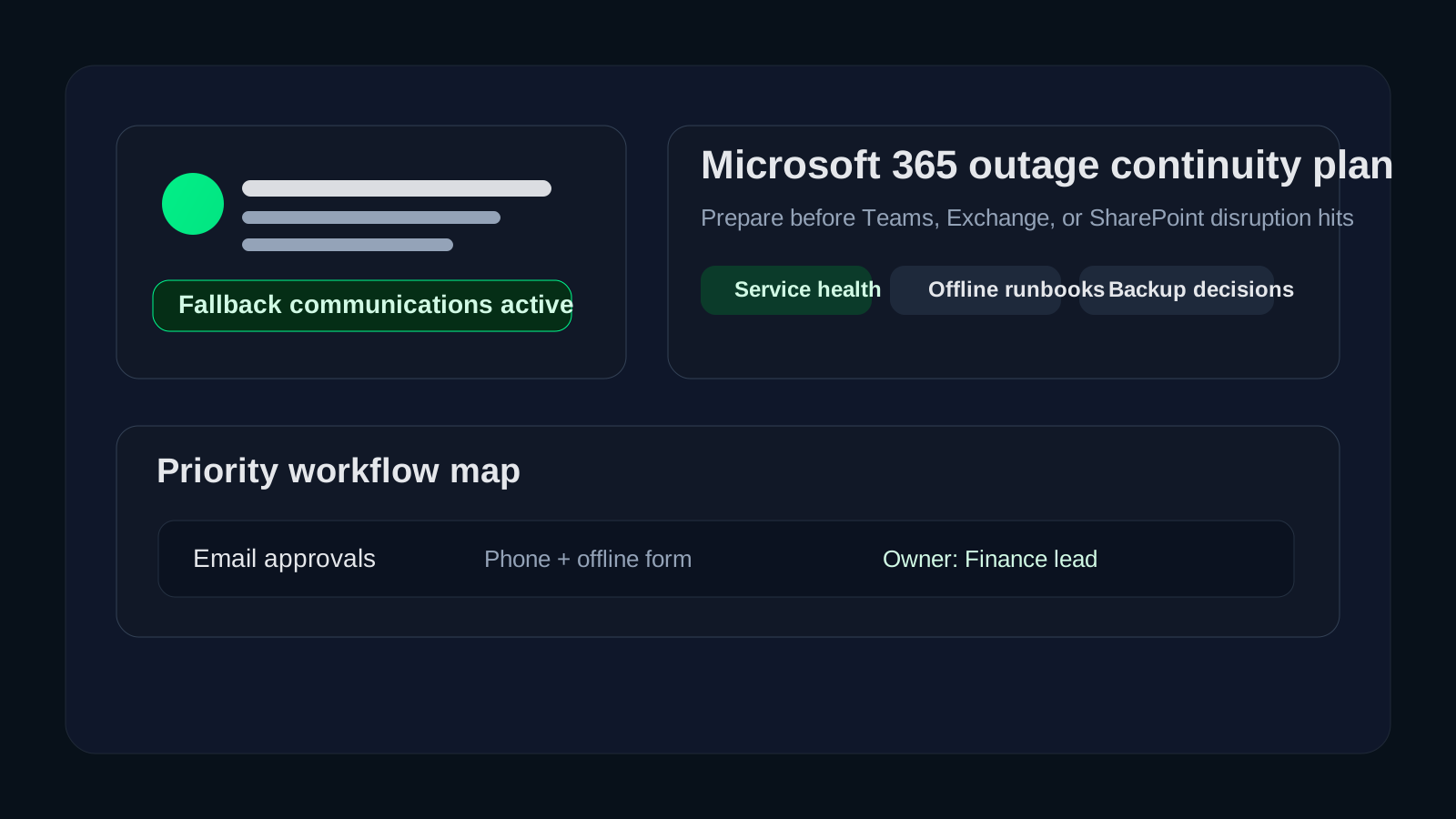

What should a Microsoft 365 outage business continuity plan include before an outage happens?
A Microsoft 365 outage business continuity plan should define how your business will communicate, keep critical work moving, monitor service health, protect important data, and make leadership decisions when Exchange Online, Teams, SharePoint, OneDrive, or Entra-linked workflows are disrupted. The mistake we see most often is assuming that because Microsoft 365 is cloud-based, continuity is automatically covered. It is not. Availability is a platform concern. Business continuity is still your responsibility.12
In practical terms, that means your team needs more than a note that says “check the admin portal.” You need named owners, alternate communication paths, a list of critical processes that cannot wait for normal service restoration, and clear expectations for what users should do when email, collaboration, or shared files are unavailable. If your organization operates in healthcare, finance, education, or any other regulated environment, that planning matters even more because communication delays can quickly become operational, customer-facing, or compliance-facing problems.
We recommend thinking about Microsoft 365 continuity the same way you would think about any other core dependency: not as a yes-or-no question about uptime, but as a practical plan for preserving business operations when a major platform is degraded. That planning often overlaps with a broader cloud readiness assessment, Microsoft 365 backup vs retention review, Microsoft 365 backup services, and disaster recovery services.
| Search intent | What the reader usually needs | Datapath handoff |
|---|---|---|
| Microsoft 365 business continuity plan | A practical outage playbook for communications, owners, fallback workflows, and leadership decisions | Use this guide, then compare the plan against managed IT services if ownership is unclear |
| Office 365 disaster recovery plan | A recovery model for Exchange, SharePoint, OneDrive, Teams-related files, permissions, and restore evidence | Review Microsoft 365 backup services for backup scope and restore testing |
| Office 365 disaster recovery policy | Policy language for recovery targets, retention boundaries, legal hold, approval authority, testing cadence, and reporting | Pair this article with disaster recovery services for evidence and exercise design |
Need Microsoft 365 continuity and recovery ownership before the next outage?
Datapath can map your Microsoft 365-dependent workflows, backup scope, fallback communications, and recovery evidence into a continuity plan your team can actually use.
Why does a Microsoft 365 outage require a separate continuity plan?
Microsoft publishes service health information and reliability guidance, and those tools are useful.12 But a service-health page does not tell your finance team how to approve an urgent payment if Exchange and Teams are unstable. It does not tell your clinic manager how to coordinate a same-day schedule change if staff cannot reach shared calendars. It does not tell leadership when to switch from “wait and monitor” to “activate fallback communications.” Those are continuity decisions, and they belong to the customer.
Microsoft 365 is often a business operating layer, not just a productivity suite
For many organizations, Microsoft 365 now sits inside daily approvals, customer communications, document workflows, identity enforcement, remote access coordination, and executive reporting. If Teams goes down, the problem is not limited to chat. If Exchange Online is disrupted, invoice approvals, scheduling, alerts, and customer response times can all suffer. If SharePoint or OneDrive access becomes unreliable, teams can lose the working copies of policies, forms, or project files they use every day.
That is why we recommend classifying Microsoft 365 as a business dependency with continuity requirements, not just a vendor subscription.
Cloud availability does not remove your shared-responsibility obligations
Microsoft provides the service platform, but customers still own process design, fallback planning, access governance, data handling, and recovery expectations.13 In our experience, this is where continuity gaps hide. Businesses assume the vendor covers the outage scenario end to end, when in reality the vendor covers service restoration while the customer still has to manage business impact.
Regulated teams usually have tighter communication and evidence requirements
When a business depends on Microsoft 365 to move regulated data, document approvals, or coordinate incident response, a disruption can create more than inconvenience. It can affect time-sensitive reporting, customer commitments, secure file handling, and the audit trail around who was notified, who approved temporary workarounds, and how decisions were made. That is why a good continuity plan should connect outage operations to your security and incident-management processes instead of treating them as a separate silo.
What systems and workflows should be mapped first?
Before you write fallback procedures, map the Microsoft 365-dependent workflows that would actually hurt the business if unavailable for several hours.
1. Communication dependencies
Start with the obvious questions:
- What happens if Exchange Online is delayed or unavailable?
- What happens if Teams meetings, chat, or calling fail?
- Who needs an alternate way to reach leadership, IT, frontline managers, and external partners?
- Which customer-facing teams rely on Microsoft 365 as their primary communications channel?
A lot of continuity plans fail here because contact information only lives in Outlook. We recommend maintaining an offline contact roster for executives, department leads, IT, managed service partners, and critical vendors so the business is not forced to improvise during the first hour of disruption.
2. File and document dependencies
List the files, forms, templates, and records that matter most if SharePoint or OneDrive access is degraded. That usually includes:
- operational runbooks
- emergency contact lists
- customer escalation procedures
- finance approval templates
- HR and facilities coordination documents
- security incident and recovery checklists
For truly critical content, decide whether read-only offline copies, exported PDFs, or controlled local replicas should be maintained for continuity use. The answer will vary by data sensitivity and change frequency, but the decision should be made in advance.
3. Identity and access dependencies
Many companies forget that Microsoft 365 disruption can intersect with identity workflows, especially when Entra ID, Conditional Access, and password-reset processes are tightly linked to cloud services. If an outage affects authentication or admin access visibility, you need to know:
- who can still validate service status
- which break-glass or emergency access accounts exist
- how high-priority users get support
- what manual approval path exists if self-service flows are unavailable
That planning should line up with your Conditional Access rollout plan and your Entra ID security checklist, because weak emergency-access planning can turn a service disruption into an access crisis.
What should the continuity plan tell people to do during an outage?
A usable plan should answer three different questions at once: what IT does, what department leaders do, and what end users do.
IT and service owner actions
IT should have a short operational checklist that includes:
- confirm the scope using the Microsoft 365 admin center service health page or public service status page when admin access is limited12
- identify whether the issue affects email, collaboration, file access, identity, or multiple services
- notify the internal response group using the alternate communication channel
- estimate which business workflows are affected and which need immediate fallback procedures
- document decisions, timestamps, vendor references, and recovery updates
The goal is to keep IT from wasting the first 30 minutes arguing about whether the outage is local, tenant-specific, or broader than the organization.
Department leader actions
Department leads should not need deep Microsoft expertise. They need clear prompts such as:
- switch urgent approvals to the designated fallback method
- use alternate calling or messaging for critical coordination
- postpone nonessential document collaboration until stability returns
- move sensitive transactions only through preapproved manual channels
- escalate customer-impacting delays to the defined business owner
That makes continuity practical instead of technical.
End-user guidance
End users usually need very simple instructions:
- do not repeatedly reset passwords or reinstall apps without direction
- check the designated status channel before opening duplicate tickets
- use the fallback communication method if the issue affects email or Teams
- avoid storing regulated data in unapproved personal tools during the disruption
- save local work carefully and follow the restore or sync guidance once service returns
That last point matters. In a rushed outage, employees often create shadow-IT workarounds that introduce more risk than the outage itself.
What fallback options should be decided before the outage?
The best continuity plans decide in advance which alternatives are acceptable for which business scenarios.
Alternate communications
Your plan should specify at least one backup path for internal coordination. Depending on the environment, that may be a non-Microsoft messaging platform, a phone tree, a managed emergency notification service, or a predefined text-based contact cascade. The important thing is not which tool you choose. The important thing is that the tool is approved, documented, and known to managers before it is needed.
Alternate document access
Some organizations need an offline or locally controlled copy of a handful of critical files. Others need a separate business system that can operate temporarily without Microsoft 365 integration. Either way, decide which content deserves continuity treatment and who maintains it.
Manual transaction workflows
For finance, healthcare, operations, and service teams, the question is often not “Can people still chat?” It is “Can we still approve, serve, dispatch, document, or recover?” We recommend documenting manual fallback steps for the workflows that create the largest operational or compliance risk if delayed.
A simple decision table helps:
| Workflow | Microsoft 365 dependency | Fallback method | Owner |
|---|---|---|---|
| Executive alerts | Teams / Outlook | phone and text roster | CIO or operations lead |
| Urgent vendor approvals | Exchange / SharePoint | approved phone verification + offline form | finance lead |
| Incident coordination | Teams / shared docs | alternate bridge + local runbook copy | IT/security lead |
| Customer communications | Outlook | approved fallback mailbox or phone queue | service manager |
How should Office 365 disaster recovery fit into the plan?
Continuity planning and data-protection planning are related, but they are not identical. A Microsoft 365 business continuity plan explains how the organization keeps working during disruption. An Office 365 disaster recovery plan explains how Microsoft 365 data, permissions, and collaboration content can be restored or revalidated after deletion, ransomware, admin error, tenant compromise, or a prolonged platform issue.
Microsoft documents service health and platform recovery, but your business still needs to decide whether native retention is sufficient, whether an independent backup is required for critical workloads, and how quickly specific data must be restored for operations.14 That is especially important for businesses with legal hold, records retention, audit evidence, or short recovery tolerances.
An Office 365 disaster recovery policy should answer these questions in writing:
- Which Microsoft 365 workloads need continuity access versus full restore capability?
- Are Exchange Online, SharePoint, OneDrive, and Teams-related files equally critical, or not?
- Is vendor-native recovery enough for your risk profile, or do you need independent backup?
- Which departments need stricter recovery point and recovery time objectives?
- Who approves temporary workarounds when data access is impaired?
- How often are restore tests run, documented, and reviewed with leadership?
- What evidence proves that mailbox, site, file, permission, or Teams-content recovery worked?
That conversation connects directly to Microsoft 365 backup vs retention, Microsoft 365 backup services, and broader cloud disaster recovery planning.
Exchange, Teams, SharePoint, and OneDrive have different recovery needs
Do not write one generic recovery statement for the whole tenant. Exchange Online may drive urgent customer communication and approvals. Teams may be the coordination layer for incidents, field teams, and internal leadership. SharePoint and OneDrive may hold the forms, spreadsheets, policies, and client files people need to keep operating.
Each workload should have a recovery owner, an expected recovery path, and a fallback procedure. For example, an urgent accounts-payable approval may need an approved phone-verification process and offline form while Exchange or Teams is unreliable. A clinical or financial records workflow may need a stricter rule: do not move regulated data into personal email, consumer messaging, or unapproved file storage just because the normal Microsoft 365 path is down.
Service health is not the same as recovery evidence
Microsoft service health can help confirm whether the platform is degraded.12 It does not prove that your tenant can recover a deleted mailbox, restore a SharePoint library, rehydrate Teams-related files, preserve a legal hold, or reconcile manual work after the outage. That evidence has to come from your own backup scope, restore tests, ticket records, screenshots, and business-owner signoff.
For regulated teams, the recovery policy should name where evidence is stored, who reviews it, and how exceptions are tracked. The strongest plans do not simply say “backup exists.” They show the last successful restore test, the workload tested, the data age, the approval record, and the remediation owner for anything that failed.
Microsoft 365 disaster recovery should connect to broader DR exercises
Microsoft 365 is rarely isolated. Email, Teams, SharePoint, identity, endpoints, vendors, line-of-business apps, and network access often fail or recover in overlapping ways. A realistic recovery exercise should include the user path: can employees authenticate, reach the right file, use the recovered data, communicate with managers, and reconcile any manual work performed during the outage?
That is where Microsoft 365 recovery planning should connect to the broader disaster recovery testing checklist and backup recovery test plan template. A Microsoft 365 restore that works in a console but cannot be used by the business is not finished recovery.
What makes a Microsoft 365 outage plan actually usable?
Most continuity plans fail because they are too generic to guide decisions under pressure. A usable plan should be short enough to follow, specific enough to assign ownership, and tested often enough that people recognize it.
Keep the first-page checklist short
We recommend the first page answer these five questions immediately:
- How do we confirm the outage scope?
- Who activates the plan?
- What is our fallback communications channel?
- Which workflows get priority in the first two hours?
- Where do we record decisions and updates?
Separate strategy from runbook detail
Leadership needs a short decision-oriented summary. IT needs operational steps. Department leaders need plain-language fallback instructions. Putting all of that into one wall of text usually means nobody reads it.
Test one realistic scenario at a time
The plan becomes much stronger when you run focused tests, such as:
- Exchange Online outage during a finance approval window
- Teams outage during a distributed incident response event
- SharePoint or OneDrive disruption during a customer deadline
- identity-related disruption affecting admin visibility or resets
CISA and NIST guidance both reinforce the value of predefined roles, documented response steps, and exercised continuity procedures.35 Even a short tabletop can expose missing contact information, unclear escalation rules, or unsafe fallback habits.
Why Datapath recommends treating Microsoft 365 continuity as an operations issue
We think the healthiest approach is to stop framing Microsoft 365 continuity as “just a cloud outage question.” It is an operations question. The real issue is whether the business can still make decisions, communicate securely, access critical information, and protect sensitive workflows while the platform is unstable.
That is why we usually build continuity planning around four practical outcomes:
- the business knows who communicates during disruption
- critical teams know which work can continue and how
- IT knows what to validate and when to escalate
- leadership gets timely, non-jargony updates tied to business impact
If those outcomes are clear, the organization usually handles Microsoft 365 disruptions with far less confusion.
Why Datapath for Microsoft 365 continuity and disaster recovery planning
We help businesses build continuity plans that connect cloud dependence to real operational guardrails. In practice, that means mapping business-critical workflows, defining approved fallback options, aligning identity and data-protection decisions, testing Microsoft 365 restore assumptions, and turning vendor status information into an internal response process that people can actually follow.
If your team is heavily dependent on Microsoft 365 and wants a practical continuity plan before the next disruption tests your assumptions, start with Microsoft 365 backup services for Exchange, SharePoint, OneDrive, and Teams-related recovery scope, or review disaster recovery services if Microsoft 365 needs to be tested alongside servers, SaaS platforms, identity, endpoints, and vendor dependencies.
Need a Microsoft 365 continuity and recovery plan before the next outage exposes the gap?
We help teams define fallback communications, critical workflow priorities, backup scope, restore-test evidence, and recovery expectations so Microsoft 365 disruptions do not turn into business chaos.
FAQ: Microsoft 365 business continuity and Office 365 disaster recovery
What belongs in a Microsoft 365 business continuity plan?
A Microsoft 365 business continuity plan should define service-health validation, plan activation authority, fallback communications, critical workflows, offline contact lists, identity contingencies, approved manual workarounds, data-handling rules, restore expectations, and the evidence leadership needs during and after the outage.
Is Office 365 disaster recovery the same as Microsoft service health?
No. Microsoft service health helps confirm vendor-side disruption, but Office 365 disaster recovery is your plan for recovering or validating Exchange, SharePoint, OneDrive, Teams-related files, permissions, backup copies, restore evidence, and business workflows after an outage or data-loss event.
What should an Office 365 disaster recovery policy include?
An Office 365 disaster recovery policy should include protected workloads, recovery point and recovery time expectations, retention boundaries, legal-hold coordination, backup ownership, restore-test cadence, approval authority, evidence requirements, exception tracking, and reporting expectations for leadership.
How should Teams and Exchange business continuity be handled?
Teams and Exchange continuity should start with alternate communication paths. Maintain offline contact rosters, define which approvals can move to phone or other approved tools, document sensitive-data restrictions, and test how users will receive status updates if both Teams and Outlook are unreliable.
Who owns Microsoft 365 data recovery after an outage?
Ownership should be named before an outage. IT or the managed service provider may operate restore tools, but business owners should define critical data, recovery priorities, validation steps, and signoff. Regulated teams should also involve compliance, legal, or records owners where retention or legal hold is affected.
Sources
- Microsoft Learn: How to check Microsoft 365 service health
- Microsoft service status page
- CISA #StopRansomware Guide
- Microsoft Learn: Plan your backup and restore strategy for Exchange Online
- NIST SP 800-34 Rev. 1: Contingency Planning Guide for Federal Information Systems
