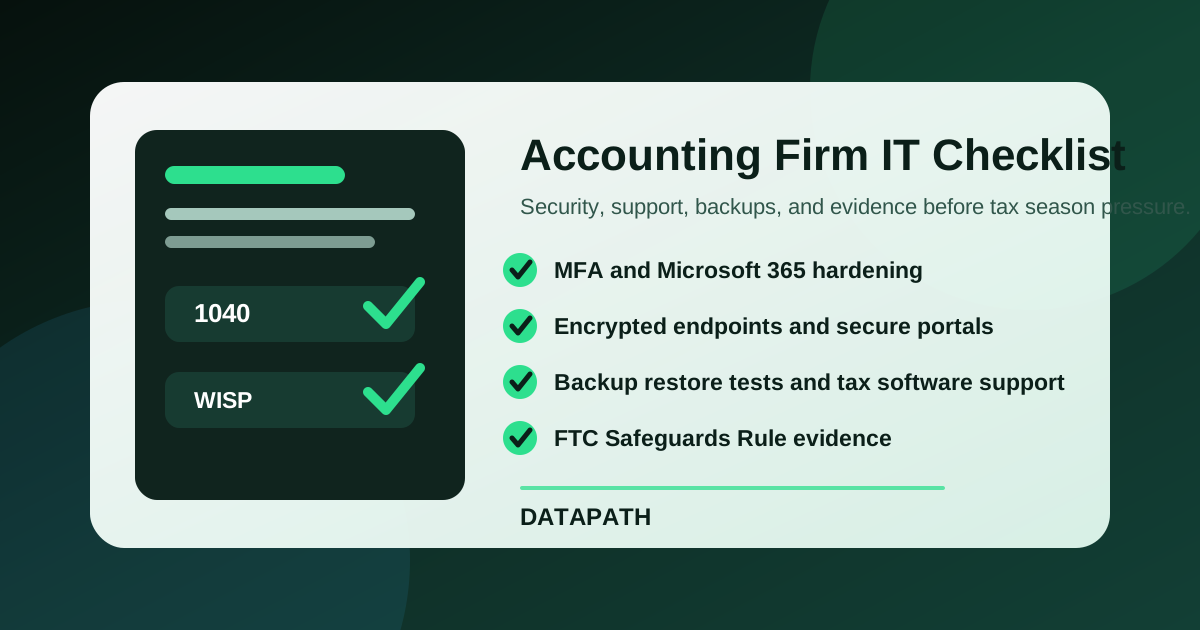

What should accounting firms require from managed IT services?
Managed IT services for accounting firms should include secure client-data handling, Microsoft 365 hardening, MFA, encrypted devices, backup and restore testing, tax-software support coordination, documented vendor oversight, incident response steps, and seasonal support coverage. The provider should also help maintain evidence for IRS Publication 4557, the FTC Safeguards Rule, cyber insurance, and client diligence.123
Accounting firms are not generic office environments. They handle tax returns, Social Security numbers, payroll data, bank details, business financials, owner K-1s, audit workpapers, loan records, and client portal documents. During tax season, one mailbox compromise, workstation failure, corrupted file share, or tax application outage can turn into missed deadlines, angry clients, and rushed exception decisions.
At Datapath, we recommend treating MSP selection as a risk and operations decision, not a helpdesk shopping exercise. If your firm is comparing managed IT services for accounting firms, use this checklist to test whether the provider can support confidentiality, uptime, compliance evidence, and deadline-driven work under pressure.
Need an accounting-firm IT support checklist before tax season?
Datapath helps accounting and finance teams compare managed IT scope, security controls, vendor coordination, backup readiness, and support coverage before deadlines expose weak spots.
Why does accounting firm IT need a different checklist?
Accounting firms need a different managed IT checklist because their risk profile combines professional deadlines, client confidentiality, tax-data protection, seasonal workload spikes, and specialized software dependencies. A generic MSP agreement may cover tickets and devices, but miss the operational controls that matter most when a firm handles regulated client information.
What makes tax and accounting data different?
Tax and accounting data is unusually sensitive because it connects identity, income, payroll, ownership, bank, and business records in one place. IRS Publication 4557 says data security is a necessity for every tax professional and every Authorized IRS e-file Provider, and that every employee should be educated about threats and safeguards.1
That means the MSP should understand more than endpoint support. The provider should know how client data moves through portals, email, scanners, tax applications, file shares, cloud storage, e-signature tools, backup systems, and staff devices.
A practical accounting-firm IT support checklist should ask:
- Which systems store or transmit taxpayer and financial data?
- Which users, vendors, and temporary staff can access it?
- Where does sensitive data get downloaded, synced, printed, scanned, archived, or deleted?
- Which controls protect data at rest, in transit, and during staff turnover?
- How does the firm prove those controls are operating?
Why does the FTC Safeguards Rule matter to CPA and tax firms?
The FTC says the Safeguards Rule applies to covered financial institutions and requires them to develop, implement, and maintain a written information security program with administrative, technical, and physical safeguards.2 The FTC also identifies tax preparation firms as examples of covered entities in its Safeguards Rule guidance.2
AICPA Member Insurance Programs explains the practical accounting-firm implication clearly: CPA firms may qualify as financial institutions when they provide tax planning and preparation services for personal, family, or household purposes, and the written information security program must fit the firm’s size, complexity, activities, and sensitivity of customer information.4
For MSP selection, that creates a concrete question: can the provider help run the technical and evidence side of the security program, or are they only closing support tickets?
What breaks first during tax-season pressure?
In our experience with deadline-driven professional services teams, the weakest points are usually not exotic. They are ordinary gaps that become painful when volume spikes:
| Tax-season failure point | What the MSP should own or support |
|---|---|
| Mailbox compromise | MFA, conditional access, phishing protection, alert triage, mailbox audit review |
| Portal or file-sharing confusion | Approved secure sharing paths, access reviews, vendor escalation, user training |
| Slow workstations or failed laptops | Endpoint standards, replacement workflow, encryption, rapid restore, loaner process |
| Tax software outage | Vendor contacts, escalation rules, dependency documentation, status communication |
| Backup uncertainty | Restore testing, retention review, ransomware recovery assumptions, evidence capture |
| After-hours deadline issue | Severity definitions, support hours, emergency contacts, approval authority |
The better managed IT partner documents these workflows before the busy season starts. If the proposal only says “unlimited support,” keep digging.
What controls should an accounting-firm MSP cover?
An accounting-firm MSP should cover identity, endpoint security, Microsoft 365, backup recoverability, secure file handling, vendor management, incident response, and compliance evidence. The point is not to buy every tool. The point is to assign ownership for the controls that protect client work and keep the firm operating.
How should identity and Microsoft 365 be locked down?
Identity is usually the first control to verify because compromised credentials can expose email, OneDrive, SharePoint, Teams, portals, tax software, and admin consoles. The IRS Security Summit’s checklist includes two-factor authentication, strong security software, backups, encryption, secure VPNs, phishing awareness, and a data theft recovery plan as key areas for tax professionals.5
For Microsoft 365 environments, the managed IT scope should include:
- MFA for all users, with stronger controls for administrators
- Conditional Access or equivalent sign-in rules where licensing allows it
- disabled legacy authentication and reviewed external forwarding rules
- separated administrative accounts and documented break-glass access
- mailbox audit logging and alert review
- SharePoint and OneDrive permissions review
- email security tuning for impersonation, attachment, and link threats
This is where Datapath’s guidance on Microsoft 365 phishing protection and conditional access policy best practices connects directly to accounting-firm managed IT. Email is not just communication; for many firms, it is the front door to client records.
What should endpoint and network coverage include?
Accounting firms need endpoint and network coverage that assumes laptops, desktops, printers, scanners, home-office access, conference-room devices, and Wi-Fi may all touch sensitive workflows. NIST IR 7621 Rev. 1 identifies access control, awareness and training, configuration management, contingency planning, identification and authentication, media protection, physical protection, and system integrity among the control families relevant to small business information security.6
A practical MSP checklist should verify:
- encrypted laptops and managed device configuration
- endpoint detection and response or comparable monitored endpoint protection
- patch management with exception reporting
- local administrator control
- secure remote access for partners and staff
- firewall and Wi-Fi segmentation where appropriate
- printer and scanner security review
- secure disposal or wiping process for retired devices
For multi-office or hybrid firms, co-managed IT services may also fit if an internal operations manager handles day-to-day coordination while the MSP owns security, escalation, documentation, and specialized support.
How should backups and business continuity be tested?
Backups are not enough. Accounting firms need proof that client files, Microsoft 365 data, tax workpapers, and critical systems can be restored within a realistic deadline window. Publication 4557 emphasizes detecting and managing system failures as part of the FTC Safeguards Rule plan checklist.1
Ask the MSP to explain:
- What is backed up, and what is only retained by the application vendor?
- How often are restore tests performed?
- Who signs off on test results?
- What are the expected recovery time objective and recovery point objective for tax-season systems?
- How are backup alerts reviewed after hours?
- Are Microsoft 365 Exchange, OneDrive, SharePoint, and Teams covered by a backup service or only by native retention?
- What happens if ransomware reaches a file share or synced cloud folder?
If this part of the proposal is vague, read Datapath’s guides on Microsoft 365 backup for business and backup retention policy best practices, then ask the provider to map those ideas to your actual systems.
How should firms compare MSP proposals before signing?
Accounting firms should compare MSP proposals by responsibility, evidence, response model, and fit with firm workflows. The cheapest provider can become expensive if every tax software issue, portal change, after-hours escalation, backup restore, or compliance request becomes an exception.
What should the provider put in writing?
The proposal or statement of work should put the operating model in writing. At minimum, it should identify:
- covered users, devices, servers, cloud tenants, network equipment, and locations
- excluded systems, billable project work, and after-hours rules
- severity levels and expected response paths
- Microsoft 365 administration responsibilities
- backup monitoring and restore-testing cadence
- tax software vendor coordination boundaries
- security alert triage process
- onboarding documentation requirements
- recurring reporting and business review cadence
- who owns evidence for audits, insurance, and client requests
This is the same discipline we recommend in our managed IT services cost guide and MSP onboarding plan. Accounting-firm buyers should not accept a proposal that hides responsibility behind broad phrases like “full support” or “proactive monitoring.”
Which questions expose weak accounting-firm fit?
Use these questions before shortlisting a provider:
| Question | Good answer should mention |
|---|---|
| How do you support accounting firms during tax season? | Support hours, severity model, escalation contacts, staffing assumptions, vendor paths |
| How do you protect taxpayer and client financial data? | MFA, encryption, access reviews, endpoint controls, secure sharing, backup testing |
| Can you support our tax software vendors? | Named vendor contacts, escalation boundaries, dependency documentation |
| How do you document compliance evidence? | Risk notes, control status, reports, tickets, exceptions, restore-test records |
| What happens after a suspected mailbox compromise? | Containment, password reset, session revocation, mailbox audit, forwarding review, client impact review |
| How do you handle partner laptops and remote work? | Device management, encryption, VPN or ZTNA, conditional access, patching, support path |
| What is excluded from the monthly fee? | Projects, migrations, after-hours noncritical work, new hardware, advanced remediation |
Weak answers usually sound generic. Strong answers describe the exact workflow, owner, evidence, and escalation path.
When should an accounting firm choose fully managed vs co-managed IT?
A fully managed model fits firms that want the provider to own the day-to-day support desk, endpoint management, Microsoft 365 administration, backup oversight, vendor coordination, and security operations. A co-managed model fits firms with internal operations or IT staff who need outside depth, escalation, monitoring, compliance evidence, or after-hours coverage.
The decision usually depends on four factors:
- how much internal technical capacity the firm already has
- how many users, offices, and seasonal staff need support
- how much regulated client data is handled
- how much accountability leadership expects from the provider
If your firm is still deciding, compare Datapath’s managed IT services, managed IT services for accounting firms, financial services IT solutions, and secure financial data transfer services. The right model should make security, uptime, and responsibility easier to govern, not harder.
Why Datapath for managed IT services for accounting firms?
Datapath helps accounting and finance-adjacent teams turn managed IT from ticket handling into an accountable operating model. That means connecting helpdesk, Microsoft 365, endpoint security, backups, secure data workflows, vendor escalation, reporting, and business reviews into one support structure.
For firms that handle sensitive client records, the difference is practical. Leadership needs to know who owns access control, who validates backups, who responds to a suspicious mailbox rule, who coordinates with tax software vendors, and who can explain the environment before an auditor, insurer, or major client asks.
Review our resource guides, financial services IT resources, and Datapath homepage if you want broader context. When you are ready to compare your current support model against this checklist, contact Datapath and ask for an accounting-firm managed IT scope review.
Frequently Asked Questions
Do accounting firms need managed IT services?
Many accounting firms need managed IT services because they handle sensitive tax, payroll, financial, and identity data while operating under strict deadlines. A qualified MSP can help manage security controls, Microsoft 365, backups, remote work, vendor coordination, and user support so partners are not improvising during tax season.
Are tax preparers covered by the FTC Safeguards Rule?
The FTC lists tax preparation firms among examples of covered financial institutions in its Safeguards Rule guidance, and IRS Publication 4557 says tax return preparers must create and enact security plans to protect client data. Accounting firms should confirm their legal obligations with counsel, but MSP selection should assume client-data safeguards must be documented and operated.
What should managed IT services for accounting firms include?
Managed IT services for accounting firms should include helpdesk, endpoint management, Microsoft 365 administration, MFA, email security, encryption, backups, restore testing, tax software vendor coordination, secure file-sharing support, security awareness, incident response steps, and recurring reporting.
How should an accounting firm compare MSP pricing?
Accounting firms should compare MSP pricing by included responsibility, not just monthly fee. Check whether tax-season coverage, after-hours emergencies, Microsoft 365 security, backup testing, vendor escalation, onboarding cleanup, project labor, and compliance reporting are included or billed separately.
What is the biggest IT risk for accounting firms?
The biggest practical IT risk is usually a combination of credential compromise, insecure client-data handling, weak backup validation, and unclear incident response. Those risks are amplified during tax season because staff are busy, deadlines are fixed, and clients expect rapid answers.
Should accounting firms use secure portals instead of email attachments?
Yes, sensitive tax and financial documents should move through approved secure portals or controlled file-sharing workflows whenever possible. The MSP should help configure access, MFA, retention, permissions, and support procedures so staff do not fall back to unsecured email attachments under deadline pressure.
Sources
Footnotes
-
FTC Safeguards Rule: What Your Business Needs to Know ↩ ↩2 ↩3
-
IRS Tax Security 2.0 checklist: professional tax preparers must create a written data security plan ↩
-
AICPA Member Insurance Programs: How the FTC Safeguards Rule may affect your CPA firm ↩
-
IRS: Tax pros should review checklist with steps to protect data ↩
-
NIST IR 7621 Rev. 1: Small Business Information Security: The Fundamentals ↩
