
What should a Microsoft 365 service account audit include?
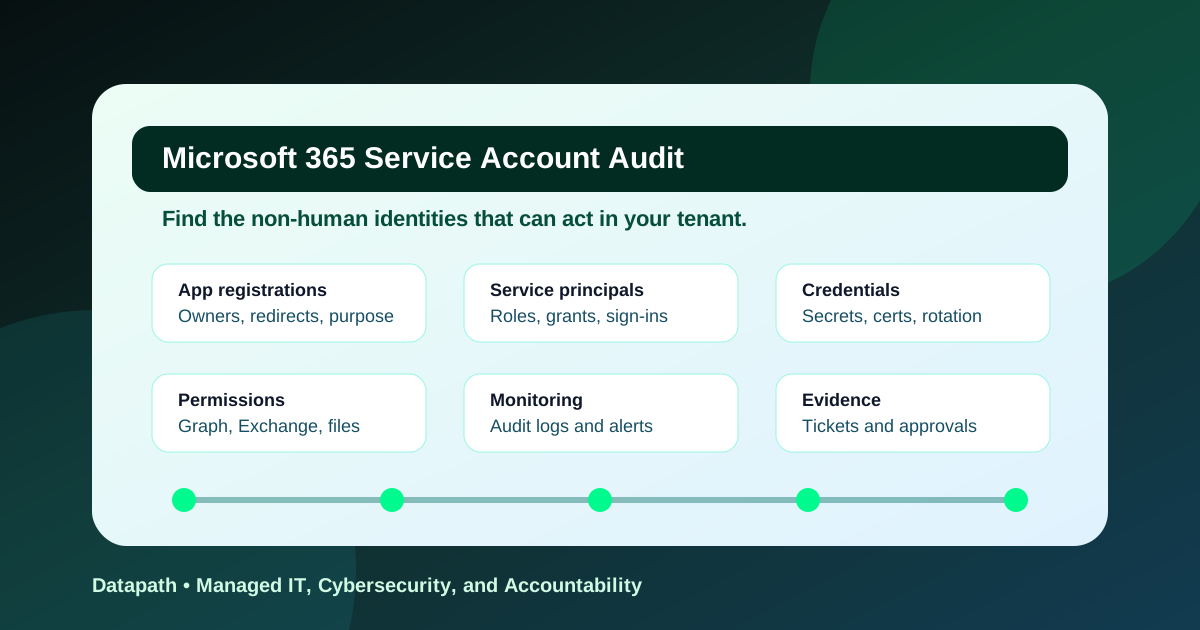
A Microsoft 365 service account audit checklist should identify every non-human identity, owner, business purpose, credential, permission grant, administrator role, sign-in pattern, secret expiration, monitoring rule, and evidence record. The goal is to know which applications can act in the tenant, what data they can reach, who owns them, and what should be removed.
This is not only an Azure or Microsoft Entra housekeeping exercise. Service accounts, app registrations, service principals, automation accounts, backup connectors, reporting integrations, security tools, and line-of-business workflows often hold durable access that does not map cleanly to one employee. If that access is over-permissioned or unmanaged, password resets and user offboarding will not close the exposure.
Microsoft warns that application credentials need active management and that unused credentials can become security risk; Microsoft also recommends certificates or more secure identity patterns instead of password-style client secrets where possible.1 CISA has separately called out malicious enterprise applications and service principals as persistence paths in Microsoft 365 environments.2
At Datapath, we treat service account auditing as part of the same operating discipline as privileged-access review, logging, backup validation, and vendor governance. A regulated organization should be able to answer a blunt question: if this non-human identity is abused tonight, who will detect it, who can disable it, and what breaks when they do?
Why do service accounts create hidden Microsoft 365 risk?
Service accounts create hidden Microsoft 365 risk because they can survive employee turnover, bypass normal user lifecycle controls, authenticate without interactive MFA, and carry broad application permissions across Exchange, SharePoint, Teams, Graph, backup platforms, security tools, and custom integrations. The risk is not that automation exists. The risk is unowned automation with excessive authority.
Service principals do not behave like ordinary users
Human users usually have managers, departments, devices, sign-in prompts, help-desk tickets, and offboarding workflows. Service principals do not. They may run a nightly script, sync an HR feed, connect a SaaS platform, ingest security logs, back up Microsoft 365 data, or push reports into another system.
That difference matters. Microsoft documents service principals as identities used by applications and recommends evaluating service principal permissions, monitoring sign-ins, and using the least possible permissions for automation.3 A tenant can look clean from a user-access perspective while still carrying stale app credentials, overbroad Graph permissions, and automation nobody owns.
OAuth consent and service account risk overlap
A risky Microsoft 365 service account audit should not stop at traditional shared usernames. Modern exposure often lives in app permissions, delegated consent, enterprise applications, app registrations, and service principals. An app with broad permissions can read mail, inspect files, modify directory objects, or access security data depending on the grants it holds.
CISA’s post-compromise Microsoft cloud guidance discusses OAuth consent, service principal operations, and application changes as activity defenders should export and inspect during investigations.4 That is the operational clue: if those objects matter during an incident, they also deserve recurring review before an incident.
If your team has already started consent review, pair this checklist with our OAuth app consent audit checklist and Microsoft 365 cloud logging checklist. Consent, credentials, and logging are separate control families, but they fail together when nobody owns the workflow.
Stale credentials are both outage risk and security risk
Long-lived client secrets are convenient until they are forgotten, copied into code, stored in a spreadsheet, left in a vendor vault, or never rotated after a contractor leaves. Expiring secrets create outage risk; non-expiring or loosely managed secrets create security risk. Both are governance failures.
Use a simple inventory table to force the right questions:
| Object to review | What can go wrong | Evidence to keep |
|---|---|---|
| App registration | No owner, unclear purpose, stale redirect URI | App export, owner list, business approval |
| Service principal | Over-permissioned tenant instance | Permission export, sign-in history, risk decision |
| Client secret | Long-lived or copied into code | Expiration date, vault location, rotation ticket |
| Certificate | Unknown issuer or stale rollover plan | Thumbprint, issuer, expiration, renewal owner |
| Managed identity | Access drifts beyond the workload need | Resource assignment export, owner approval |
| Admin role assignment | Application can change sensitive settings | Role export, approval record, monitoring rule |
How should IT teams run a Microsoft 365 service account audit?
Run a Microsoft 365 service account audit in eight steps: inventory non-human identities, classify business purpose, map permissions, identify credentials, verify owners, review sign-in logs, remove or restrict stale access, and preserve evidence. The review should produce tickets and decisions, not just a spreadsheet.
Step 1: Inventory every non-human identity
Start with Microsoft Entra ID app registrations, enterprise applications, service principals, managed identities, automation accounts, backup connectors, security integrations, reporting jobs, mailbox automation, PowerShell scripts, and vendor-managed identities. Include both cloud-only objects and identities tied to hybrid systems.
Capture at least:
- display name and object ID
- application ID or service principal ID
- owner or technical contact
- business owner or approving department
- vendor name, if applicable
- data accessed or workload supported
- credential type and expiration date
- delegated and application permissions
- directory roles or Azure RBAC assignments
- last sign-in or last observed use
- monitoring and alert owner
This is where many audits fail. Teams export a list of users and call the job done. A real service account review asks which non-human identities can act, not only which employees can sign in.
Step 2: Separate necessary automation from inherited clutter
Do not delete everything that looks unfamiliar. Some service principals support backup, email security, SSO, device management, SIEM ingestion, HR provisioning, finance workflows, healthcare applications, EHR integrations, learning platforms, or municipal systems. Breaking those workflows can disrupt the business.
Instead, classify each object into one of four states:
- Approved and documented because a current owner confirms the purpose, permissions, credential, and monitoring path.
- Needed but over-permissioned because the workflow is valid but the grant is broader than the task requires.
- Unknown because no owner can explain it, even if it appears active.
- Retire or disable because it is stale, duplicated, unneeded, risky, or tied to a closed vendor relationship.
That classification creates an operating path. Approved items enter recurring review. Over-permissioned items become remediation tickets. Unknown items get investigated before removal. Retired items are disabled, monitored for breakage, and then removed.
Step 3: Review permissions before credentials
Credential hygiene matters, but permissions define blast radius. An app with a short-lived secret and excessive Graph permissions is still dangerous. Review application permissions, delegated permissions, admin consent grants, Exchange permissions, SharePoint access, Azure role assignments, and directory roles before deciding the risk level.
Microsoft’s Entra security operations guidance lists highly privileged application permissions and service principal role assignments as monitoring priorities.5 In practical terms, look hard at permissions such as broad *.ReadWrite.All, directory write access, mail access, file access, app role assignment changes, privileged role changes, and anything that can modify security settings.
Map each permission to a business need:
| Permission pattern | Audit question | Likely decision |
|---|---|---|
| Read-only reporting | Does the report still exist and who reads it? | Keep if owned and monitored |
| Mailbox or file read access | Which mailbox, site, or data set is required? | Restrict scope if possible |
| Directory write access | Why can the app modify identities or groups? | Escalate for security review |
| Role management | Can the app grant or change privileged access? | Critical review required |
| Unused consent grant | Has the app signed in recently? | Disable or remove after validation |
Step 4: Replace shared secrets where a better pattern exists
Microsoft’s app registration guidance says password credentials, also known as secrets, are often mismanaged and easily compromised, and recommends certificate credentials or managed identities when more secure options are possible.1 That does not mean every secret disappears overnight. It means secrets should not be the default forever.
For each credential, record the authentication method, storage location, expiration, rotation owner, last rotation date, and emergency rollover process. If a client secret is hard-coded in a script, stored in a personal password manager, shared between applications, or set with a long lifespan, create a remediation ticket.
Use this decision sequence:
- Can the workload use a managed identity or federated credential?
- If not, can it use a certificate with a defined rollover plan?
- If a client secret is still required, is it short-lived, vault-stored, monitored, and owned?
- If nobody owns the credential, should the object be disabled after a breakage-watch window?
Step 5: Confirm owners who can make decisions
A service account with no accountable owner is not governed. A technical owner can explain how it works, but a business owner must decide whether the workflow still matters and whether the risk is acceptable. For vendors, the owner should know the contract, service scope, escalation path, and offboarding plan.
This is especially important for organizations using outside IT support. A provider can operate the review, but the organization still owns risk acceptance. Datapath usually pairs this work with Microsoft 365 identity security services, managed cybersecurity services, and managed IT services so identity governance, help-desk operations, vendor changes, and executive reporting do not split into separate silos.
Step 6: Check sign-in logs and change history
Review service principal sign-ins, managed identity sign-ins, Entra audit logs, Microsoft 365 unified audit logs, credential additions, app role assignments, consent events, owner changes, redirect URI changes, and anomalous activity. CISA has specifically described adversaries adding credentials to application or service principal objects to maintain persistence.6
The review should ask:
- Did the object authenticate recently?
- Did it authenticate from expected locations, cloud services, or IP ranges?
- Were credentials added outside normal workflow?
- Did someone grant new permissions or admin consent?
- Did the app start accessing new workloads?
- Is the object dormant but still privileged?
For regulated teams, keep exports or screenshots that prove the review happened. If you cannot retain the evidence, you will struggle to satisfy auditors, insurers, boards, or incident responders later.
Step 7: Remove access carefully and verify the result
Service account cleanup should be controlled. Disable first when breakage risk is unclear, monitor for failed jobs or user complaints, then remove after the owner confirms the workflow is dead. For high-risk or suspicious objects, escalate faster through incident response.
Tie every action to a ticket. The ticket should show the object, owner, decision, change window, rollback plan, final state, and evidence. A review is not complete when the spreadsheet says “remove.” It is complete when unnecessary access is gone and the second export proves it.
Step 8: Put the review on a recurring cadence
Quarterly is a practical baseline for many mid-market tenants, with monthly review for high-risk service principals, backup platforms, security tools, privileged automation, and sensitive data integrations. Trigger an out-of-cycle review after vendor changes, incidents, failed audits, cyber-insurance renewals, major Microsoft 365 projects, mergers, or new SaaS deployments.
If your organization is building a broader identity governance rhythm, connect this work to our Entra ID access review checklist and Microsoft 365 guest user access review checklist. Human privileged users, guests, apps, and service principals all need review, but each requires different evidence.
What should regulated teams keep as audit evidence?
Regulated teams should keep enough evidence to prove scope, review decisions, remediation, and monitoring. For Microsoft 365 service accounts, that usually means inventory exports, permission reports, sign-in evidence, owner attestations, credential records, approval tickets, exception registers, and final-state verification after removals or restrictions.
The evidence package should be boring and retrievable
Audits become expensive when evidence lives in individual inboxes, screenshots with no dates, or a spreadsheet nobody trusts. Keep the package simple: one folder or system of record per review period, named owners, standard exports, and tickets linked to remediation decisions.
A useful evidence package includes:
- inventory export of app registrations and enterprise applications
- export of application and delegated permissions
- credential expiration report
- service principal sign-in or no-sign-in evidence
- owner attestation for each retained object
- exception register for risky but accepted configurations
- ticket list for removals, restrictions, and credential rotation
- screenshots or exports confirming final state
- notes on breakage-watch periods for disabled objects
This level of documentation supports healthcare, finance, K-12, municipal, and other data-sensitive organizations because it shows operating discipline, not just intent.
Exceptions need expiration dates
Some risky service accounts stay alive because the business has no immediate alternative. That can be acceptable if leadership understands the risk, but it should never be invisible. Every exception should include the object, risk, compensating control, business reason, approving owner, expiration date, and next review.
Do not let “temporary” client secrets become permanent infrastructure. Do not let a vendor keep broad access because migration planning is hard. Do not let an orphaned app stay privileged because nobody wants to break a job. Exceptions are management decisions, not technical clutter.
Metrics should show whether risk is going down
Leadership does not need a dump of every application object. It needs trendlines that show whether the tenant is getting safer. Useful metrics include total service principals, ownerless objects, high-risk permissions, expiring credentials, stale credentials, disabled-but-not-removed objects, overdue remediation tickets, and exceptions past expiration.
For teams comparing internal effort with outside support, our best MSP guide for 100+ employee organizations can help frame what a provider should own. The right partner should bring review discipline, not just another tool list.
Why Datapath for Microsoft 365 service account audit work?
Datapath helps regulated and mid-market organizations turn Microsoft 365 security review into repeatable operations. We connect identity governance, service delivery, vendor coordination, documentation, and executive reporting so findings become owned work instead of another unmanaged spreadsheet.
If you are reviewing app registrations, service principals, privileged automation, and risky Microsoft 365 permissions, start with Datapath and compare your current model against our cybersecurity services and Microsoft 365 identity work. Then use related Datapath guidance on OAuth app consent audits and Microsoft 365 cloud logging to close the detection and evidence loop.
Need help auditing Microsoft 365 service accounts?
Datapath helps regulated and mid-market teams identify risky app registrations, service principals, permissions, secrets, and evidence gaps before they become incident paths.
FAQ: Microsoft 365 service account audit checklist
What is a Microsoft 365 service account?
A Microsoft 365 service account is a non-human identity or application identity used by automation, integrations, vendors, backup tools, security platforms, scripts, or business systems to access Microsoft 365 or Microsoft Entra resources. In modern tenants, this often means app registrations, service principals, managed identities, certificates, and client secrets rather than only shared usernames.
How often should Microsoft 365 service accounts be audited?
Quarterly is a practical baseline for many mid-market organizations, with monthly review for privileged automation, backup systems, security tools, and apps with broad Graph or directory permissions. Review immediately after vendor changes, incidents, major Microsoft 365 projects, failed audits, or cyber-insurance evidence requests.
What are the biggest service account red flags?
The biggest red flags are no named owner, broad permissions with no business justification, long-lived client secrets, credentials stored outside a managed vault, no recent sign-in review, unexpected service principal sign-ins, admin role assignments, unmanaged vendor access, and objects that no one can safely disable.
Are client secrets always bad in Microsoft 365?
Client secrets are not always avoidable, but they are often overused and poorly governed. Microsoft recommends more secure options such as managed identities, federated credentials, or certificate credentials where possible; if a secret remains necessary, it should be short-lived, vault-stored, monitored, rotated, and owned.1
Can an MSP audit Microsoft 365 service accounts without taking over the tenant?
Yes. A co-managed MSP can run the inventory, evidence collection, remediation coordination, reporting, and monitoring while internal leadership retains business ownership and risk acceptance. The contract should clearly define privileged access, approval authority, change windows, documentation, and escalation paths.
Sources
- Microsoft Learn: Security best practices for application properties in Microsoft Entra ID
- CISA: Remove Malicious Enterprise Applications and Service Account Principals
- Microsoft Learn: Securing service principals in Microsoft Entra ID
- CISA: Detecting Post-Compromise Threat Activity in Microsoft Cloud Environments
- Microsoft Learn: Microsoft Entra security operations guide for applications
- CISA: Remove Adversary Certificates and Rotate Secrets for Applications and Service Principals
Footnotes
-
Microsoft Learn: Security best practices for application properties in Microsoft Entra ID ↩ ↩2 ↩3
-
CISA: Remove Malicious Enterprise Applications and Service Account Principals ↩
-
Microsoft Learn: Securing service principals in Microsoft Entra ID ↩
-
CISA: Detecting Post-Compromise Threat Activity in Microsoft Cloud Environments ↩
-
Microsoft Learn: Microsoft Entra security operations guide for applications ↩
-
CISA: Remove Adversary Certificates and Rotate Secrets for Applications and Service Principals ↩
