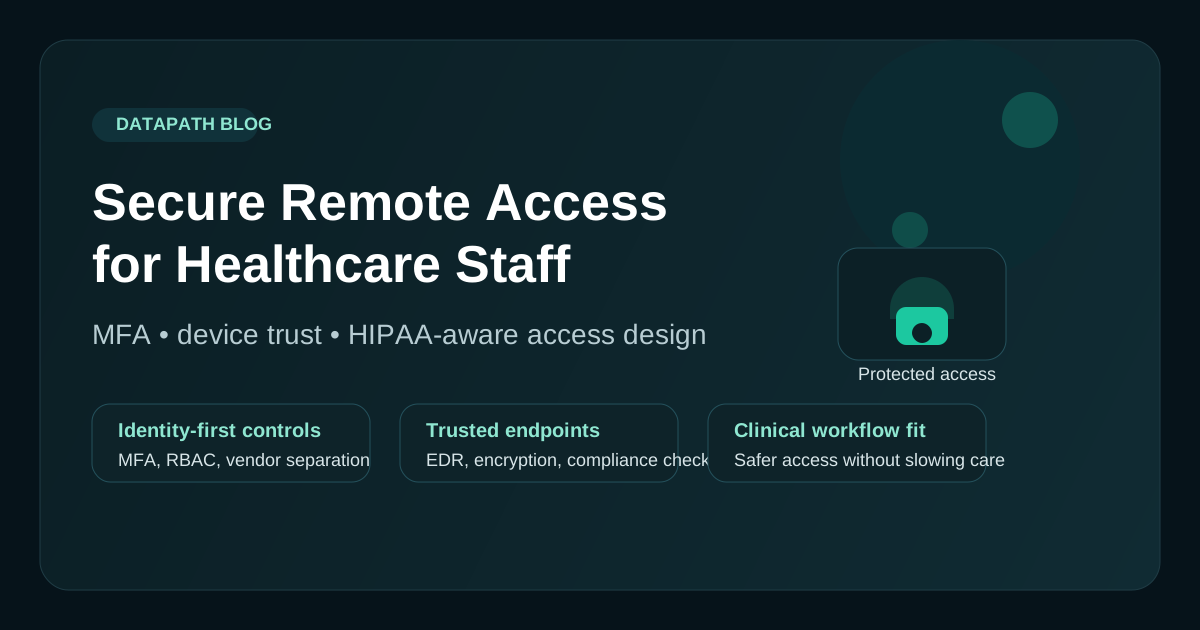

What is secure EHR access for remote healthcare staff?
Secure EHR access for remote staff is a controlled access model that lets approved healthcare users reach EHR and clinical systems from outside the facility while enforcing identity verification, device standards, least-privilege access, encrypted sessions, audit logging, and workflow-specific policy. It is not just a VPN connection. It is the set of technical and operational controls that determine who can reach patient data, from which device, through which path, and with what evidence.123
That distinction matters because healthcare environments are not just protecting generic business data. They are protecting clinical workflows, patient communications, EHR access, imaging systems, billing systems, and regulated data that can create operational and legal pain fast when access is handled casually. A “remote access solution” that works for a general office may still be weak for a healthcare organization if it does not account for HIPAA expectations, endpoint sprawl, shared workflows, third-party support, and the reality that care teams sometimes need fast access under pressure.
For healthcare teams in the United States assessing mobile access and remote work support in EHR software, the practical test is whether each workflow can prove who connected, which device was used, what ePHI was reachable, what was logged, and who owns support escalation when access fails.
For United States healthcare organizations, the short version is this: secure EHR access for remote staff should require MFA, trusted-device or controlled-session rules, role-based access, patient-confidentiality guardrails, vendor-access review, audit-log visibility, and a named support owner for each EHR, billing, imaging, telehealth, and Microsoft 365 workflow.
We usually recommend thinking about remote access as an operating model, not just a technology purchase. If your team is already reviewing HIPAA risk assessment priorities, HIPAA disaster recovery expectations, broader healthcare IT support options, healthcare cybersecurity services, or HIPAA IT services, remote access should sit in that same conversation.
Need safer EHR and mobile access?
Datapath helps healthcare teams assess mobile access, remote work support, MFA, device posture, vendor access, audit logs, and support ownership around EHR workflows.
Which healthcare remote access problem are you trying to solve?
Healthcare teams search this topic several ways. The right answer depends on whether the issue is EHR access, mobile support, remote desktop, vendor support, or patient-data confidentiality.
| Search intent | What the buyer needs | Datapath service path |
|---|---|---|
| secure EHR access for remote staff United States | A US healthcare remote-access model that protects ePHI while keeping approved clinical, billing, administrative, and vendor workflows usable | Healthcare cybersecurity services |
| secure EHR access for remote staff | A controlled model for clinicians, billing staff, admins, and vendors accessing EHR workflows away from the facility | Healthcare cybersecurity services |
| secure EHR access for remote staff best practices | A checklist for MFA, device trust, role-based access, logging, and workflow-specific restrictions | HIPAA IT services |
| healthcare remote access with patient confidentiality | Proof that remote access protects ePHI through identity, endpoint, audit, and policy controls | Healthcare cybersecurity services |
| secure remote desktop solutions for healthcare nurses doctors HIPAA compliant | Remote desktop or virtual-session controls that limit downloads, printing, clipboard use, and unmanaged-device risk | Microsoft 365 identity security services |
| how to assess mobile access and remote work support in EHR software | A review of EHR mobile app controls, device enrollment, app protection, audit logs, and support ownership | Healthcare IT solutions |
What are secure EHR access best practices for remote staff?
Secure EHR access best practices for remote staff include MFA, managed-device requirements for sensitive workflows, role-based access, encrypted access paths, session logging, vendor access separation, no shared credentials, mobile-device controls, and regular access review. The practical goal is to protect ePHI while still allowing clinicians and administrative staff to do legitimate work when they are not onsite.245
| Best practice | What healthcare teams should verify |
|---|---|
| MFA on every remote path | EHR, VPN, Microsoft 365, remote desktop, admin portals, and vendor support accounts require MFA |
| Device trust | Sensitive workflows require enrolled, encrypted, patched, and monitored devices where possible |
| Least privilege | Clinicians, billing staff, executives, vendors, and IT admins have different access profiles |
| Session restrictions | File transfer, clipboard use, local printing, and unattended remote sessions are limited by role |
| Audit logging | Successful access, failed access, MFA prompts, privileged activity, and vendor sessions are reviewable |
| Vendor controls | Third-party support uses named accounts, approval, time limits, and scoped system access |
| Mobile access checks | Phones and tablets are governed by MDM, app controls, screen lock, wipe capability, and data-storage rules |
| Recurring review | Remote access rights are reviewed after role changes, vendor changes, incidents, and device loss |
This is where security and usability have to meet. If controls block legitimate after-hours clinical work, staff will look for shortcuts. If controls are too loose, one stolen credential or unmanaged device can become a patient-data incident.
Why remote access is a bigger healthcare risk than many teams assume
Healthcare organizations often depend on remote access for after-hours chart review, telehealth support, medical billing, administrative work, vendor maintenance, and multi-site operations. That is normal. The problem is that access convenience often grows faster than governance.
Over time, organizations accumulate a mix of VPN accounts, unmanaged laptops, remote desktop exceptions, admin tools, personal devices, cloud app logins, and third-party support paths. Individually, each one may look reasonable. Together, they create a broad attack surface that is hard to monitor consistently.14
That is one reason HHS and other healthcare-security sources keep emphasizing core controls like MFA, audit logging, device protection, and tighter access restrictions. The issue is not only whether a user can log in. The issue is whether the organization can explain who had access, from what device, to which system, under what controls, and what happened when something looked suspicious.25
Start with identity, not the network
A lot of older remote access design starts with the network edge: set up VPN, push traffic in, and trust the user once connected. We think that model is usually too broad for modern healthcare.
A better starting point is identity.
Require MFA everywhere remote access touches protected systems
If a remote workflow can reach ePHI, administrative systems, backups, email, or privileged tools, MFA should be mandatory. That includes:
- EHR and practice-management access
- Microsoft 365 and email
- VPN or zero-trust remote access portals
- remote administrative tools
- vendor support sessions
- privileged accounts used by IT or security staff
Password-only access is too easy to abuse. Stronger MFA sharply reduces the value of stolen credentials and is one of the fastest ways to improve healthcare remote access posture.35
Use role-based access and least privilege
Not every remote worker needs the same level of access. Clinical staff, billing teams, executives, help desk staff, and outside vendors should not all share the same remote-access profile.
Use role-based access controls to decide:
- which applications each role can reach
- whether file transfer is allowed
- whether clipboard or local printing should be restricted
- whether access is allowed only from managed devices
- whether sessions should be blocked outside expected geographies or times
This is the practical version of least privilege. It keeps one compromised account from becoming a full-environment problem.12
Treat device trust as part of the login decision
A valid username and MFA prompt are not enough if the connecting device is weak.
Healthcare organizations should decide which remote workflows require managed devices and enforce that requirement technically wherever possible. For example, access to EHR, administrative consoles, or sensitive file repositories should usually require a device that is enrolled, encrypted, patched, and monitored.
Baseline controls for remote endpoints
For laptops and mobile devices that can access healthcare systems, we usually expect to see:
- full-disk encryption
- endpoint detection and response
- mobile device or endpoint management
- automatic patching and OS version standards
- screen lock and strong local authentication
- the ability to remotely disable or wipe a lost device
This matters because the endpoint is often the real edge. If a device is compromised, poorly configured, or shared casually at home, the remote-access stack above it can still fail in practice.136
Be careful with BYOD in clinical environments
Bring-your-own-device policies are not automatically forbidden, but they need more discipline than many teams apply. If personal devices are allowed, the policy should define exactly what is permitted, what data can be stored locally, what security software is required, and when access must be blocked.
In many healthcare environments, the safest option is to limit sensitive workflows to managed devices or to deliver them through a controlled virtual session so ePHI does not persist locally.
Use remote desktop or virtual sessions with guardrails
Secure remote desktop solutions can work for healthcare nurses, doctors, billing teams, and vendors when they are scoped narrowly. The safer model is usually a managed virtual session that enforces MFA, device checks, session timeouts, logging, and restrictions on downloads, clipboard sync, printing, screenshots, and local drive mapping.
Do not treat remote desktop as automatically HIPAA-compliant. It still needs identity controls, endpoint standards, role-based policy, audit review, vendor approval rules, and a clear owner for support escalations.
How should healthcare teams assess mobile access and remote work support in EHR software?
Healthcare teams should assess mobile access and remote work support in EHR software by testing authentication, device enrollment, session controls, logging, data storage, app permissions, vendor access, and support workflows before expanding remote use. The question is not only whether the EHR allows remote login. The question is whether the organization can control and prove how remote access is used.26
Use this review when comparing an EHR module, mobile app, hosted EHR environment, remote desktop design, or third-party support path:
| Assessment area | Questions to ask before approving remote use |
|---|---|
| Authentication | Does the workflow support MFA, SSO, conditional access, and separate privileged accounts? |
| Device posture | Can access be limited to managed, encrypted, patched, and compliant devices? |
| Local data | Can downloads, screenshots, cached files, printing, and copy/paste be restricted where needed? |
| Audit trail | Can the team review user, device, location, timestamp, failed login, and privileged-session activity? |
| Mobile controls | Does the mobile app support MDM policies, screen lock, remote wipe, app protection, and version enforcement? |
| Vendor access | Are support sessions named, approved, recorded or logged, time-bounded, and scoped to the affected system? |
| Downtime workflow | If remote access fails, do clinicians know the alternate care, support, and escalation path? |
| Support ownership | Does the MSP, internal IT team, EHR vendor, or application owner handle each failure scenario? |
This assessment is useful during EHR selection, vendor renewal, remote-work expansion, and HIPAA risk analysis work. It also helps leadership decide whether remote access belongs in a managed IT scope, a cybersecurity remediation plan, or a more formal healthcare IT roadmap.
Reduce exposure with tighter access paths
Remote access design is not just about who gets in. It is also about how much they reach once they do.
Prefer application-specific or segmented access over broad network trust
Traditional VPN designs often drop remote users onto wide sections of the internal network. That may be simple, but it is not ideal. Where possible, healthcare organizations should narrow access to the applications or systems the user actually needs rather than extending broad reach to large network segments.24
That can look like:
- application-specific remote access portals
- segmented access for billing, imaging, or EHR systems
- jump-host or virtual desktop access for administrative workflows
- separate vendor access paths with approval and time limits
This approach is especially useful for healthcare teams trying to protect clinical systems without making remote work impossible.
Protect vendor and third-party access separately
Outside vendors often need remote access for support, maintenance, imaging, backup tooling, or specialized applications. That does not mean they should inherit the same access model as internal staff.
Vendor access should have its own controls:
- named accounts instead of shared credentials
- MFA and session logging
- explicit approval workflows
- time-bounded access where possible
- documented system scope
- review and removal when no longer needed
If your team is also reviewing third-party cyber risk controls, this is where those principles become operational.
Build the policy around real workflows
A remote access policy that just says “use VPN and follow HIPAA” is not a serious policy. The useful version explains how remote access actually works across the organization.
A stronger healthcare remote-access policy should define:
- approved access methods
- device requirements
- MFA requirements
- role-based restrictions
- vendor access rules
- home-network expectations
- prohibited behaviors like credential sharing or local storage of ePHI
- logging and review responsibilities
- escalation steps for suspicious activity, lost devices, or unauthorized access
This should also map back to clinical and business workflows. For example, a physician reviewing charts remotely, a biller accessing claims systems from home, and an imaging vendor performing support should not all be handled the same way.
The goal is not to add paperwork. The goal is to reduce ambiguity before an incident tests the design.
Logging, monitoring, and verification matter more than teams want to admit
A remote access program is only as strong as the visibility around it. If leadership cannot tell which users accessed which systems remotely, from which devices, and whether those sessions matched policy, the organization is operating on trust instead of evidence.
At minimum, healthcare remote access should log:
- successful and failed sign-in attempts
- MFA events and bypasses
- device compliance status when available
- privileged and vendor session activity
- unusual geography or impossible-travel patterns
- access to high-sensitivity systems
Those logs should be reviewed in a way that supports action, not just retention. A log nobody looks at is not much of a control.
This is also where remote access intersects with broader managed cybersecurity services and security alert prioritization. Detection is useful only if someone owns the follow-up.
What should remote access for healthcare include?
Remote access for healthcare should include secure identity, trusted devices, encrypted access paths, role-based restrictions, audit logs, vendor controls, incident escalation, backup access planning, and a support model that reflects clinical urgency. If remote access only answers, “Can the user get in?” the program is incomplete.
For leadership review, the remote access standard should answer these operating questions:
- Which EHR, billing, imaging, telehealth, Microsoft 365, file-sharing, and administrative systems are reachable remotely?
- Which users, vendors, admins, and executives can reach each system?
- Which workflows require a managed device or virtual session?
- Which remote sessions can print, download, transfer files, or use clipboard sync?
- Which logs prove access activity and who reviews them?
- Which alerts trigger helpdesk, security, vendor, or executive escalation?
- Which recovery or downtime process applies if remote access is unavailable during patient-care operations?
That last question is easy to miss. Secure remote access should not undermine care continuity. It should connect with healthcare disaster recovery planning, EHR downtime procedures, and the support expectations in your healthcare IT services model.
A practical rollout model for healthcare organizations
The biggest mistake we see is trying to fix remote access everywhere at once. A phased rollout is usually cleaner.
Phase 1: inventory and classify access
List:
- every remote access path
- every user group and vendor group
- every system reachable remotely
- which paths reach ePHI or privileged systems
- which devices are managed versus unmanaged
Many organizations find more legacy access than expected at this stage.
Phase 2: tighten identity and device requirements
Turn on MFA consistently, remove shared accounts, review privileged access, and decide which workflows require managed devices.
Phase 3: reduce broad access
Segment remote pathways, narrow permissions, and replace broad network-level trust where possible with more targeted access.
Phase 4: test and validate
Run scenario-based checks:
- lost device used for remote access
- terminated employee with lingering access
- vendor account still active after project completion
- clinician blocked by policy during urgent after-hours work
- login attempt from abnormal geography
Those tests help you catch both security gaps and operational friction before users work around the controls.
Need safer EHR access for remote staff?
Datapath helps healthcare teams tighten identity, device, EHR, vendor, and recovery controls without making clinical workflows harder than they already are.
FAQ: secure EHR access for remote healthcare staff
What is secure EHR access for remote staff?
Secure EHR access for remote staff is a controlled remote-access model that protects patient data with MFA, device standards, role-based permissions, encrypted sessions, audit logs, and workflow-specific policies for clinicians, administrators, vendors, and IT users.
What are secure EHR access best practices for remote staff?
Secure EHR access best practices include MFA, managed-device controls, least-privilege permissions, encrypted access paths, audit logging, vendor access separation, no shared credentials, mobile-device management, and recurring access reviews.
What should United States healthcare teams require for secure EHR access?
United States healthcare teams should require MFA, trusted-device or controlled-session access, role-based permissions, patient-confidentiality safeguards, audit logs, vendor-access review, mobile-device controls, downtime escalation, and evidence that ePHI access can be reviewed.
Is a VPN enough for HIPAA-compliant remote access?
Usually not by itself. A VPN may encrypt traffic, but healthcare remote access also needs MFA, access restrictions, device controls, logging, and policy enforcement around ePHI workflows.25
Should healthcare organizations allow personal devices for remote work?
Sometimes, but only with clear limits and technical controls. In many environments, sensitive workflows are safer on managed devices or controlled virtual sessions than on open-ended personal-device access.
How should healthcare teams assess mobile access and remote work support in EHR software?
Assess authentication, MFA, SSO, device enrollment, local data restrictions, audit logs, mobile-device controls, vendor support paths, downtime procedures, and support ownership before expanding mobile or remote EHR access.
What is the biggest remote-access mistake in healthcare?
The biggest mistake is broad convenience-based access without enough identity control, endpoint standards, visibility, and role separation. That usually creates hidden exposure long before anyone notices.
What is the best secure remote access for healthcare workers?
The best secure remote access for healthcare workers is the model that matches the workflow. Clinicians, nurses, billing staff, executives, vendors, and IT admins may need different controls, but sensitive access should generally require MFA, trusted devices or controlled sessions, least privilege, logging, and regular review.
Is patient data safe with healthcare remote access?
Patient data can be protected during healthcare remote access when the organization enforces HIPAA-aware safeguards such as MFA, device controls, encryption, role-based access, audit logging, no shared credentials, vendor oversight, and clear response steps for suspicious activity or lost devices.
How often should remote access permissions be reviewed?
Remote access permissions should be reviewed regularly and also whenever roles change, vendor engagements end, devices are lost, or leadership identifies higher-risk workflows.
Can Datapath help secure remote access for healthcare teams?
Yes. Datapath helps healthcare organizations map EHR and ePHI workflows, tighten identity and device controls, review vendor access, improve logging, document support ownership, and connect remote access findings to HIPAA IT services and managed cybersecurity work.
Sources
- HHS: Securing Remote Access Software
- HHS: Summary of the HIPAA Security Rule
- HHS: Security Rule Guidance Material
- HHS: Guidance on Risk Analysis
- HHS: January 2026 OCR Cybersecurity Newsletter
- HHS 405(d): Health Industry Cybersecurity Practices
- Buchalter: HIPAA Compliance Guidelines for Remote Workers
- HIPAA Journal: HIPAA Compliant Remote Access Software
- Accountable: Remote Access Policy for Healthcare Providers
- Censinet: Best Practices for Remote Healthcare Access Control
- MedicalITG: Best Practices for Secure Remote Access for Healthcare Staff
Footnotes
-
HHS guidance on securing remote access software notes that legitimate remote-access tools can support patient-record access and remote care, but threat actors also co-opt those tools for broad victim access. ↩ ↩2 ↩3 ↩4
-
HHS Security Rule guidance describes the need for administrative, physical, and technical safeguards to protect electronic protected health information. ↩ ↩2 ↩3 ↩4 ↩5 ↩6 ↩7
-
HHS 405(d) healthcare cybersecurity practices and HHS cybersecurity materials emphasize MFA and tighter controls for remote access and high-risk services. ↩ ↩2 ↩3
-
Accountable recommends building policy-driven remote access with role-based restrictions, device expectations, and more targeted access paths. ↩ ↩2 ↩3
-
HHS administrative safeguard materials describe reviewing information system activity, including audit logs, access reports, and security incident tracking. ↩ ↩2 ↩3 ↩4
-
HHS risk-analysis guidance says ePHI created, received, maintained, or transmitted by an organization is subject to the Security Rule and should be reviewed for risks and vulnerabilities. ↩ ↩2