
How should multi-site teams evaluate managed firewall coverage?
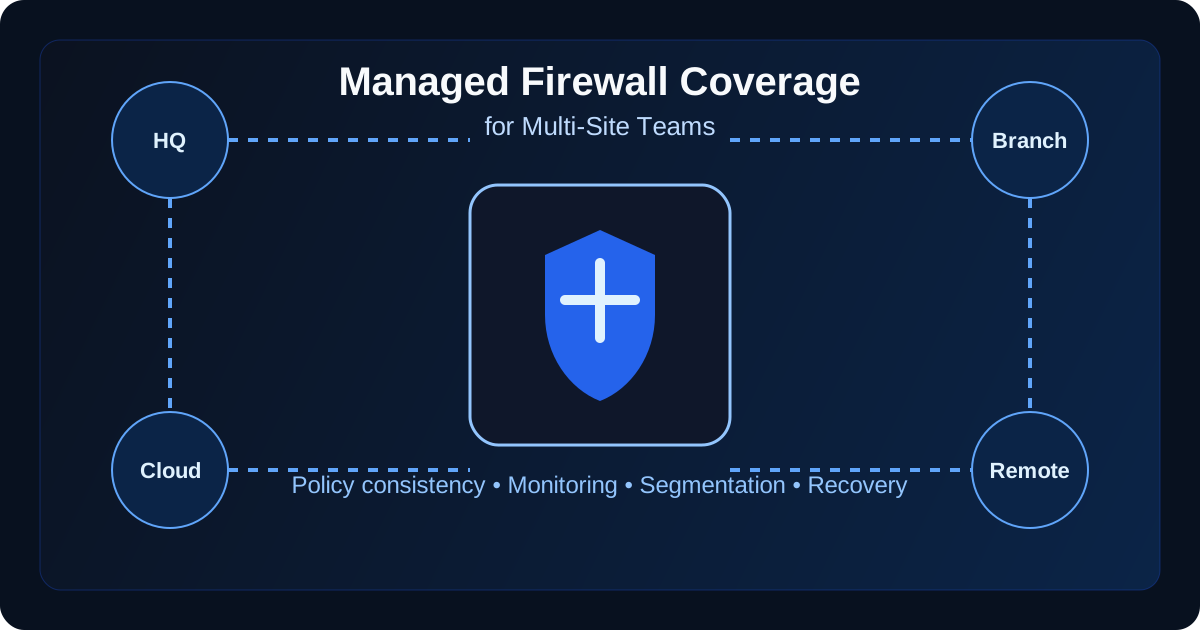
If your team is searching for leading firewalls for multi-site management, evaluate the firewall platform and the managed operating model together: consistent policy across every location, cloud and remote-user coverage, continuous change monitoring, rollback planning, reporting, and fast response when security events or outages hit. A strong managed firewall program is not just a box at each site. It is a coordinated operating model for policy, visibility, segmentation, change control, and incident response.123
That matters because most multi-site organizations do not fail at the firewall in obvious ways. They fail in the seams between sites. One branch gets a rule exception nobody revisits. A VPN policy drifts away from headquarters standards. A cloud environment is protected differently than the physical network. When that happens, the business may think it has firewall coverage while attackers, auditors, and outage conditions reveal that coverage is inconsistent.24
In our experience, the right question is not “do we have managed firewalls?” It is “can our provider prove that protection is consistent, monitored, documented, and recoverable across every place the business actually operates?” For organizations already reviewing managed IT services, managed firewall services, or broader network segmentation requirements, this is where real accountability starts.
What are the leading firewalls for multi-site management?
Leading firewalls for multi-site management are not just appliances with strong threat prevention. They are firewall platforms and managed services that can standardize policy, centralize visibility, control VPN or ZTNA access, back up configurations, and coordinate changes across branch offices, cloud networks, and remote users without creating unmanaged exceptions.
| Capability to compare | What to require | Why it matters for multi-site teams |
|---|---|---|
| Centralized policy governance | Shared baselines, documented exceptions, recurring rule reviews, and approval trails | Keeps branch rules from drifting away from headquarters or compliance standards |
| Branch, cloud, and remote-user visibility | Logs and alert coverage across physical firewalls, cloud firewalls, VPN paths, and remote access | Prevents security teams from seeing only part of the production environment |
| VPN or ZTNA access control | Identity-aware access, vendor-access oversight, and clear emergency-change authority | Reduces unmanaged remote-access risk across locations and third parties |
| Rollback and resilience | Configuration backups, high-availability planning, failover checks, and rollback steps | Makes bad changes and outages recoverable instead of improvised |
| Managed reporting | Monthly review of rule changes, blocked threats, open risks, lifecycle issues, and exception status | Turns firewall operations into an accountable program leadership can act on |
If you are comparing firewall products, evaluate the platform and the operating model together. A strong firewall that lacks change governance, monitoring ownership, and reporting can still leave a multi-site team exposed. Datapath’s managed firewall services are designed to connect firewall management with policy cleanup, monitoring, escalation, and executive-ready evidence.
Need managed firewall services across multiple sites?
Datapath can evaluate leading firewall options, rule governance, remote-access paths, monitoring gaps, and rollback readiness across offices, cloud environments, and regulated workflows.
If your search for leading firewalls for multi-site management is really about who will operate policy after rollout, compare Datapath’s managed firewall services for multi-site firewall management, rule governance, monitoring, rollback, and reporting. Product choice matters, but unmanaged exceptions between branches, cloud edges, and remote users are usually where coverage breaks.
What does real firewall coverage include for a multi-site environment?
A lot of providers talk about 24/7 monitoring and next-generation protection, but multi-site coverage needs to be measured more practically. The program should reflect how traffic actually moves between branch offices, cloud workloads, third-party vendors, and remote staff.
1. Every site, edge, and user path in scope
The first evaluation step is inventory. If the provider cannot clearly map every protected location and traffic path, the service is already weaker than it sounds. That inventory should include headquarters, branch offices, warehouses, clinics, schools, city facilities, guest networks, VPN concentrators, cloud firewalls, and any third-party circuits that connect critical systems.15
We recommend asking for a coverage map that shows:
- every physical site and firewall instance
- every internet breakout and WAN path
- VPN entry points for staff and vendors
- cloud environments and virtual firewall boundaries
- segmented networks for sensitive systems
- log collection and monitoring destinations
This sounds basic, but it is where many multi-site teams discover that “covered” really means “installed.” Installed is not the same thing as governed.
2. Shared policy standards with local exceptions under control
A good managed firewall service should enforce baseline rules consistently across sites while documenting the few approved exceptions that genuinely need to differ. CISA and NIST both emphasize secure configuration management and network boundary control because inconsistent rule sets create exploitable gaps.23
That means your provider should be able to explain:
- which policies are global versus site-specific
- how rule changes are approved and reviewed
- how temporary exceptions expire or get removed
- how obsolete rules are identified and cleaned up
- how segmentation standards are maintained over time
If the answer is “each site is a little different,” that is not flexibility. That is drift.
3. Coverage for the business, not just the hardware
Firewall protection should align with business-critical workflows. A healthcare office may need stronger segmentation around imaging, EHR, and guest traffic. A finance team may need tighter egress controls, logging, and vendor access oversight. A city or school district may need site-to-site resilience and clearer control over remote administration. The point is that a firewall estate should mirror business risk, not just topology.46
That is why we usually tell teams to compare firewall coverage against adjacent priorities like secure file transfer for financial services, municipal network modernization planning, and EHR downtime contingency planning. The right firewall model should make those programs easier to run, not harder.
What questions expose weak managed firewall coverage before you sign?
The fastest way to evaluate a provider is to ask questions that force them to describe their operating model in plain language. Weak providers stay at the level of features. Strong providers can explain ownership, evidence, and failure modes.
1. How do you prevent configuration drift across sites?
This is one of the best screening questions because it gets past marketing language. A real answer should include templates, version control, peer review, scheduled audits, and a documented process for reconciling site-specific deviations.27
We like to hear answers that mention:
- baseline policy templates by site type
- formal change tickets and approval trails
- recurring rule reviews
- automated backup of device configs
- comparison of running configs against standards
- named owners for urgent and after-hours changes
If the provider mostly talks about the firewall brand, you still do not know how the environment is governed.
2. What happens after hours when a site loses connectivity or a threat alert fires?
Multi-site teams need operational clarity, not just “24/7 SOC” language. Ask who triages the event, who can authorize emergency rule changes, how the provider distinguishes an outage from a security event, and how communication flows back to your team. This is the same accountability issue that shows up in MSP SLA metrics and after-hours responsiveness reviews. If nobody owns the decision path overnight, your firewall coverage is weaker than advertised.
3. How do you handle cloud, SaaS, and remote-user traffic?
Many organizations now have fewer clean network perimeters than they used to. Internet traffic may break out locally from branches, users may work remotely, and workloads may live partly in Azure or other cloud environments. NIST’s zero trust guidance reinforces that organizations should not assume a single trusted perimeter will protect a distributed environment.4
A managed firewall provider should therefore explain how it handles:
- split-tunnel versus full-tunnel remote access
- cloud firewall policy alignment with on-prem rules
- secure web filtering or DNS-layer controls
- user identity integration where relevant
- logging and alert coverage for off-site activity
If cloud and remote traffic are treated as somebody else’s problem, the service is incomplete.
4. Can you show evidence that restore, rollback, and resilience actually work?
Security and availability are tied together here. A multi-site team should know whether the provider backs up firewall configurations, tests failover, documents dependencies, and can recover from a bad change without improvising. That matters for routine outages and for incident response. We think teams should look at this alongside their backup and disaster recovery strategy, disaster recovery services planning, and downtime reduction program.
What should the evaluation scorecard look like?
The cleanest way to compare providers is to use a scorecard that measures how the managed firewall service will behave after deployment, not just how it looks during the sales cycle.
Use six evaluation categories
| Category | What to verify | Why it matters |
|---|---|---|
| Coverage map | All sites, cloud edges, VPN paths, and segmented networks are in scope | Prevents hidden blind spots |
| Policy governance | Baselines, approvals, reviews, and exception handling are documented | Reduces drift and rule sprawl |
| Monitoring and response | Alerts, triage, escalation, and after-hours ownership are defined | Improves incident speed and clarity |
| Security depth | IPS, URL filtering, application control, VPN, and segmentation are tuned to business risk | Avoids shallow checkbox protection |
| Resilience | Config backups, rollback plans, HA design, and failover testing exist | Lowers outage and bad-change risk |
| Reporting | Regular reviews tie logs, blocked threats, rule changes, and open risks to leadership decisions | Turns the service into a managed program |
Watch for the common failure patterns
In our experience, weak multi-site firewall programs usually show one or more of these patterns:
- every site is “custom,” so standards are hard to enforce
- rule requests are fulfilled quickly but rarely reviewed later
- cloud and branch traffic are managed by different teams with no shared reporting
- critical changes are made after hours without documented rollback plans
- the provider sends noisy reports but does not identify real risk trends
- segmentation exists on paper but not in rule design or monitoring practice
Those patterns are fixable, but they are exactly what buyers should uncover before they sign or renew a contract.
Why Datapath for managed firewall coverage across multi-site teams?
We think a managed firewall service should do more than keep devices online. It should help leadership understand risk, help internal IT move faster without losing control, and help regulated organizations keep network boundaries aligned with real business operations. That means clear policy ownership, practical segmentation, measurable response expectations, and reporting that shows where exposure is actually changing.
For organizations comparing providers or cleaning up a fragmented network estate, we recommend reviewing Datapath’s managed firewall services, managed IT services, our network security approach, and related posts like How Managed Firewalls Fit Into Your Overall Managed IT Services Strategy and our managed firewall services guide.
Need a clearer picture of firewall coverage across all your sites?
Datapath helps multi-site and regulated organizations evaluate firewall policy consistency, segmentation, monitoring, and after-hours ownership before small gaps turn into real incidents.
FAQ: managed firewall coverage for multi-site teams
What is managed firewall coverage for a multi-site team?
Managed firewall coverage for a multi-site team means a provider is governing firewall policy, monitoring, changes, and incident response across all locations, cloud environments, VPN paths, and segmented networks the business relies on.
How do you evaluate firewall coverage across multiple locations?
You evaluate firewall coverage across multiple locations by reviewing the inventory of protected sites, policy consistency, segmentation design, remote-access coverage, monitoring workflows, after-hours response, and configuration backup and recovery practices.
What is the biggest risk in a multi-site firewall environment?
The biggest risk is usually inconsistency. When rule sets, exceptions, cloud protections, or monitoring standards drift across sites, the organization ends up with hidden exposure even though every location appears protected on paper.
Should cloud and remote users be part of firewall coverage?
Yes. For most organizations, cloud workloads and remote users are part of the production environment. If the managed firewall service ignores those paths, the coverage model is incomplete.
What should a managed firewall provider report each month?
A managed firewall provider should report significant rule changes, blocked threats, open risks, exception status, firmware or lifecycle issues, segmentation gaps, and any sites or traffic paths that fall outside the current standard.
What makes a firewall a leading choice for multi-site management?
A firewall becomes a leading choice for multi-site management when it can be governed consistently across branch offices, cloud environments, VPN or ZTNA paths, and remote users. Buyers should look for centralized policy control, monitoring coverage, configuration backup, rollback planning, segmentation support, and reporting that shows exceptions and risk trends.
Footnotes
-
Palo Alto Networks, “What Is a Next-Generation Firewall (NGFW)?”, https://www.paloaltonetworks.com/cyberpedia/what-is-a-next-generation-firewall-ngfw ↩ ↩2
-
CISA, “Cross-Sector Cybersecurity Performance Goals”, https://www.cisa.gov/cross-sector-cybersecurity-performance-goals ↩ ↩2 ↩3 ↩4
-
NIST SP 800-41 Rev. 1, “Guidelines on Firewalls and Firewall Policy”, https://csrc.nist.gov/pubs/sp/800/41/r1/final ↩ ↩2
-
NIST SP 800-207, “Zero Trust Architecture”, https://csrc.nist.gov/pubs/sp/800/207/final ↩ ↩2 ↩3
-
Microsoft Learn, “Firewall design considerations and deployment guide”, https://learn.microsoft.com/en-us/azure/firewall-manager/firewall-faq ↩
-
Fortinet, “Best Practices for Securing Branch Offices”, https://www.fortinet.com/resources/cyberglossary/branch-office-security ↩
-
Cisco, “Firewall Best Practices”, https://www.cisco.com/c/en/us/products/security/firewalls/firewall-best-practices.html ↩